
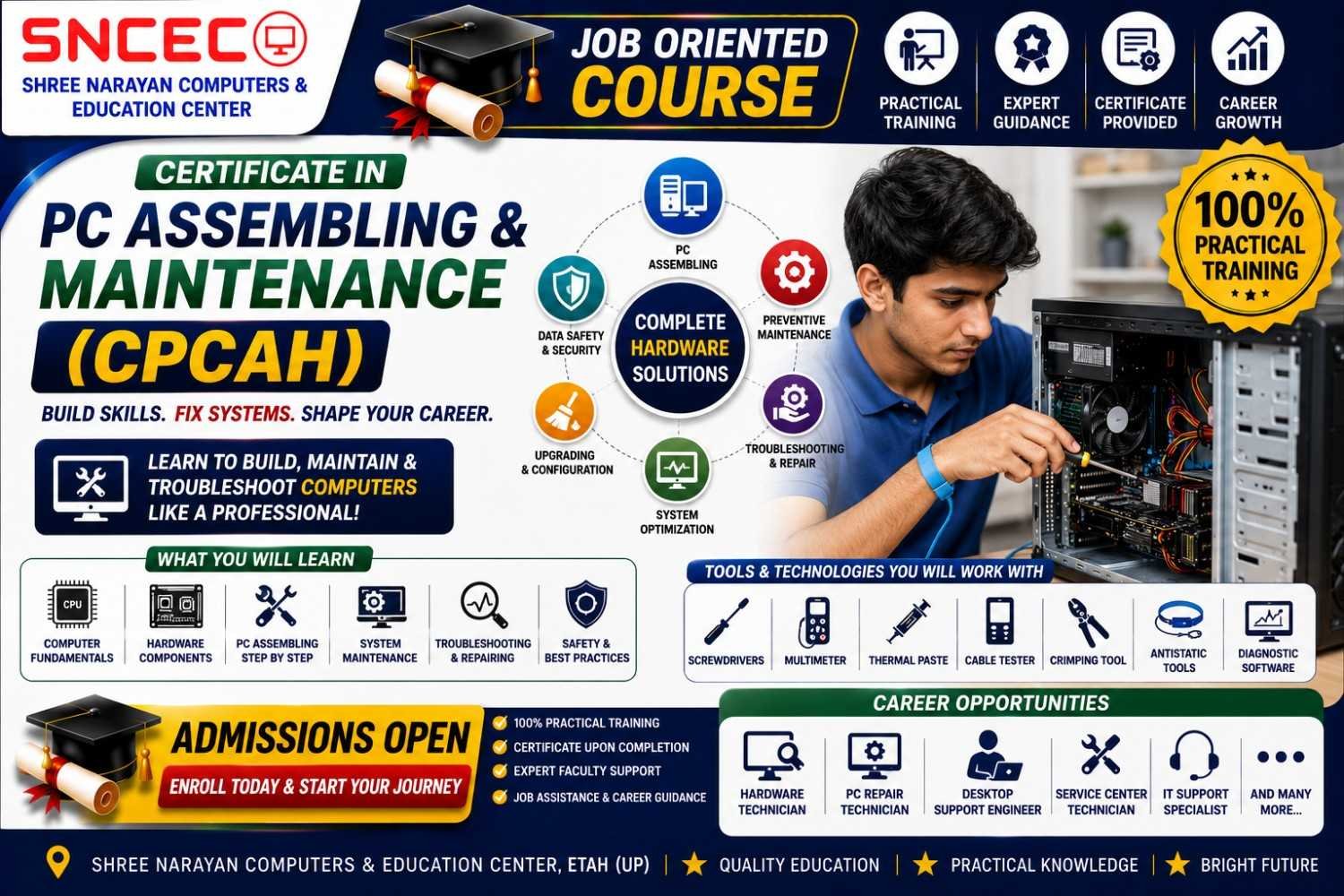
Certificate in PC Assembling & Maintenance (CPCAH)
The Certificate in PC Assembling & Maintenance (CPCAH) is a practical, job-oriented course designed for students, job seekers, IT beginners, and computer enthusiasts. This course provides hands-on training in assembling desktop computers, installing hardware components, configuring operating systems, diagnosing hardware faults, and performing preventive maintenance.
Develop the technical skills required to work as a computer hardware technician or start your own computer repair business.
Course Duration
3 Months
Course Mode
- 💻 Live Online Classes
- 🏫 Offline Classroom Training
- 🔧 Practical Hardware Lab Sessions
- 🎥 Recorded Video Lessons
Course Highlights
- 100% Practical Training
- Desktop Computer Assembly
- Hardware Installation & Upgrades
- Windows 10 & Windows 11 Installation
- BIOS/UEFI Configuration
- Hardware Troubleshooting
- Preventive Maintenance
- Expert Faculty
- Certificate on Successful Completion
Course Modules
- Introduction to Computer Hardware
- Identification of PC Components
- Motherboard Installation
- CPU & Processor Installation
- RAM Installation & Upgrades
- HDD, SSD & NVMe Installation
- SMPS Installation
- BIOS/UEFI Configuration
- Desktop PC Assembly & Disassembly
- Windows 10 & Windows 11 Installation
- Driver Installation
- Hardware Diagnostics & Troubleshooting
- Preventive Maintenance & Cleaning
- Final Practical Project
What You’ll Learn
- Identify and understand computer hardware components
- Assemble and disassemble desktop computers safely
- Install processors, RAM, storage devices, and power supplies
- Configure BIOS/UEFI settings
- Install Windows operating systems and device drivers
- Diagnose and resolve common hardware problems
- Perform preventive maintenance to improve system performance
- Build confidence in handling real hardware repair tasks
Who Can Join?
- 10th & 12th Pass Students
- College Students
- Job Seekers
- Computer Hardware Beginners
- IT Enthusiasts
- Entrepreneurs
- Anyone interested in computer repair and maintenance
Requirements
- No prior hardware experience required
- Basic computer knowledge is recommended
- Practical lab access is beneficial
Course Includes
- HD Video Lessons
- Live Interactive Classes
- Practical Hardware Lab Sessions
- Downloadable PDF Notes
- Hands-on Practice Assignments
- Real Hardware Demonstrations
- Online Quizzes
- Final Assessment
- Certificate of Completion
Career Opportunities
After completing this course, learners can pursue roles such as:
- Computer Hardware Technician
- PC Assembly Technician
- Desktop Support Technician
- Computer Repair Technician
- IT Support Executive
- Service Center Technician
- Hardware Maintenance Assistant
- Freelance Computer Repair Technician
Reviews
There are no reviews yet.