
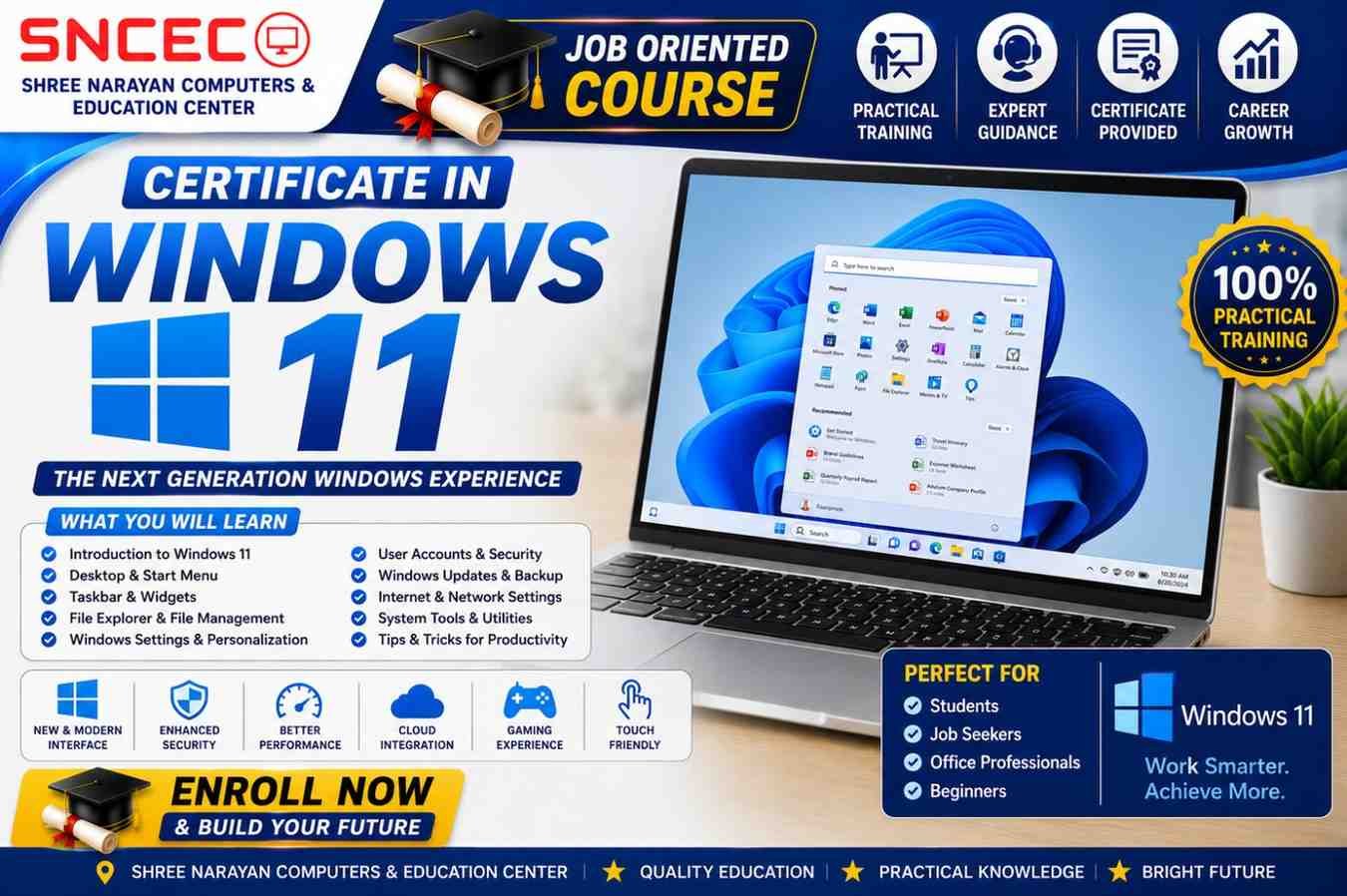
Certificate in Windows 11
Learn Windows 11 from Beginner to Advanced with Practical Training
Windows 11 is Microsoft’s latest operating system, designed with a modern interface, improved performance, stronger security, and enhanced productivity features. It is widely used in homes, offices, educational institutions, and businesses around the world. Learning Windows 11 is an essential skill for students, job seekers, office professionals, and anyone who wants to work efficiently on a computer.
The Certificate in Windows 11 course at Shree Narayan Computers & Education Center (SNCEC) is designed to provide hands-on training that helps learners understand the Windows operating system from the ground up. The course combines theoretical concepts with practical exercises, allowing students to gain confidence in using computers for personal, educational, and professional purposes.
Whether you are new to computers or looking to upgrade your skills from previous versions of Windows, this course offers a structured learning experience that prepares you for real-world computer usage.
Why Learn Windows 11?
Windows 11 introduces several improvements over previous versions, including a redesigned Start Menu, enhanced multitasking, better security, faster performance, and seamless integration with Microsoft services. Organizations across industries are increasingly adopting Windows 11, making it a valuable skill for anyone seeking employment or career advancement.
Learning Windows 11 enables you to:
- Work efficiently on modern computers
- Organize files and folders professionally
- Customize Windows settings according to your needs
- Install and manage software applications
- Connect external devices and printers
- Browse the internet safely
- Protect your system using Windows Security
- Solve common computer problems independently
- Increase productivity in office environments
These practical skills are useful in educational institutions, offices, businesses, government departments, and freelance work.
Course Overview
Course Name: Certificate in Windows 11
Course Duration: 3 Months / 90 Hours
Training Modes
- 💻 Live Online Classes
- 🏫 Offline Classroom Training
- 🎥 Recorded Video Lessons
Course Highlights
- 100% Practical Training
- Beginner-Friendly Curriculum
- Latest Windows 11 Features
- Expert Faculty
- Interactive Classroom Sessions
- Downloadable Study Materials
- Practical Assignments
- Online Quizzes
- Doubt-Clearing Sessions
- Certificate on Successful Completion
Who Should Join This Course?
The Certificate in Windows 11 course is ideal for:
- School Students
- College Students
- Job Seekers
- Office Professionals
- Government Exam Aspirants
- Homemakers
- Senior Citizens
- Small Business Owners
- Beginners in Computer Education
- Anyone who wants to improve computer skills
No previous computer experience is required.
Course Modules
Module 1: Introduction to Windows 11
In this module, students learn the basics of the Windows operating system and become familiar with the Windows 11 environment.
Topics Covered:
- Introduction to Windows 11
- Features of Windows 11
- System Requirements
- Desktop Overview
- Login & Sign-in Options
- Microsoft Account
- User Interface Basics
Module 2: Desktop & Start Menu
Students explore the redesigned Windows 11 desktop and learn how to navigate efficiently.
Topics Covered:
- Desktop Icons
- Taskbar
- New Start Menu
- Search Function
- Widgets
- Notification Center
- Quick Settings
- Virtual Desktops
Module 3: File & Folder Management
This module teaches students how to organize and manage files efficiently.
Topics Covered:
- Creating Files & Folders
- Rename Files
- Copy, Cut & Paste
- Move Files
- Delete & Restore
- Recycle Bin
- File Extensions
- Search Files
- Compress & Extract Files
Practical exercises help students organize documents professionally.
Module 4: File Explorer
Students learn to use Windows File Explorer for everyday computer tasks.
Topics Covered:
- Navigation Pane
- Quick Access
- This PC
- External Drives
- Folder Views
- Sorting Files
- Search Options
- File Properties
Module 5: Windows Settings
Windows Settings allows users to customize their computers for better productivity.
Topics Covered:
- Display Settings
- Personalization
- Themes
- Sound Settings
- Date & Time
- Language Settings
- Accessibility Features
- Power & Battery
- Storage Management
Students learn how to personalize Windows according to their preferences.
Module 6: User Accounts & Personalization
This module focuses on managing user accounts and personalizing the Windows experience.
Topics Covered:
- Microsoft Account
- Local Account
- User Profiles
- Password Management
- PIN Setup
- Account Security
- Changing User Pictures
- Lock Screen
- Desktop Background
- Themes & Colors
Students also learn how to create multiple user accounts for family or office environments.
Module 7: Installing & Uninstalling Applications
Learn how to install, update, and remove software safely while keeping your computer optimized.
Topics Covered
- Installing Desktop Applications
- Microsoft Store Apps
- Downloading Software Safely
- Updating Applications
- Uninstalling Programs
- Managing Startup Applications
- Default Apps
- Application Permissions
Practical Session:
Install useful software such as Google Chrome, VLC Media Player, Adobe Acrobat Reader, and Microsoft Office.
Module 8: Internet & Web Browsing
The internet is an essential part of daily computer usage. This module teaches students how to browse safely and efficiently.
Topics Covered
- Introduction to Internet
- Microsoft Edge Browser
- Google Chrome
- Search Engines
- Downloading Files
- Uploading Files
- Bookmarks & Favorites
- Browser History
- Safe Internet Practices
- Online Privacy
Practical Activities
- Searching information online
- Downloading PDF files
- Creating bookmarks
- Using Gmail
- Accessing online learning websites
Module 9: Printer & Device Management
Learn to connect and manage external devices with Windows 11.
Topics Covered
- Installing Printers
- Connecting USB Devices
- Bluetooth Devices
- Scanner Setup
- Webcam Configuration
- External Hard Drives
- Pen Drives
- Device Manager
- Troubleshooting Device Errors
Module 10: Windows Security & Antivirus
Security is one of the strongest features of Windows 11. Students learn how to protect their computers from threats.
Topics Covered
- Windows Security Dashboard
- Microsoft Defender Antivirus
- Firewall Settings
- Virus & Threat Protection
- Device Security
- Ransomware Protection
- Safe Browsing
- Password Security
- Windows Update
Practical Exercise
- Perform a virus scan
- Enable Windows Defender
- Configure Firewall
- Update Windows Security
Module 11: Backup & Restore
Protect important files by learning professional backup techniques.
Topics Covered
- Backup Basics
- File History
- OneDrive Backup
- Restore Points
- Windows Recovery
- Data Recovery
- System Restore
- Recovery Drive
Students practice backing up important documents and restoring them successfully.
Module 12: Basic Troubleshooting
Every computer user should know how to solve common Windows problems.
Topics Covered
- Slow Computer Solutions
- Low Disk Space
- Windows Update Problems
- Internet Connection Issues
- Printer Errors
- Frozen Applications
- Startup Problems
- Blue Screen Basics
- Performance Optimization
- Disk Cleanup
Hands-on Practice
Students troubleshoot real Windows issues using built-in tools.
What You’ll Learn
After completing the Certificate in Windows 11 course, you will be able to:
- Confidently use the Windows 11 operating system
- Navigate the modern Windows interface with ease
- Create, organize, and manage files and folders
- Customize Windows settings according to your needs
- Install, update, and remove software applications
- Connect printers, scanners, USB devices, and Bluetooth accessories
- Browse the internet safely and efficiently
- Protect your computer using Windows Security
- Back up and restore important files
- Improve system performance
- Troubleshoot common Windows problems independently
- Work efficiently in home, office, and educational environments
Who Can Join?
This course is suitable for learners of all ages and backgrounds, including:
- School Students
- College Students
- Job Seekers
- Office Professionals
- Government Job Aspirants
- Homemakers
- Senior Citizens
- Business Owners
- Freelancers
- Beginners in Computer Education
Eligibility
There are no educational restrictions for joining this course.
Anyone with an interest in learning computers can enroll.
Requirements
To get the best learning experience, you should have:
- No prior computer knowledge required
- Laptop or Desktop with Windows 11 (Recommended)
- Internet connection for online learning
- Basic English or Hindi reading ability
- Willingness to practice regularly
Course Includes
Students enrolled in this course receive:
- 🎥 HD Video Lessons
- 💻 Live Interactive Classes
- 📄 Downloadable PDF Notes
- 📝 Practical Assignments
- 🧪 Online Quizzes
- 💼 Hands-on Practice Sessions
- 🎓 Final Assessment
- 📜 Certificate of Completion
- 👨🏫 Instructor Support
Benefits of Learning Windows 11
Learning Windows 11 provides numerous personal and professional advantages.
Improve Computer Skills
Build confidence while using computers for education, work, and personal tasks.
Increase Productivity
Complete daily tasks faster using Windows 11 productivity features.
Better File Management
Organize important documents professionally.
Stronger Security Awareness
Protect your personal information from viruses and online threats.
Office Readiness
Gain practical computer skills required in modern workplaces.
Digital Confidence
Use the latest Windows operating system without hesitation.
Career Opportunities
After successfully completing the Certificate in Windows 11 course, learners can pursue entry-level positions such as:
- Computer Operator
- Office Assistant
- Data Entry Operator
- Administrative Assistant
- Back Office Executive
- Customer Support Executive
- Receptionist
- Documentation Assistant
- Computer Lab Assistant
- Office Coordinator
The practical knowledge gained in this course is also valuable for entrepreneurs, freelancers, and individuals managing their own businesses.
Industry Demand for Windows 11 Skills
As organizations continue upgrading to Windows 11, professionals with hands-on knowledge of the operating system are increasingly valuable. Schools, colleges, corporate offices, banks, retail businesses, healthcare organizations, and government departments rely on Windows-based systems for everyday operations.
Completing this course helps learners stay updated with modern technology and improves their employability in today’s digital workplace.
Why Choose Shree Narayan Computers & Education Center (SNCEC)?
Choosing the right computer training institute is the first step toward building strong digital skills. At Shree Narayan Computers & Education Center (SNCEC), we focus on practical learning, experienced guidance, and career-oriented education.
Our Advantages
- ✅ 100% Practical Computer Training
- ✅ Experienced & Certified Trainers
- ✅ Modern Computer Lab
- ✅ Live Online & Offline Classes
- ✅ Recorded Video Lessons
- ✅ Interactive Practical Sessions
- ✅ Downloadable Study Materials
- ✅ Regular Assignments & Online Quizzes
- ✅ Affordable Course Fees
- ✅ Industry-Oriented Curriculum
- ✅ Certificate on Successful Completion
- ✅ Student Support Throughout the Course
Whether you are a beginner or want to improve your computer knowledge, SNCEC provides a friendly learning environment that helps you succeed.
Frequently Asked Questions (FAQs)
1. What is the Certificate in Windows 11 course?
It is a beginner-friendly computer course that teaches students how to use Windows 11 efficiently, including file management, settings, internet browsing, security, and troubleshooting.
2. Who can join this course?
Anyone can join, including:
- School Students
- College Students
- Job Seekers
- Office Professionals
- Homemakers
- Senior Citizens
- Beginners
3. Do I need prior computer knowledge?
No. This course starts from the basics and is specially designed for beginners.
4. What is the course duration?
Duration: 3 Months (90 Hours)
5. Is this course available online?
Yes.
Students can choose:
- Live Online Classes
- Offline Classroom Training
- Recorded Video Lessons
6. Will I receive a certificate?
Yes.
After successfully completing the course and final assessment, students receive a Certificate of Completion.
7. Is practical training included?
Yes.
The course focuses on 100% practical learning, with real computer exercises and hands-on practice.
8. What software will I learn?
You will learn:
- Windows 11
- File Explorer
- Windows Security
- Microsoft Edge
- Control Panel
- Settings
- Device Management
- Backup & Restore
- Troubleshooting Tools
9. Can this course help me get a job?
Yes.
The practical computer skills learned in this course are useful for many entry-level office jobs.
10. What jobs can I apply for after completing this course?
Career opportunities include:
- Computer Operator
- Office Assistant
- Data Entry Operator
- Administrative Assistant
- Back Office Executive
- Customer Support Executive
- Receptionist
11. Are study materials provided?
Yes.
Students receive:
- PDF Notes
- Practical Exercises
- Assignments
- Online Quizzes
- Recorded Video Lessons (where applicable)
12. Why should I learn Windows 11?
Windows 11 is the latest Microsoft operating system with improved security, performance, and productivity features. Learning it prepares you for modern workplaces and everyday computer use.
Start Your Learning Journey Today
Technology is an essential part of education, business, and employment. The Certificate in Windows 11 course equips you with practical computer skills that are valuable in almost every profession.
Whether you want to improve your computer knowledge, prepare for office work, or build a strong foundation for advanced IT courses, this program offers the right combination of practical training and expert guidance.
Join Shree Narayan Computers & Education Center today and take the first step toward becoming a confident and skilled computer user.
Enroll Now
🎓 Course: Certificate in Windows 11
📅 Duration: 3 Months / 90 Hours
💻 Mode: Online + Offline + Recorded Classes
📜 Certificate: Yes
👨🏫 Training: 100% Practical
📞 Contact SNCEC today to reserve your seat!
| Certificate in Windows 11 | Certificate in Windows 11 – Enroll Now |
| Student Login | Login |
| Student Registration | Register |
| Dashboard | Click Here |
| Courses | View Courses |
| All Courses List | View All Courses |
| Instructor Registration | Apply Now |
| Our Team | Meet Our Team |
| About Us | About SNCEC |
| Contact | Contact Us |
| Mock Tests / Quizzes | Practice Now |
| Student Zone | Student Zone | Learning Portal |
| Shop | Visit Shop |
| Official Website | Shree Narayan Computers & Education Center |
Conclusion
The Certificate in Windows 11 course is an excellent starting point for anyone looking to build practical computer skills. With hands-on training, expert instructors, and a recognized certificate, you’ll gain the confidence to use Windows 11 effectively in academic, personal, and professional environments. Enroll today at Shree Narayan Computers & Education Center (SNCEC) and take the next step toward a successful digital future.
Shree Narayan Computers & Education Center