Currently Empty: ₹0.00




Computer Working Cycle
Computer किसी भी task को एक fixed process के through perform करता है। Computer के working cycle को समझने के लिए हम इसे मुख्य रूप से Input → Processing → Output → Storage के रूप में समझ सकते हैं।
1. Input — Data देना
सबसे पहले user computer को data और instructions देता है। इस process को Input कहा जाता है।
Input देने के लिए अलग-अलग input devices का उपयोग किया जाता है।
Examples:
Keyboard, Mouse, Scanner, Microphone, Webcam
Example: अगर हमें दो numbers जोड़ने हैं, तो हम keyboard से numbers enter करेंगे।
2. Processing — Data पर काम करना
Input मिलने के बाद computer उस data को process करता है। यह मुख्य काम CPU (Central Processing Unit) करता है।
CPU instructions के अनुसार calculations और logical operations perform करता है।
Example:
Input: 25 + 15
Processing: CPU addition करेगा।
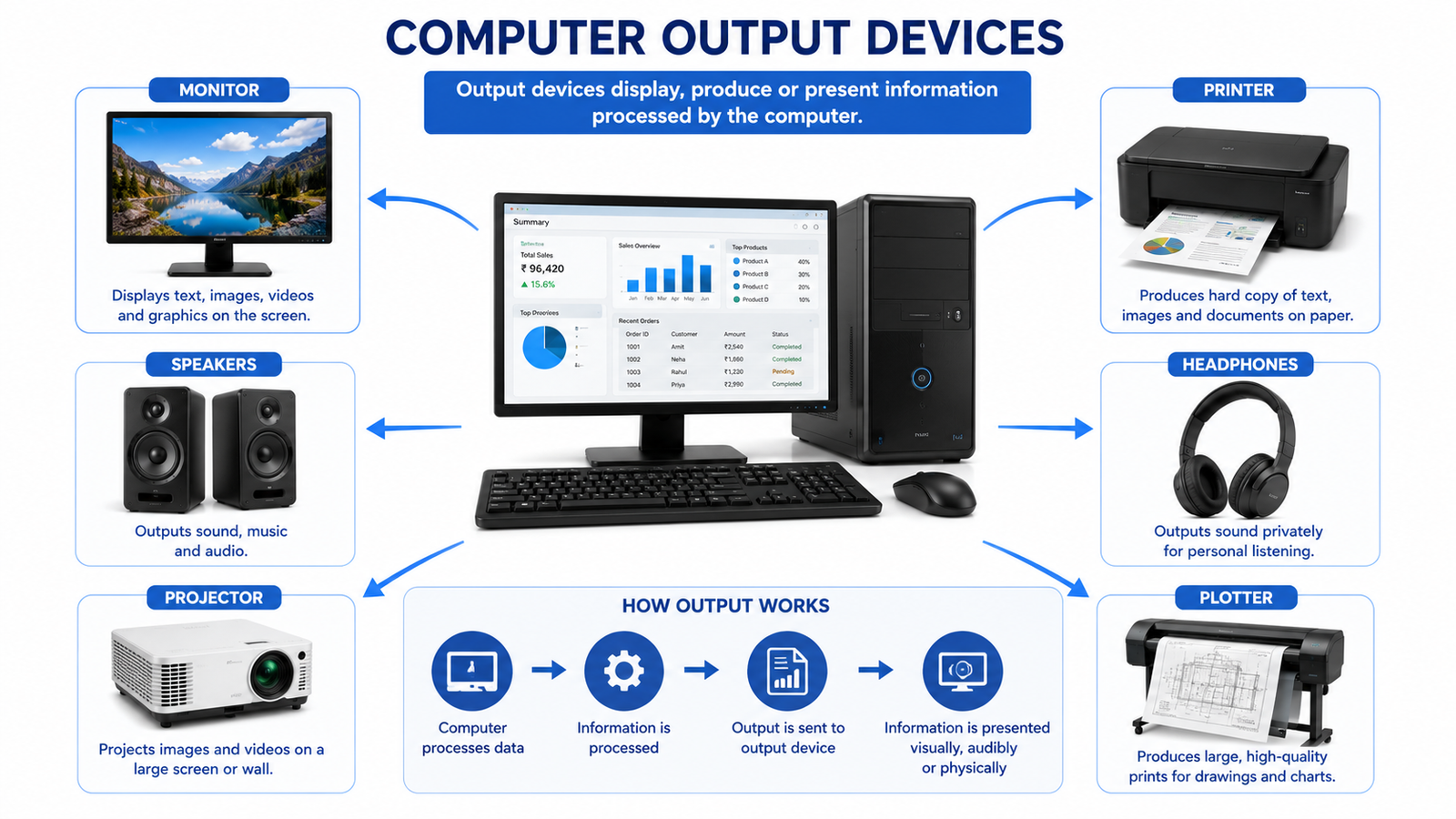
3. Output — Result प्राप्त करना
Processing complete होने के बाद computer हमें result देता है। इसे Output कहा जाता है।
Output अलग-अलग devices के माध्यम से प्राप्त हो सकता है।
Examples:
Monitor, Printer, Speaker, Projector
Example: Screen पर result 40 दिखाई देगा।
4. Storage — Data Save करना
Processing या output के बाद data और information को future use के लिए store किया जा सकता है।
Examples:
HDD, SSD, Pen Drive, Memory Card
Example: हम calculation या report को एक file के रूप में save कर सकते हैं।
Simple Computer Working Cycle
Input → Processing → Output → Storage
एक simple example से समझें:
Keyboard से 10 और 20 enter करना
↓
CPU numbers को process करता है
↓
Monitor पर 30 दिखाई देता है
↓
Result को file में save किया जा सकता है
Computer Working Cycle में CPU का Role
CPU को अक्सर computer का “Brain” कहा जाता है क्योंकि यह instructions को execute करता है और data को process करता है।
CPU के important parts हैं:
- ALU (Arithmetic Logic Unit) — Arithmetic और logical operations करता है।
- CU (Control Unit) — Computer के different operations को control और coordinate करता है।
- Registers — Processing के दौरान छोटे amounts of data/instructions को temporarily hold करते हैं।
IPO Cycle
Computer working को कई basic situations में IPO Cycle से भी समझाया जाता है:
Input → Process → Output
जब result या data को future use के लिए save किया जाता है, तो Storage भी इसमें शामिल हो जाता है।
Quick Revision
Input: Data और instructions देना
Processing: Data को process करना
Output: Result प्राप्त करना
Storage: Data/result को save करना
Computer Working Cycle = Input → Processing → Output → Storage
SNCEC PORTAL
Student & Website Links
Quick access to student services, courses, learning resources and SNCEC information.
Student Login
Access your student account
Student Registration
Create your student account
Student Dashboard
Manage your learning activities
Courses
Explore our job-oriented courses
All Courses List
View complete course catalog
Mock Tests & Quizzes
Practice and test your knowledge
Learning Portal
Access online learning resources
Open Portal →Knowledge Base
Access computer learning notes and knowledge resources
Open Knowledge Base →SNCEC Digital Seva
Access digital services and online assistance
Open Digital Seva →Instructor Registration
Join us as an instructor
Our Team
Meet our professional team
About Us
Learn more about SNCEC
Contact Us
Get in touch with our team
Computer Shop
Computers, accessories & IT products
SNCEC Official Website
Shree Narayan Computers & Education Center