Advanced Diploma in Computer Applications (ADCA) – Shree Narayan Computers & Education Center
Table of Contents
Understanding the ADCA Course
The Advanced Diploma in Computer Applications (ADCA) has become one of the most practical and career-oriented computer courses for students who want to build strong digital skills in a short period of time. In today’s technology-driven world, almost every profession depends on computers—whether it is business, banking, healthcare, education, or government services. Because of this growing demand, courses like ADCA have gained significant popularity among students, job seekers, and professionals who want to upgrade their skills.
At Shree Narayan Computers & Education Center, the ADCA program is designed to bridge the gap between basic computer literacy and advanced technical knowledge. Instead of simply teaching theoretical concepts, the course focuses heavily on practical computer skills, real-world applications, and job-ready training. This makes the program extremely valuable for individuals who want to quickly enter the workforce with strong computer capabilities.
| All Courses | View List | Enroll Now |
| Mock Tests/Quizzes | View All |
| Student Registration | Register Now |
| Become an Instructor | Apply Now |
| Dashboard | Click Here |
| Student Zone | Click Here | Click Here |
| Our Team | Meet the Members |
| Contact Us | Get in Touch |
| About Us | Read More |
| Knowledge Base | Click Here |
| Classes/Batches: Class 6th to 12th, BA, B.Sc, B.Com (All Subjects) — Online & Offline Available | Click Here |
| Exam Preparation: SSC, Railway, Police, Banking, TET, UPTET, CTET, and More | Click Here |
| Digital Seva Portal (CSC) | Click Here |
| Shree Narayan Computers & Education Center | Home Page |
Think of ADCA as a complete toolkit for modern digital work. It teaches everything from basic computer operations and office software to programming concepts and database management. By the end of the course, students not only understand how computers work but also how to use them efficiently in professional environments. This is particularly helpful for students who want to pursue careers in office administration, data management, IT support, and software-related roles.
Another important reason why ADCA is gaining attention is its short duration and practical focus. Unlike traditional academic degrees that take several years to complete, ADCA programs typically range from 6 months to 12 months, allowing students to gain industry-relevant skills quickly. Institutions like Shree Narayan Computers & Education Center emphasize hands-on training, ensuring that students graduate with real experience rather than just theoretical knowledge.
With the rapid expansion of digital services, businesses increasingly look for employees who can manage data, operate software, and solve basic technical problems. ADCA prepares students exactly for these responsibilities, making it a valuable stepping stone into the IT and business technology sectors. 📊💻

What is an Advanced Diploma in Computer Applications?
The Advanced Diploma in Computer Applications (ADCA) is a professional computer training program that focuses on providing in-depth knowledge of computer systems, software applications, programming basics, and data management. It is considered a career-oriented diploma course designed to equip students with practical IT skills that are widely required in modern workplaces.
Unlike basic computer courses that only introduce simple operations such as typing documents or browsing the internet, ADCA dives much deeper. Students learn about computer fundamentals, operating systems, office productivity tools, programming languages, and database management systems. This combination of topics allows learners to understand both the technical and practical sides of computer usage.
One of the key strengths of ADCA is its balanced curriculum. It blends theoretical understanding with practical experience so students can confidently apply what they learn. For example, instead of just reading about Microsoft Excel, students actually create spreadsheets, analyze data, and generate reports. Similarly, when studying programming languages, they write real code and develop simple applications.
Many experts in the education industry highlight the importance of such skill-based courses. According to digital skills training specialists, over 80% of office-based jobs require proficiency in computer applications such as spreadsheets, word processing, and data management tools. This means that having an ADCA qualification can significantly increase employability, especially for entry-level roles.
Another advantage of the ADCA program is its accessibility. Students from various educational backgrounds—including arts, commerce, and science streams—can enroll in the course. Even individuals who have limited computer knowledge can start with ADCA because the program typically begins with basic concepts before gradually moving into advanced topics.
At institutes like Shree Narayan Computers & Education Center, the ADCA course is structured to ensure students gain both technical confidence and professional competence. By the time they complete the program, learners are capable of managing office tasks, handling databases, assisting with technical troubleshooting, and supporting digital workflows within organizations.
In simple terms, ADCA is not just a computer course—it is a foundation for a technology-enabled career. 🚀
Why ADCA is Popular Among Students
The popularity of the Advanced Diploma in Computer Applications (ADCA) has increased dramatically in recent years, especially among students who want practical skills that lead directly to employment. While traditional degrees still play an important role in education, many learners today are also looking for skill-focused programs that prepare them for real jobs quickly. ADCA fits perfectly into this need.
One of the biggest reasons for its popularity is the growing digital transformation across industries. From small businesses to multinational corporations, nearly every organization relies on computers to manage operations. Tasks like maintaining records, analyzing data, preparing reports, and communicating through digital platforms all require computer knowledge. Students who complete ADCA gain the ability to handle these responsibilities effectively.
Another factor that attracts students is the short duration and affordability of the course. Many ADCA programs can be completed within a year, making it a faster pathway into the workforce compared to multi-year academic degrees. For students who want to start earning quickly or support their families, this can be a major advantage.
The course also offers versatility in career opportunities. After completing ADCA, students can work in roles such as:
- Computer operator
- Data entry specialist
- Office assistant
- IT support assistant
- Database assistant
These positions exist in almost every sector including education, healthcare, retail, banking, and government offices. Because computers are used everywhere, the skills gained through ADCA are highly transferable across industries.
Institutes like Shree Narayan Computers & Education Center further increase the value of the course by providing structured training, experienced instructors, and hands-on practice. Students are not only taught how to use software but also how to apply those tools to solve real workplace problems. This practical exposure makes graduates more confident during job interviews and internships.
Another reason for the program’s popularity is the confidence it builds in students. Many learners start the course with minimal technical knowledge. By the end, they are able to create presentations, manage databases, design documents, and understand programming logic. This transformation often inspires students to pursue even more advanced IT certifications.
In a world where digital literacy is becoming as important as reading and writing, ADCA has emerged as a powerful gateway into the technology-driven job market. 💻📈

About Shree Narayan Computers & Education Center
Choosing the right institute is just as important as selecting the right course. The quality of training, the expertise of instructors, and the availability of practical resources can significantly influence how much a student actually learns. Shree Narayan Computers & Education Center has built its reputation by focusing on exactly these factors—providing accessible, practical, and career-oriented computer education.
The institution aims to empower students with the digital skills needed in modern workplaces. Instead of limiting education to theoretical lessons, the center emphasizes hands-on training and interactive learning. Students are encouraged to explore software tools, experiment with programming exercises, and complete assignments that simulate real office tasks.
Another defining feature of Shree Narayan Computers & Education Center is its student-focused teaching approach. In many traditional classrooms, learning can feel rigid and one-sided. Here, instructors often guide students step by step, ensuring they understand each concept before moving forward. This supportive environment is particularly helpful for beginners who might feel intimidated by technology at first.
The center also recognizes that computer education should be accessible to everyone. Many learners come from diverse backgrounds—some may be school graduates exploring career options, while others might be working professionals looking to upgrade their skills. By offering flexible training schedules and practical coursework, the institution makes it easier for a wide range of students to participate.
Another important element is the emphasis on real-world application. Students are not just taught how software works; they are shown how those tools are used in everyday business environments. For example, they might learn how to create professional reports in Microsoft Word, analyze sales data using Excel, or design presentations for business meetings using PowerPoint.
In an era where digital literacy can significantly impact career opportunities, institutes like Shree Narayan Computers & Education Center play a vital role in bridging the gap between education and employment. By combining structured training with practical experience, the center helps students build the confidence and competence needed to thrive in the digital economy.
Institution Background and Mission
Every educational institution is built upon a vision, and Shree Narayan Computers & Education Center stands as an example of how dedicated training centers can transform communities through digital education. In many regions, access to quality computer training remains limited, especially for students who cannot afford expensive technical institutes. Recognizing this gap, the center was established with a mission to make modern computer education affordable, accessible, and practical for everyone.
The core philosophy of the institute revolves around empowering individuals with real-world digital skills. Computers are no longer optional tools—they are essential instruments in almost every profession. Whether someone wants to work in an office, manage a business, or pursue higher studies in technology, having strong computer skills is a significant advantage. Shree Narayan Computers & Education Center focuses on building these capabilities through structured courses like the Advanced Diploma in Computer Applications (ADCA).
The institution also believes that learning should be inclusive and supportive. Students often come from different educational backgrounds—some may have strong academic foundations while others might be completely new to computers. Instead of treating all learners the same, the instructors aim to adapt their teaching style to the student’s level of understanding. This approach helps beginners gain confidence while allowing more advanced learners to expand their skills further.
Another key part of the center’s mission is to prepare students for employment and self-reliance. The job market increasingly values practical abilities rather than just academic degrees. Employers often look for candidates who can handle office software, manage digital records, troubleshoot simple technical issues, and understand basic programming logic. By focusing on these skills, the institute ensures that students are not only educated but also job-ready.
The center also encourages continuous learning. Technology evolves rapidly—new software, programming languages, and digital tools appear almost every year. Students are therefore motivated to view ADCA not as the end of their learning journey but as the foundation of a lifelong relationship with technology. This mindset prepares them to adapt to new technological trends and remain relevant in an ever-changing digital landscape.
Through its commitment to practical training, community empowerment, and student success, Shree Narayan Computers & Education Center continues to contribute to the development of digitally skilled individuals who can confidently participate in the modern workforce. 🌐💻
Learning Environment and Facilities
A productive learning environment plays a crucial role in the effectiveness of any educational program. When students feel comfortable, supported, and equipped with the right resources, they are more likely to engage deeply with the subject matter. Shree Narayan Computers & Education Center places strong emphasis on creating such an environment for students enrolled in the ADCA course.
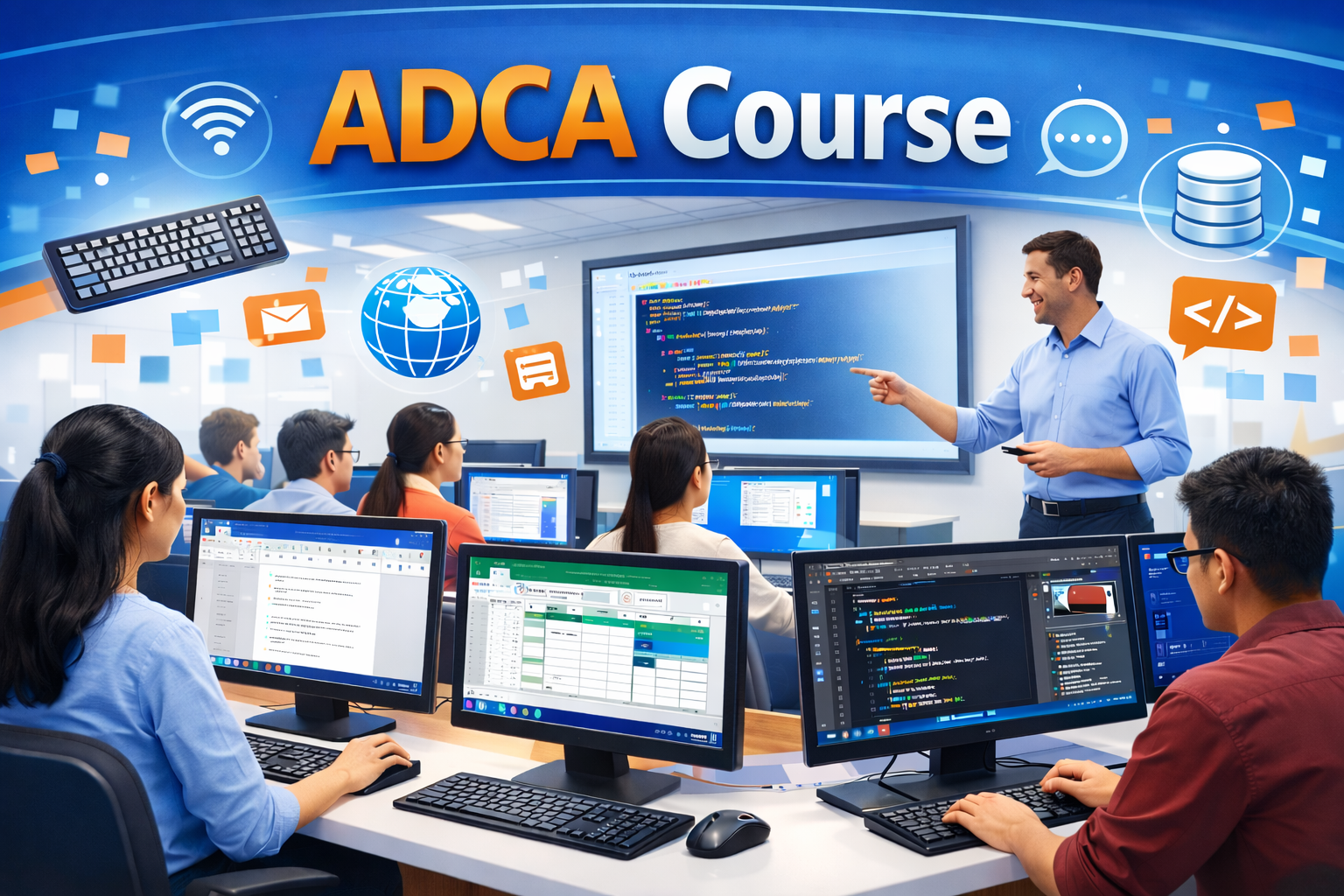
One of the most important components of the learning environment is the computer laboratory. Practical training is at the heart of the ADCA program, and the center ensures that students have access to functional computers and relevant software tools. Instead of merely watching demonstrations, learners are encouraged to work directly on systems, experimenting with applications and solving tasks independently. This hands-on approach strengthens both confidence and competence.
The classroom setup also promotes interactive learning. Instructors often combine lectures with demonstrations and guided exercises so that students can immediately apply what they have learned. For instance, after explaining spreadsheet formulas, the instructor might ask students to create their own financial calculation sheets using Microsoft Excel. This type of activity turns theoretical knowledge into practical skill.
Another important facility is access to updated software and learning materials. Computer technology evolves quickly, and outdated tools can limit a student’s ability to adapt to modern workplaces. By providing access to widely used software such as Microsoft Office, database management tools, and programming environments, the institute ensures that learners practice with technologies commonly used in professional settings.
The learning atmosphere also emphasizes peer collaboration. Students often work together during exercises or projects, discussing solutions and sharing ideas. This collaborative environment mirrors real workplace dynamics where teamwork and communication are essential. Learning alongside peers also helps students stay motivated and engaged throughout the course.
Beyond physical facilities, the institute strives to maintain a supportive and encouraging culture. Beginners sometimes feel nervous when dealing with technology for the first time, but patient guidance from instructors helps them overcome these initial challenges. Over time, students become comfortable navigating software, troubleshooting problems, and exploring new tools on their own.
A well-structured learning environment combined with practical training ensures that students completing the ADCA program leave with more than just theoretical knowledge—they leave with real experience and confidence in using computers professionally. 🖥️📘
ADCA Course Structure and Curriculum
The effectiveness of any educational program depends largely on how its curriculum is designed. A well-structured course ensures that students progress logically from basic concepts to more advanced topics without feeling overwhelmed. The Advanced Diploma in Computer Applications (ADCA) offered at Shree Narayan Computers & Education Center follows this principle by combining foundational knowledge with practical technical skills.
The curriculum is carefully designed to provide a balanced mix of computer fundamentals, office productivity tools, programming concepts, and database management. This broad coverage allows students to develop versatile skills that can be applied in multiple professional environments. Instead of focusing on just one area of computing, ADCA equips learners with a comprehensive understanding of how computers are used in everyday business operations.
The course usually begins with basic computer concepts, ensuring that every student—regardless of their prior experience—develops a strong foundation. Topics such as computer hardware, software, input/output devices, and operating systems are introduced in a simple and practical manner. This initial stage helps students understand how computers function and how different components interact with each other.
Once students grasp the fundamentals, the curriculum gradually shifts toward application-based learning. Programs like Microsoft Word, Excel, and PowerPoint are taught in depth because they are widely used in offices and organizations around the world. Students learn how to create professional documents, analyze data through spreadsheets, and design impactful presentations.
As the course progresses, learners are introduced to programming and database concepts. These modules help students understand how software applications are created and how large volumes of information are stored and managed. Even though the programming section may start with basic concepts, it builds critical logical thinking skills that are valuable in many technical careers.
Another significant aspect of the ADCA curriculum is the inclusion of practical assignments and projects. These tasks encourage students to apply what they have learned in realistic scenarios. For example, they might design a small database for managing customer records or create a financial spreadsheet that calculates monthly expenses.
Because of this carefully structured curriculum, the ADCA program ensures that students develop both technical knowledge and practical workplace skills. By the time they complete the course, learners are comfortable working with computers in a variety of professional situations.
Core Subjects Covered in ADCA
The Advanced Diploma in Computer Applications (ADCA) is designed to give students a well-rounded understanding of computer technology and its practical applications. Instead of focusing on only one skill area, the course covers a wide range of subjects that together form the backbone of modern digital work environments. At Shree Narayan Computers & Education Center, the curriculum ensures that students develop both technical knowledge and practical proficiency, which are essential for today’s competitive job market.
One of the strengths of the ADCA course is its structured learning pathway. The program begins with basic concepts that help students understand how computers operate, and then gradually introduces more advanced tools and technologies. This step-by-step progression ensures that learners build a strong foundation before moving on to complex topics such as programming or database management.
Another important aspect of the course is its focus on practical application. Many students initially think that computer education is mostly theoretical, but ADCA proves otherwise. Throughout the program, learners spend significant time working on real systems, exploring software tools, and completing assignments that mirror real workplace tasks. This method helps students move beyond memorizing information and instead develop genuine skills.
The core subjects included in ADCA are carefully selected based on industry demand and workplace relevance. Businesses today rely heavily on software for communication, data management, documentation, and analysis. As a result, students learn how to operate widely used programs such as Microsoft Word, Excel, and PowerPoint, along with gaining knowledge about operating systems and computer fundamentals.
In addition to application software, the course introduces learners to basic programming and database concepts. These subjects help students understand how digital systems store information and process commands. Even if a student does not pursue a full programming career, these concepts improve logical thinking and problem-solving abilities.
The overall goal of these core subjects is to prepare students for real-world digital environments. By the end of the ADCA program, learners can confidently handle computer tasks such as document creation, data analysis, presentation design, and information management. These skills are essential in almost every profession, making ADCA graduates valuable assets in many organizations.
Through a combination of theoretical understanding and practical exercises, the course ensures that students leave with usable, job-ready computer skills rather than just academic knowledge. 💻📊
Computer Fundamentals
Every advanced skill begins with a solid foundation, and the Computer Fundamentals module plays that critical role in the ADCA program. Before diving into complex software or programming languages, students must first understand the basic structure and functioning of a computer system. This module ensures that learners develop a clear understanding of the technology they are using every day.
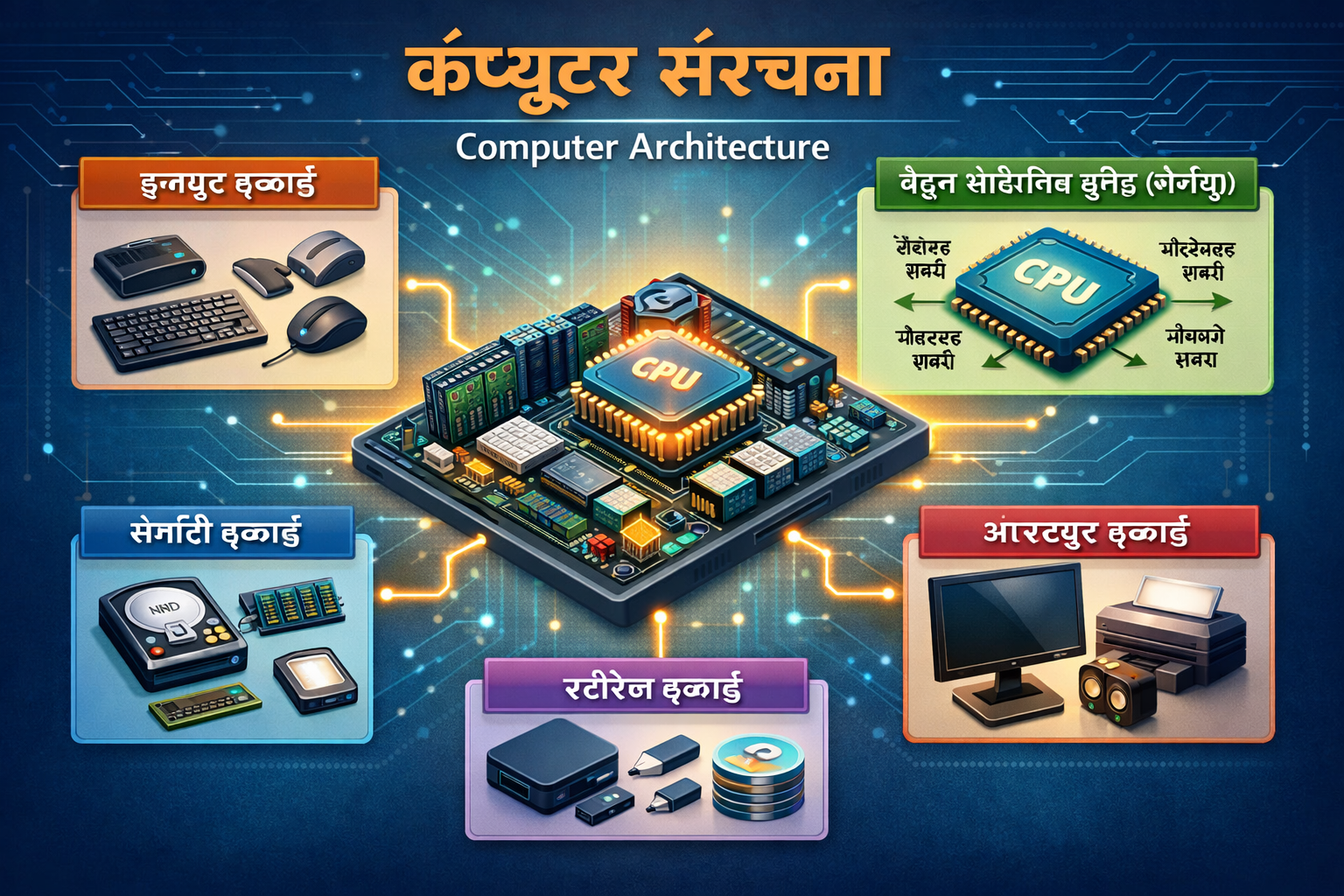
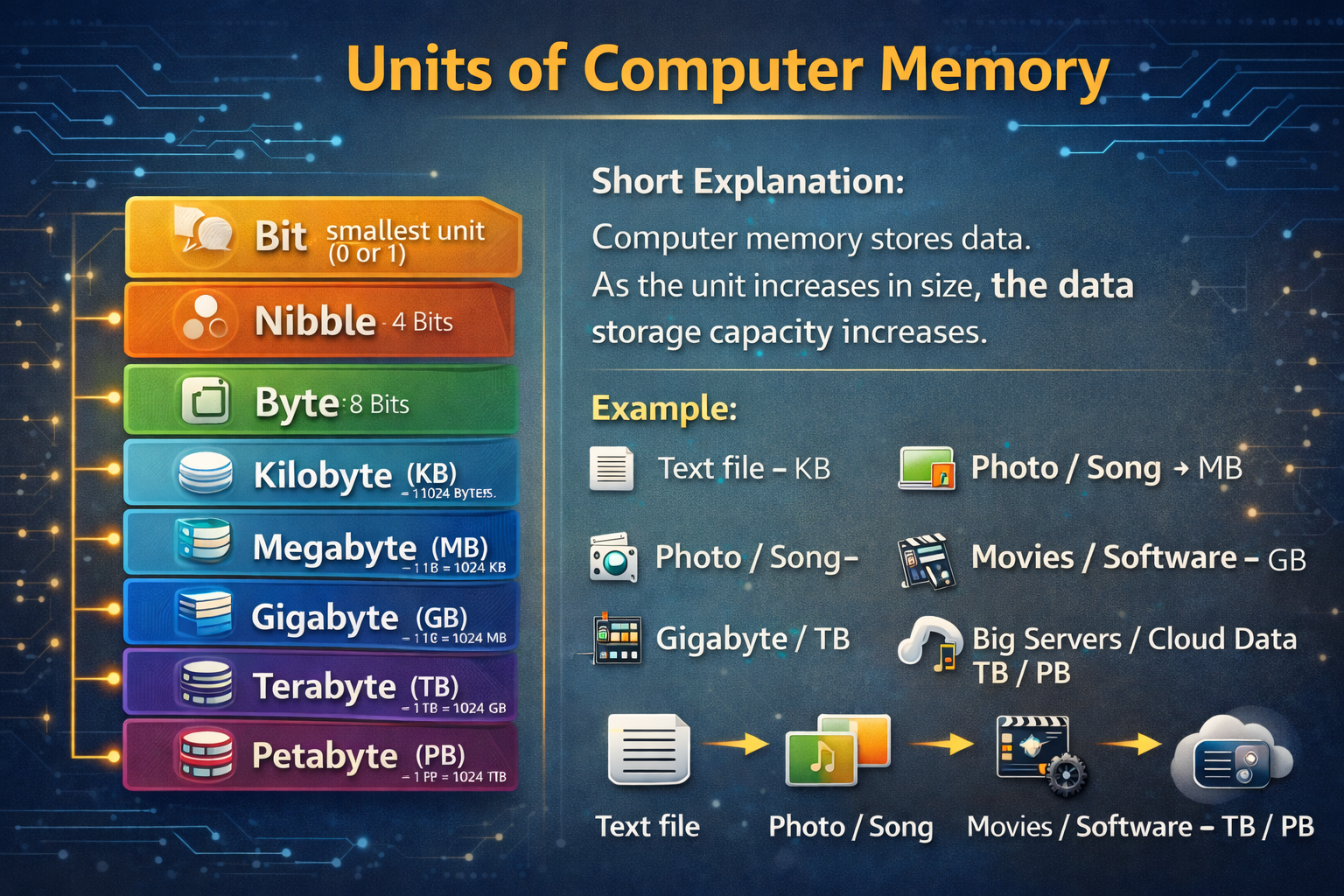
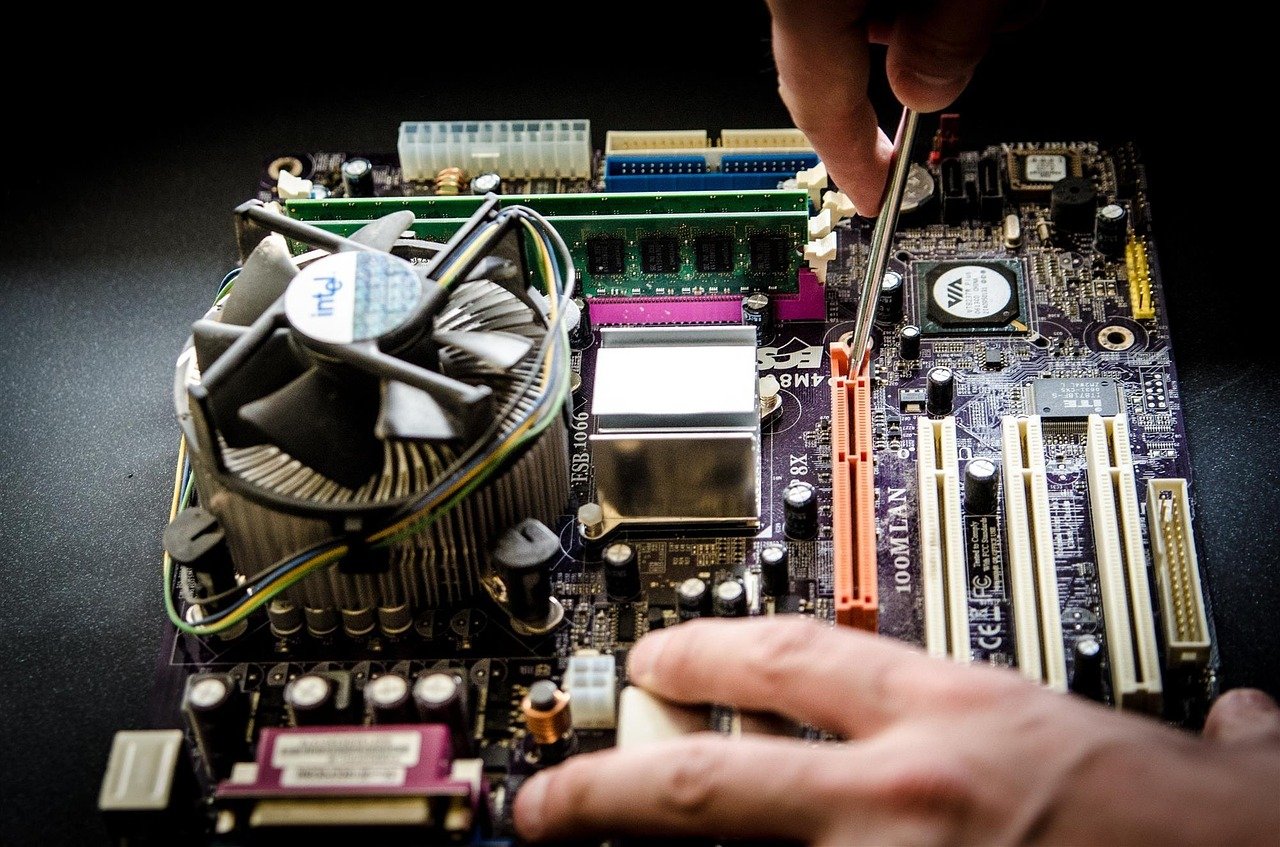
The subject typically begins with an introduction to computer hardware and software. Students learn about the physical components that make up a computer system, including the central processing unit (CPU), memory, storage devices, input devices, and output devices. Understanding these components helps learners see how different parts of a computer work together to process information and perform tasks.
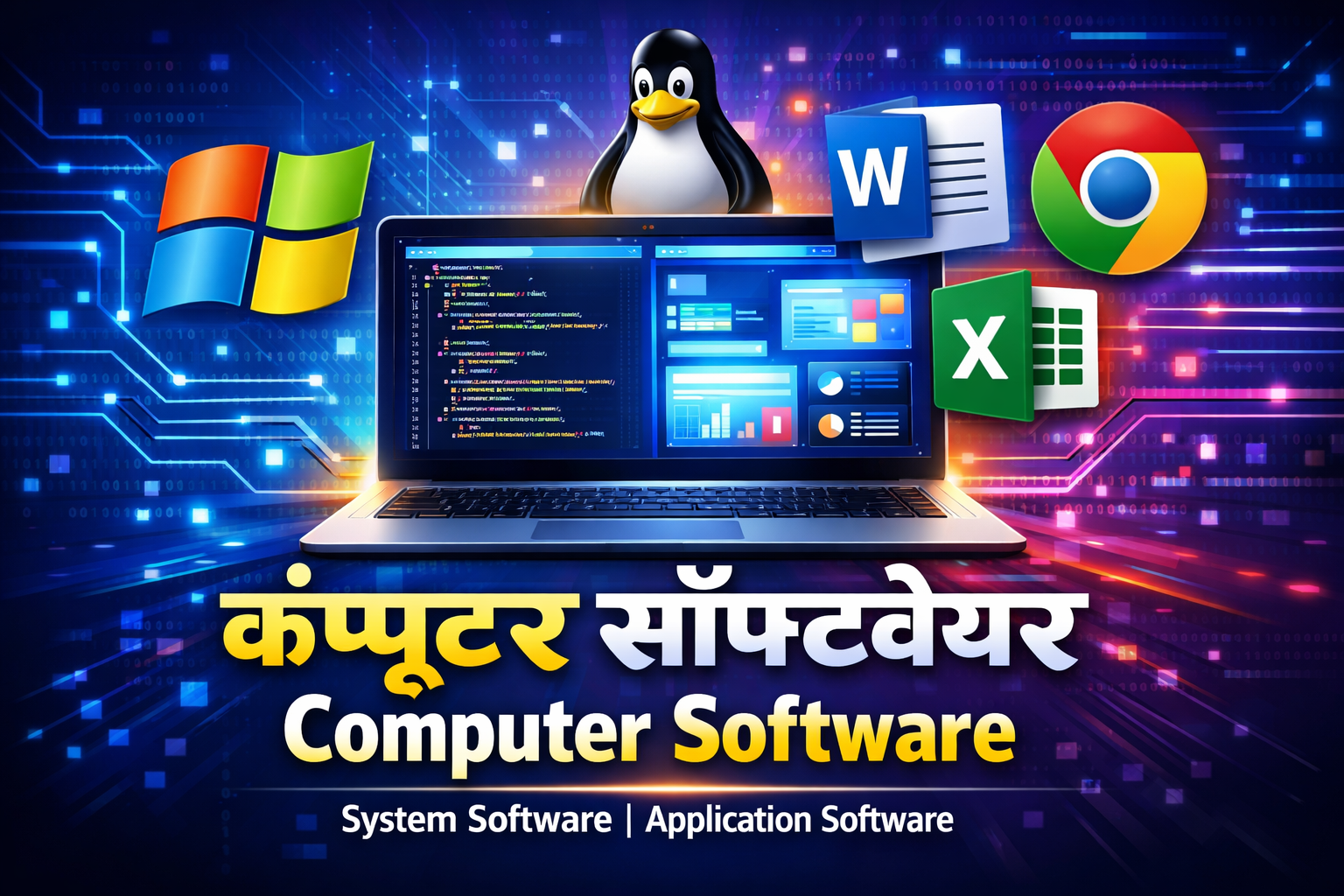
Another key concept covered in this module is the difference between system software and application software. System software, such as operating systems, controls the hardware and enables the computer to function properly. Application software, on the other hand, includes programs designed for specific tasks like word processing, spreadsheet analysis, and graphic design. Recognizing these distinctions allows students to better understand how software interacts with hardware.
Students are also introduced to basic computer operations, including how to start and shut down a computer, manage files and folders, and organize digital information efficiently. These tasks may seem simple, but they form the basis of everyday computer use in offices and organizations. Learning how to manage files properly, for instance, can significantly improve productivity and reduce confusion when handling large amounts of data.
Another important part of this subject involves understanding computer networks and the internet. Students explore how computers connect to each other, share information, and communicate through online platforms. Topics such as email usage, web browsing, and basic online safety are also covered to ensure that learners can navigate digital environments responsibly.
By mastering computer fundamentals, students gain the confidence to explore more advanced technologies later in the course. Instead of seeing computers as complicated machines, they begin to understand them as logical systems that can be learned step by step. This foundational knowledge makes it easier for students to adapt to new software, troubleshoot minor technical issues, and continue learning beyond the ADCA program.
Operating Systems and File Management
The Operating Systems and File Management module is one of the most practical sections of the ADCA course because it teaches students how to interact directly with the computer system. An operating system acts as the bridge between the user and the computer’s hardware, making it possible to run applications, manage files, and perform everyday tasks efficiently.
In this module, students learn about commonly used operating systems such as Microsoft Windows and other widely adopted platforms. They explore how the operating system controls hardware resources, manages memory, and allows different applications to run simultaneously. Understanding these functions helps learners appreciate how a computer system remains organized and efficient even when multiple tasks are being performed at once.
File management is another critical skill taught in this section. As organizations increasingly rely on digital records, employees must be able to store, organize, and retrieve files quickly and accurately. Students learn how to create folders, rename files, copy and move documents, and maintain structured directory systems. These simple yet powerful techniques can dramatically improve productivity in professional environments.
The module also introduces students to system settings and basic troubleshooting techniques. For example, learners may explore how to install or uninstall software, manage storage devices such as USB drives, and configure system preferences. These tasks are common in workplaces where employees often need to set up applications or resolve minor technical issues independently.
Another valuable aspect of this subject is learning about data safety and backup strategies. Losing important files due to accidental deletion or system failure can cause serious problems in both personal and professional settings. Students therefore learn how to create backups, use external storage devices, and apply safe computing practices to protect valuable information.
By the end of this module, learners develop the ability to navigate operating systems confidently and manage digital data efficiently. These skills are essential in modern workplaces where employees constantly interact with computers, manage files, and handle digital documentation. Mastering operating systems and file management ensures that students can work smoothly with computer systems in almost any professional environment.
MS Office and Productivity Tools
One of the most important and widely used components of the ADCA curriculum is Microsoft Office and productivity tools. In offices, educational institutions, government departments, and businesses across the world, Microsoft Office applications are considered essential for daily operations. Because of this widespread use, mastering these tools significantly increases a student’s employability.
The module usually begins with Microsoft Word, a powerful word-processing application used to create professional documents. Students learn how to format text, design layouts, insert tables and images, and create structured reports. These skills are particularly useful for tasks such as preparing official letters, writing reports, and drafting documentation for organizations.
Next, learners explore Microsoft Excel, which is widely regarded as one of the most valuable tools for data management and analysis. Excel allows users to organize data into spreadsheets, perform calculations using formulas, and create visual charts to interpret information more clearly. For example, businesses often use Excel to track expenses, monitor sales performance, and analyze financial trends.
Another key application covered in this module is Microsoft PowerPoint, a presentation software used to communicate ideas visually. Students learn how to design slides, incorporate graphics and animations, and present information effectively to audiences. These skills are especially useful in professional settings where presentations are used for meetings, training sessions, and project proposals.
The productivity tools module may also introduce students to additional applications such as Microsoft Access or other data-handling programs. These tools help users organize and manage structured information, making them valuable for administrative and data-entry roles.
What makes this module particularly powerful is its practical orientation. Instead of simply learning about software features, students complete real assignments such as creating business reports, designing presentation slides, and managing spreadsheet data. These exercises simulate tasks that employees perform daily in offices.
By the time students finish this section of the ADCA course, they are able to create professional documents, analyze data effectively, and communicate ideas visually using digital tools. These capabilities are among the most sought-after skills in modern workplaces, making Microsoft Office proficiency a significant advantage for ADCA graduates. 📊💼
Programming and Database Modules
As students progress through the Advanced Diploma in Computer Applications (ADCA) program at Shree Narayan Computers & Education Center, the curriculum gradually moves beyond basic computer operations into more technical areas such as programming and database management. These modules play a crucial role in helping learners understand how software applications function behind the scenes and how large volumes of digital information are organized and maintained.
Many people initially assume that programming is only meant for professional software developers, but the truth is that basic programming knowledge benefits almost anyone working with technology. Programming teaches logical thinking, problem-solving, and structured approaches to tasks. When students learn how a program processes instructions, they also develop a deeper understanding of how computers execute commands and manage data.
The database component of the course is equally important because modern organizations rely heavily on structured data storage systems. Whether it is customer information, employee records, financial transactions, or inventory lists, businesses must store and retrieve data efficiently. Learning the basics of database management enables students to understand how information is organized, updated, and protected within digital systems.
At Shree Narayan Computers & Education Center, these modules are taught in a step-by-step and beginner-friendly manner. Students are not expected to have prior programming experience. Instead, instructors introduce concepts gradually, starting with simple logic and moving toward practical exercises. This approach ensures that learners build confidence while exploring technical subjects that might initially seem complex.
The programming and database modules also emphasize real-world relevance. Students often work on small projects where they create simple programs or design databases to manage sample data sets. These exercises help bridge the gap between theory and practice, allowing learners to see how technical concepts apply to everyday computing tasks.
By including programming and database training in the ADCA curriculum, the course provides students with a deeper and more versatile skill set. Even if graduates pursue administrative or office roles rather than software development careers, understanding how applications and data systems work gives them a significant advantage in technology-driven workplaces. 💻📚
Programming Languages Included
Programming is often described as the language through which humans communicate instructions to computers. In the ADCA program, students are introduced to basic programming languages and logical structures that form the foundation of software development. The goal is not necessarily to turn every student into a professional programmer, but rather to help them understand how software is created and how computers process commands.
The learning process usually begins with fundamental programming concepts such as variables, data types, operators, and control structures. These elements form the building blocks of almost every programming language. By understanding these basics, students gain the ability to follow logical sequences and design simple algorithms to solve problems.
Many ADCA courses introduce beginner-friendly languages or scripting environments that allow students to write and test simple programs. Through hands-on exercises, learners might create small applications that perform tasks like basic calculations, data processing, or text manipulation. These activities help students understand how instructions are executed step by step inside a computer system.
Another important skill developed through programming education is logical thinking. Writing code requires students to break down complex problems into smaller, manageable steps. This mindset is extremely valuable not only in software development but also in fields such as data analysis, technical support, and system administration.
Students also learn about debugging, which involves identifying and fixing errors in programs. Debugging teaches patience and analytical thinking because even a small mistake in the code can cause unexpected results. By learning how to trace and correct these issues, students become more confident in working with technical systems.
For many learners, the programming module becomes one of the most exciting parts of the ADCA course. It offers a glimpse into how digital tools and applications are built, turning computers from simple devices into creative platforms for solving problems and building solutions.
Even if students choose not to pursue advanced programming careers, the exposure they gain through ADCA helps them understand technology more deeply and prepares them for further study in software development, web design, or data management.
Database Management Systems
In the modern digital world, data has become one of the most valuable resources for organizations. Businesses collect and analyze enormous amounts of information every day, from customer records and sales transactions to employee details and inventory lists. Managing this data effectively requires structured systems known as Database Management Systems (DBMS), which form an important part of the ADCA curriculum.
The database module introduces students to the concept of organized data storage. Instead of storing information randomly across multiple files, databases allow data to be arranged in structured tables with clearly defined relationships. This organization makes it easier to search, update, and analyze information without confusion or duplication.
Students learn the basic principles of database design, including tables, fields, records, and keys. These elements work together to ensure that data remains structured and accessible. For example, a customer database might contain fields such as name, contact number, email address, and purchase history, all organized within a single table.
Another key topic covered in this module is data querying and retrieval. Databases often use specialized languages, such as Structured Query Language (SQL), to access and manipulate stored information. While ADCA students usually learn only the fundamentals, understanding how queries work allows them to retrieve specific data quickly and efficiently.
The course also emphasizes the importance of data integrity and security. In professional environments, protecting sensitive information is extremely important. Students learn how database systems prevent unauthorized access, reduce duplication, and maintain accuracy through structured management techniques.
Practical exercises are an essential part of this module. Students might design simple databases for scenarios such as library management, student records, or inventory tracking. By working on these projects, they experience firsthand how databases help organizations handle large volumes of information efficiently.
Database knowledge is highly valuable in many careers, including office administration, data entry, IT support, and business analysis. Even a basic understanding of DBMS allows employees to work more effectively with digital records and information systems.
Through this module, ADCA students gain a deeper appreciation of how organizations manage data and how structured databases power everything from small business operations to large-scale enterprise systems.
Practical Training and Skill Development
While theoretical knowledge forms the foundation of any educational program, true mastery comes through practical experience. One of the strongest aspects of the Advanced Diploma in Computer Applications (ADCA) at Shree Narayan Computers & Education Center is its emphasis on hands-on training and real skill development.
In the world of technology, simply reading about software tools is rarely enough. Students must actively work with programs, explore their features, and experiment with real tasks to build confidence. The ADCA program therefore incorporates regular lab sessions, practical assignments, and project-based learning to ensure that students develop usable technical skills rather than just academic knowledge.
Practical training also helps students overcome the fear that many beginners feel when working with computers. At the start of the course, some learners may hesitate to explore new software because they worry about making mistakes. However, through guided exercises and supportive instruction, they gradually realize that trial and experimentation are essential parts of learning technology.
During practical sessions, students might perform tasks such as creating formatted documents, designing spreadsheet models, developing simple programs, or organizing data within databases. These activities mirror the types of tasks employees handle in offices and organizations. As a result, learners become comfortable performing digital work that resembles real professional responsibilities.
Another advantage of hands-on training is that it encourages problem-solving and independent thinking. When students encounter errors or unexpected results, they must analyze the issue and determine the best solution. This process builds resilience and analytical skills that are valuable in almost any career path.
The institute also focuses on helping students develop soft skills alongside technical abilities. Communication, teamwork, and time management are often integrated into project assignments where students collaborate to complete tasks. This approach prepares them for workplace environments where cooperation and efficiency are essential.
By combining structured lessons with extensive practical experience, the ADCA program ensures that students graduate with confidence, competence, and real-world computer skills. These abilities make them better prepared for employment opportunities and future technological learning.
Hands-on Lab Sessions
Hands-on lab sessions are one of the most impactful elements of the ADCA learning experience. In these sessions, students move beyond theoretical explanations and engage directly with computer systems, applying their knowledge to real tasks. This practical approach allows learners to experience technology rather than simply study it.
During lab sessions, students typically work individually on computers while following guided instructions from their instructors. For example, they may practice formatting complex documents in Microsoft Word, building financial spreadsheets in Excel, or designing interactive presentations using PowerPoint. By performing these tasks repeatedly, students gradually develop speed, accuracy, and confidence.
Lab sessions also allow learners to experiment with software features that they might not explore in traditional classroom settings. For instance, students can test advanced spreadsheet formulas, experiment with presentation animations, or practice organizing large sets of files within an operating system. These explorations help deepen their understanding of digital tools.
Another benefit of lab-based learning is the opportunity for immediate feedback. When students encounter difficulties, instructors can quickly guide them through the solution. This interactive learning process ensures that mistakes become valuable lessons rather than obstacles.
Group exercises are sometimes incorporated into lab sessions as well. Students may collaborate on projects such as creating a small database system or developing a presentation on a technical topic. Working together encourages communication and teamwork, which are essential skills in modern workplaces.
Over time, these hands-on experiences transform beginners into confident computer users who can navigate software tools efficiently. By the end of the course, many students are surprised by how comfortable they have become with tasks that once seemed complicated.
Hands-on lab sessions ensure that ADCA graduates leave the program with real operational skills and practical experience, making them ready to handle computer-based responsibilities in professional environments.
Real-world Projects and Assignments
One of the most effective ways to transform theoretical knowledge into practical expertise is through real-world projects and assignments. In the Advanced Diploma in Computer Applications (ADCA) program at Shree Narayan Computers & Education Center, projects play a crucial role in helping students apply what they have learned in realistic scenarios. Instead of simply completing isolated exercises, learners work on structured tasks that mirror the challenges faced in professional environments.
Projects are designed to simulate actual workplace responsibilities. For example, students might be asked to create a complete office documentation package using Microsoft Word, including formatted reports, tables, headers, and references. This type of assignment helps learners understand how documents are prepared in business settings and how proper formatting improves readability and professionalism.
Another common project involves data analysis using spreadsheets. Students may receive raw data related to sales, expenses, or student records and then use Microsoft Excel to organize the information. They learn to apply formulas, create charts, and analyze trends. Through these exercises, learners begin to understand how organizations rely on spreadsheet tools for decision-making and reporting.
Database projects are also frequently included in the ADCA curriculum. Students may design a simple database system for a library, school, or small business, organizing records into structured tables and practicing basic queries. These assignments demonstrate how databases are used to manage large volumes of information efficiently.
Programming-related projects help students explore logical thinking and software development basics. Even small tasks—such as writing a program to calculate student grades or manage inventory numbers—teach important lessons about algorithm design and debugging. These projects help learners appreciate how software systems are built step by step.
What makes these assignments particularly valuable is that they require students to integrate multiple skills simultaneously. A single project might involve document creation, spreadsheet calculations, and data organization, reflecting the multi-tasking nature of modern digital workplaces.
By the time students complete these projects, they not only gain technical knowledge but also develop confidence in solving real problems using technology. This project-based approach ensures that ADCA graduates leave with practical experience that can be demonstrated during job interviews and professional opportunities.
Career Opportunities After ADCA
Completing the Advanced Diploma in Computer Applications (ADCA) opens the door to a variety of career opportunities across multiple industries. Because computers are used in almost every sector, professionals with strong computer application skills are in constant demand. The training provided by Shree Narayan Computers & Education Center prepares students for roles that require efficiency in digital tools, data management, and office software.
One of the biggest advantages of ADCA is its versatility. The course does not limit graduates to a single career path. Instead, it provides a broad set of computer skills that can be applied in offices, businesses, educational institutions, government organizations, and even freelance work. From managing digital records to assisting with technical support tasks, ADCA graduates can contribute to a wide range of operations.
Entry-level positions are often the starting point for many graduates. However, with experience and continuous learning, individuals can progress to more specialized roles within the IT or administrative sectors. For instance, someone who begins as a data entry operator might later become a database administrator or IT support specialist after gaining additional training and experience.
Another interesting aspect of ADCA career opportunities is the potential for entrepreneurship and self-employment. Some graduates choose to start their own computer service centers, offering services such as document preparation, printing, data entry, and computer training. In areas where digital services are still developing, such businesses can become highly valuable community resources.
The rapid growth of digital technologies also means that new career opportunities continue to emerge. Fields such as digital marketing, online customer support, and remote administrative services increasingly rely on individuals who possess strong computer skills. ADCA graduates are well positioned to adapt to these evolving job roles.
By equipping students with both technical abilities and practical experience, the ADCA program ensures that learners are ready to explore multiple career paths in the digital economy.
Job Roles Available for ADCA Graduates
After completing the ADCA course, graduates can pursue a variety of entry-level positions that rely heavily on computer skills and digital operations. These roles exist in nearly every industry, making the ADCA qualification highly versatile. Organizations ranging from small businesses to large corporations require employees who can efficiently manage computer-based tasks.
Some common job roles available to ADCA graduates include:
| Job Role | Key Responsibilities | Industry Demand |
|---|---|---|
| Computer Operator | Managing computer systems, entering data, running software applications | Offices, schools, government departments |
| Data Entry Operator | Inputting and maintaining digital records and databases | Banking, healthcare, e-commerce |
| Office Assistant | Preparing documents, managing spreadsheets, handling communication | Corporate offices and administrative departments |
| IT Support Assistant | Providing basic technical support and troubleshooting | IT companies, educational institutions |
| Database Assistant | Managing and updating structured data systems | Businesses, libraries, and organizations |
These positions typically serve as entry points into the technology-driven workforce. As employees gain experience and expand their skills, they often move into more advanced roles such as system administrators, software testers, or technical coordinators.
The demand for these roles continues to grow as organizations rely more heavily on digital data management and computer-based workflows. Even industries that traditionally relied on manual processes—such as retail, logistics, and education—are increasingly adopting computerized systems.
Another advantage for ADCA graduates is the possibility of working in freelance or remote environments. Tasks such as online data management, digital documentation, and spreadsheet analysis can often be performed remotely, providing flexible career opportunities.
With the right combination of practical skills, dedication, and continued learning, ADCA graduates can build stable and rewarding careers in the digital workplace.
Higher Education and Advanced Certifications
While many students enter the workforce immediately after completing the ADCA program, others choose to continue their education and pursue advanced certifications or specialized IT courses. The knowledge gained during ADCA serves as an excellent foundation for further learning in various technology-related fields.
One common path is enrolling in more advanced diploma or degree programs in computer science, information technology, or software development. Because ADCA introduces students to programming and database management, graduates often find it easier to transition into these higher-level studies.
Professional certifications are another popular option. Certifications related to web development, networking, cybersecurity, data analysis, or digital marketing can significantly expand career opportunities. For instance, a student who develops an interest in programming during the ADCA course might continue learning languages such as Python or Java to pursue a career in software development.
Some graduates also explore specialized technical training programs in areas such as graphic design, mobile application development, or cloud computing. These skills are highly valued in modern industries where technology evolves rapidly and organizations seek professionals with niche expertise.
Continuing education also improves career growth and earning potential. Employers often value candidates who demonstrate a commitment to lifelong learning and skill development. By building on the foundational knowledge gained through ADCA, students can gradually move toward more advanced and higher-paying roles.
Another advantage of further education is the ability to adapt to emerging technologies. The digital world is constantly changing, with new tools and platforms appearing regularly. Professionals who continue to learn remain competitive and prepared for future opportunities.
For many students, the ADCA program becomes the first step in a long journey of technological learning, opening the door to numerous educational and professional possibilities.
Admission Process and Eligibility
The admission process for the Advanced Diploma in Computer Applications (ADCA) at Shree Narayan Computers & Education Center is designed to be simple and accessible so that students from different educational backgrounds can easily enroll. The institute understands that many individuals wish to develop computer skills but may feel discouraged by complex admission procedures. By keeping the process straightforward, the center encourages more students to take advantage of modern digital education.
Eligibility requirements for ADCA are generally flexible and inclusive. Most institutes require students to have completed at least their secondary or higher secondary education. However, the course is suitable for learners from various academic streams, including arts, commerce, and science. Because the program begins with computer fundamentals, even students with limited prior computer knowledge can join and progress comfortably.
The admission process usually involves a simple registration procedure. Interested students visit the institute, fill out an application form, and submit necessary documents such as educational certificates and identification proof. Once the registration is complete, students receive information about course schedules, training modules, and practical sessions.
Some institutions may also conduct a brief orientation session where instructors explain the course structure and learning objectives. This introduction helps students understand what to expect from the ADCA program and how it can contribute to their career development.
The institute may offer flexible batch timings to accommodate different types of learners. For example, school or college students may prefer afternoon classes, while working professionals might attend evening sessions. This flexibility ensures that education remains accessible even for individuals with busy schedules.
By maintaining an open and supportive admission process, Shree Narayan Computers & Education Center ensures that anyone interested in learning computer applications has the opportunity to gain valuable digital skills.
Conclusion
The Advanced Diploma in Computer Applications (ADCA) offered by Shree Narayan Computers & Education Center represents more than just a computer training course—it is a gateway to the digital world. In an era where technology shapes nearly every aspect of professional life, possessing strong computer skills is no longer optional. Programs like ADCA equip students with the knowledge and practical experience needed to navigate modern workplaces confidently.
Throughout the course, students move step by step from basic computer fundamentals to more advanced topics such as programming and database management. This structured progression ensures that learners build a strong foundation while gradually developing specialized skills. The emphasis on hands-on training, lab sessions, and real-world projects allows students to transform theoretical knowledge into practical expertise.
One of the greatest strengths of the ADCA program is its career versatility. Graduates can explore opportunities in administrative roles, IT support positions, data management jobs, and many other fields that rely on digital tools. Because computers are used in nearly every industry, the skills acquired during the course remain valuable across a wide range of professions.
The program also encourages continuous learning. Technology evolves rapidly, and individuals who keep expanding their knowledge remain competitive in the job market. ADCA provides a strong starting point for students who wish to pursue advanced certifications, higher education in IT, or even entrepreneurial ventures in computer services.
For students seeking a practical, accessible, and career-oriented computer course, ADCA at Shree Narayan Computers & Education Center offers an excellent opportunity to develop essential digital skills. With the right dedication and curiosity, learners can transform this educational experience into a meaningful step toward professional success in the technology-driven world. 🚀💻
FAQs
1. What is the duration of the ADCA course?
The Advanced Diploma in Computer Applications (ADCA) course typically lasts between 6 months and 12 months, depending on the institute and course structure. Some training centers also offer flexible schedules or extended programs to allow students to learn at a comfortable pace.
2. Who can enroll in the ADCA course?
Students who have completed secondary or higher secondary education are usually eligible to enroll. The course is open to learners from all academic backgrounds, including arts, commerce, and science streams.
3. What skills will I gain after completing ADCA?
After completing ADCA, students gain skills in computer fundamentals, operating systems, Microsoft Office applications, programming basics, and database management. These skills are widely used in offices and professional environments.
4. Is ADCA useful for getting a job?
Yes, ADCA provides practical computer skills that are highly valued in many industries. Graduates can pursue roles such as data entry operator, computer operator, office assistant, or IT support assistant.
5. Can I pursue higher studies after ADCA?
Absolutely. Many students continue their education by enrolling in advanced IT certifications, programming courses, networking training, or degree programs in computer science and information technology.





Staff picks
Class 11th Commerce UP Board Notes with NCERT Solutions | PDF & MS Word
Original price was: ₹99.00.₹0.00Current price is: ₹0.00.Class 11th Humanities UP Board Notes with NCERT Solutions | PDF & MS Word
Original price was: ₹99.00.₹0.00Current price is: ₹0.00.Class 11th Science UP Board Notes with NCERT Solutions | PDF & MS Word
Original price was: ₹99.00.₹0.00Current price is: ₹0.00.Class 12th Commerce UP Board Notes with NCERT Solutions | PDF & MS Word
Original price was: ₹99.00.₹0.00Current price is: ₹0.00.




![Core i3-4160 [ 4th Gen ] with 3.6 GHZ Combo Kit with H81 Motherboard + 8GB DDR3 1600MHz RAM + CPU Fan | Pre-Assembled & Pre-Tested | 1 Years Warranty | Home & Office PC Upgrade](https://m.media-amazon.com/images/I/41DUd2PCSML.jpg)