Computer Hardware Courses | Shree Narayan Computers & Education Center
Table of Contents
Introduction to Computer Hardware Courses
What Are Computer Hardware Courses?
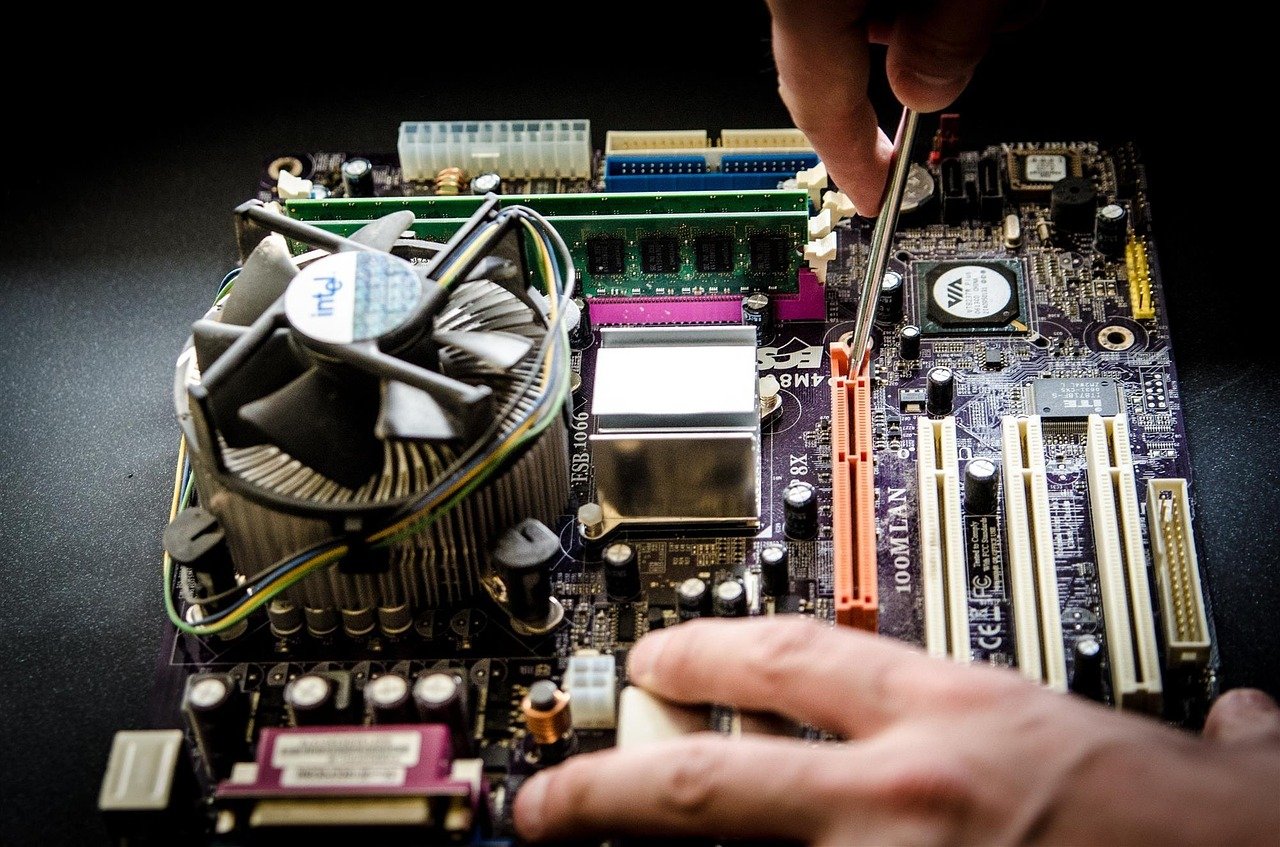
When you think about computers, most people immediately picture software—apps, websites, and coding. But behind every smooth-running system lies something much more tangible and equally important: computer hardware. Computer hardware courses are designed to teach you how these physical components function, interact, and can be repaired or upgraded. These courses are not just about theory; they’re deeply practical, giving you the confidence to open up a CPU cabinet and actually understand what’s happening inside.
| All Courses | View List | Enroll Now |
| Mock Tests/Quizzes | View All |
| Student Registration | Register Now |
| Become an Instructor | Apply Now |
| Dashboard | Click Here |
| Student Zone | Click Here |
| Our Team | Meet the Members |
| Contact Us | Get in Touch |
| About Us | Read More |
| Knowledge Base | Click Here |
| Classes/Batches: Class 6th to 12th, BA, B.Sc, B.Com (All Subjects) — Online & Offline Available | Click Here |
| Exam Preparation: SSC, Railway, Police, Banking, TET, UPTET, CTET, and More | Click Here |
| Shree Narayan Computers & Education Center | Home Page |
At Shree Narayan Computers & Education Center, hardware courses are structured in a way that even beginners can follow along comfortably. You start with the basics—like identifying components such as motherboards, RAM, hard drives, and power supplies—and gradually move into more advanced concepts like assembling systems, diagnosing faults, and performing repairs. The beauty of these courses is that they combine technical knowledge with real-world application, making learning both engaging and useful.
In today’s tech-driven world, where nearly every industry relies on computers, the demand for skilled hardware professionals continues to grow. Whether it’s maintaining office systems, repairing laptops, or managing IT infrastructure, hardware expertise is always in demand. According to industry estimates, the global IT hardware market continues to expand steadily, creating consistent job opportunities for trained professionals.
What makes hardware courses especially appealing is their accessibility. You don’t need an advanced degree to get started. With the right training and guidance—like what Shree Narayan Computers offers—you can build a strong career foundation in a relatively short time. It’s a practical skill set that pays off quickly, both in terms of job opportunities and earning potential.
Why Choose Hardware Over Software Careers?
Choosing between hardware and software can feel like standing at a crossroads, especially if you’re just starting out in the tech world. While software development often gets more attention, computer hardware offers a unique and equally rewarding career path that many people overlook. The question is—why should you consider hardware?
For starters, hardware work is incredibly hands-on. If you enjoy physically working with devices, solving problems in real-time, and seeing immediate results, hardware might be a better fit for you. Unlike software, where debugging code can sometimes feel abstract, hardware troubleshooting is tangible. You can literally see and fix the issue, whether it’s a faulty RAM stick or a damaged motherboard.
Another major advantage is the lower barrier to entry. Becoming a software developer often requires years of study, coding practice, and continuous learning of new programming languages. Hardware courses, on the other hand, can be completed in months, allowing you to enter the workforce much faster. Institutes like Shree Narayan Computers focus on job-ready skills, so you’re not just learning—you’re preparing to earn.
There’s also less competition in the hardware field compared to software. While thousands of students graduate as programmers every year, fewer specialize in hardware. This creates a gap in the market, which translates into better opportunities for those with the right skills. Businesses, schools, and even households need reliable technicians, and that demand isn’t going away anytime soon.
Let’s not forget the flexibility. With hardware skills, you can choose to work in a company, start your own repair business, or even freelance. Imagine setting up your own computer repair shop or offering doorstep services—it’s a career that gives you independence as well as stability.
So, if you’re someone who prefers practical work, quicker career entry, and diverse opportunities, hardware isn’t just an alternative—it might actually be the smarter choice.

About Shree Narayan Computers & Education Center
Institute Overview and Mission
Shree Narayan Computers & Education Center has built a reputation as a trusted name in technical education and skill development, especially in the field of computer hardware. The institute isn’t just another training center—it’s a place where students are guided step-by-step toward becoming confident professionals. What sets it apart is its clear mission: to make quality technical education accessible to everyone, regardless of their background or prior experience.
The institute focuses on bridging the gap between theoretical knowledge and real-world application. Many students often struggle because traditional education systems lean heavily on theory, leaving them unprepared for practical challenges. Shree Narayan Computers addresses this issue by emphasizing hands-on training, ensuring that students don’t just learn concepts but also know how to apply them effectively.
Another key aspect of the institute’s mission is employment readiness. The courses are designed with industry requirements in mind, meaning students graduate with skills that employers are actively looking for. This practical approach significantly improves job placement chances, which is a major concern for many learners today.
The center also believes in continuous learning and adaptability. Technology evolves rapidly, and staying updated is crucial. That’s why the curriculum is regularly updated to reflect the latest trends and advancements in computer hardware and networking. This ensures that students are always learning relevant and up-to-date skills.
Beyond academics, the institute fosters a supportive learning environment. Instructors take a personalized approach, understanding that each student learns at their own pace. This makes a big difference, especially for beginners who might feel intimidated by technical subjects.
In essence, Shree Narayan Computers & Education Center isn’t just teaching hardware—it’s shaping careers, building confidence, and opening doors to new opportunities.
Facilities and Learning Environment
Walking into Shree Narayan Computers & Education Center, you immediately notice that it’s designed with learning in mind. The environment is structured to make students feel comfortable while also encouraging curiosity and hands-on exploration. After all, when it comes to hardware training, the right setup can make all the difference.
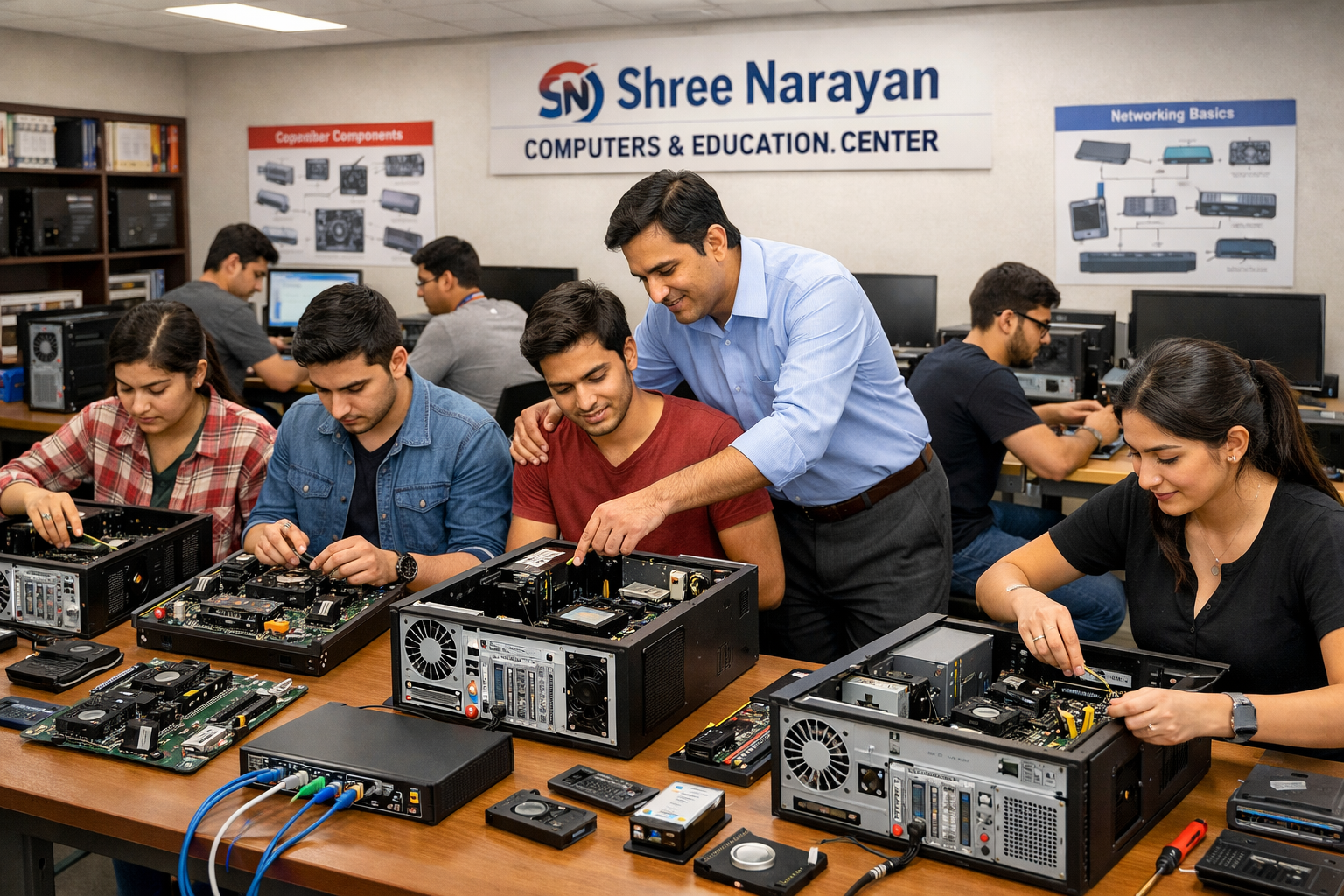
One of the standout features of the institute is its well-equipped practical labs. Instead of relying solely on textbooks or presentations, students get direct access to real computer systems. This means you’re not just reading about assembling a PC—you’re actually doing it. From installing RAM to configuring motherboards, every concept is backed by practical experience.
The classrooms are designed to support interactive learning. Trainers don’t just lecture; they engage with students, encourage questions, and often use real-life examples to explain complex topics. This approach makes even the most technical subjects easier to understand and remember.
Another important aspect is the availability of updated tools and equipment. Technology changes quickly, and learning on outdated systems can put students at a disadvantage. Shree Narayan Computers ensures that students work with modern hardware components and diagnostic tools, giving them a realistic understanding of current industry standards.
The learning environment is also highly supportive. Whether you’re a complete beginner or someone with basic knowledge, the institute ensures that you never feel left behind. Trainers are approachable, and extra help is always available when needed.
Safety and organization are also prioritized, especially in labs where students handle sensitive components. Clear guidelines and supervision ensure that students can practice confidently without fear of damaging equipment.
Overall, the facilities and environment at Shree Narayan Computers create the perfect balance between theory and practice. It’s not just about learning—it’s about experiencing, experimenting, and truly understanding computer hardware from the inside out.
Types of Computer Hardware Courses Offered
Basic Computer Hardware Course
If you’re stepping into the world of computer hardware for the first time, the Basic Computer Hardware Course at Shree Narayan Computers & Education Center acts like your foundation stone. Think of it as learning the alphabet before writing full sentences—it sets the stage for everything that follows. This course is carefully designed for beginners who may have little to no prior technical knowledge but are eager to understand how computers actually work from the inside.
The course begins with an introduction to essential components such as the motherboard, CPU, RAM, hard drives, SMPS, and peripheral devices. Instead of just memorizing definitions, you get to physically identify and handle these components. That tactile experience makes a huge difference—because once you’ve held a RAM stick or installed a hard drive yourself, it sticks in your memory far better than any textbook explanation ever could.
As you progress, the course introduces basic assembling and disassembling techniques. You’ll learn how to build a computer system from scratch, connect internal components correctly, and ensure everything functions smoothly. This isn’t just a technical skill—it’s empowering. Imagine being able to fix your own PC or help someone else without relying on expensive service centers.
Another crucial part of the course is basic troubleshooting. What do you do if a system doesn’t boot? Why does a computer suddenly slow down? These are real-life problems, and this course equips you with the ability to diagnose and solve them efficiently. You also get introduced to operating system installation and basic software configuration, bridging the gap between hardware and software.
The beauty of this course lies in its simplicity and practicality. It doesn’t overwhelm you with jargon but builds your confidence step by step. By the end, you’re not just someone who uses a computer—you’re someone who understands it. And that’s a powerful transformation, especially in today’s digital world.
Advanced Hardware and Networking Course
Once you’ve mastered the basics, the Advanced Hardware and Networking Course takes things to a whole new level. If the basic course teaches you how to walk, this one teaches you how to run—and maybe even sprint. It’s designed for those who want to deepen their expertise and explore more complex aspects of hardware and networking.
In this course, you dive deeper into advanced troubleshooting techniques, where problems aren’t always obvious. You learn how to diagnose complex system failures, identify faulty components with precision, and use professional tools for testing and repair. This is the level where you start thinking like a technician rather than just following instructions.
Networking is a major highlight of this course. You’ll learn how computers communicate with each other, how to set up LAN (Local Area Network) connections, configure routers, and manage network security basics. In today’s interconnected world, networking skills are incredibly valuable, whether you’re working in an office, managing a cyber café, or setting up systems for a business.
The course also covers operating system installation in depth, including advanced configurations, driver management, and system optimization. You’ll understand how to make systems run faster, more efficiently, and more securely. These are the skills that employers actively look for because they directly impact productivity and system performance.
What makes this course particularly exciting is the real-world application. You’re not just learning concepts—you’re solving practical problems that technicians face daily. From network failures to hardware malfunctions, you gain the confidence to handle challenges independently.
By the end of this course, you’re no longer a beginner. You become someone who can handle professional-level tasks, making you job-ready and highly competitive in the market. It opens doors to roles like IT support technician, network administrator, and system engineer, giving your career a strong boost.
Chip-Level Repairing Course
For those who want to go even deeper—right down to the core of electronic components—the Chip-Level Repairing Course is where things get truly fascinating. This isn’t just about replacing parts; it’s about understanding and repairing the smallest elements that make up a computer system. It’s like being a surgeon for electronics.
This course focuses on diagnosing and repairing issues at the circuit board level. Instead of replacing an entire motherboard when something goes wrong, you learn how to identify the exact faulty component—whether it’s a capacitor, resistor, or IC chip—and fix it. This skill is rare and highly valuable because it saves costs and offers more precise solutions.
You’ll also get hands-on experience with specialized tools such as multimeters, soldering stations, and diagnostic equipment. Learning how to use these tools effectively is a game-changer. It transforms you from a general technician into a specialist who can handle complex repairs that many others cannot.
Laptop repairing is another key focus area. Modern laptops are compact and intricate, making repairs more challenging. This course teaches you how to deal with issues like power failures, display problems, and motherboard faults at a detailed level. It’s a skill set that’s in high demand, especially as more people rely on portable devices.
What makes chip-level repairing so appealing is its earning potential. Since fewer technicians possess these advanced skills, those who do can charge higher fees for their services. Whether you choose to work in a company or start your own repair business, this expertise gives you a significant advantage.
By the end of this course, you’re not just fixing computers—you’re mastering the art of precision repair. It’s a path for those who enjoy challenges, attention to detail, and the satisfaction of solving complex problems that others might avoid.
Course Curriculum Breakdown
Fundamental Hardware Components
Understanding computer hardware starts with knowing its building blocks, and that’s exactly what this part of the curriculum focuses on. At Shree Narayan Computers & Education Center, students don’t just learn names—they develop a deep understanding of how each component functions and interacts with others.
The journey begins with the motherboard, often referred to as the backbone of a computer. You learn how it connects all components, manages communication, and ensures everything runs smoothly. From there, you explore the CPU (Central Processing Unit), which acts as the brain of the system. Understanding how the CPU processes instructions gives you insight into overall system performance.
Memory components like RAM and storage devices are also covered in detail. You’ll learn the differences between HDDs and SSDs, how memory affects speed, and how to upgrade systems for better performance. Power supply units, cooling systems, and peripheral devices are also part of the curriculum, ensuring a well-rounded understanding.
What makes this section engaging is the hands-on approach. Instead of just reading about components, you get to assemble and disassemble systems, reinforcing your learning through practice. It’s like learning to cook by actually being in the kitchen rather than just reading recipes.
By the end of this module, you’ll have a clear mental map of how a computer works internally. This knowledge becomes the foundation for everything else—troubleshooting, repairing, and upgrading systems with confidence.
Troubleshooting and Maintenance Skills
Knowing the components is one thing, but knowing how to fix them when things go wrong—that’s where real skill comes in. This part of the curriculum focuses on troubleshooting and maintenance, which is arguably the most practical and valuable aspect of hardware training.
Students are taught to identify common issues such as system crashes, overheating, boot failures, and hardware malfunctions. But instead of guessing, you learn a systematic approach to diagnosing problems. It’s like being a detective—observing symptoms, analyzing causes, and finding the right solution.
Preventive maintenance is also emphasized. After all, fixing problems is good, but preventing them is even better. You’ll learn how to keep systems clean, manage cables properly, update drivers, and ensure optimal performance over time. These small practices can significantly extend the lifespan of a computer.
Real-world scenarios are a big part of this training. Trainers often present actual problems and guide students through the process of solving them. This practical exposure builds confidence and prepares you for real-life situations.
By mastering troubleshooting and maintenance, you become someone people rely on. Whether it’s a slow computer or a completely non-functional system, you’ll have the skills to handle it effectively.
Course Curriculum Breakdown (Continued)
Networking Basics and Configuration
If hardware is the body of a computer system, then networking is the nervous system that connects everything together. At Shree Narayan Computers & Education Center, the networking module is designed to help you understand not just how individual computers work, but how they communicate and function as part of a larger ecosystem. This is where things start to feel truly dynamic, because instead of working with a single machine, you’re dealing with interconnected systems.
The course begins with the fundamentals—what is a network, how data travels, and the different types of networks such as LAN (Local Area Network), WAN (Wide Area Network), and MAN (Metropolitan Area Network). These concepts are explained in a simple, relatable way so that even beginners can grasp them without feeling overwhelmed. Once the basics are clear, you move on to more practical aspects like setting up a local network, connecting multiple systems, and ensuring smooth communication between devices.
Router configuration is another key area covered in this module. You’ll learn how to set up and manage routers, assign IP addresses, and troubleshoot connectivity issues. These are real-world skills that are highly востребованы in offices, schools, and even homes where multiple devices need to stay connected seamlessly.
Security basics are also introduced, which is crucial in today’s digital environment. You’ll understand how to protect networks from unauthorized access and ensure data safety. While this isn’t an advanced cybersecurity course, it gives you a solid foundation to build upon if you choose to specialize further.
What makes this module particularly valuable is its relevance. Almost every organization today relies on networks, meaning these skills are always in demand. By the end of this section, you won’t just understand how networks work—you’ll be able to set them up, manage them, and fix them when something goes wrong.
Practical Training and Hands-On Experience
Lab Sessions and Real-World Practice
Let’s be honest—reading about hardware is one thing, but actually working with it is where the real learning happens. That’s why Shree Narayan Computers & Education Center places a strong emphasis on practical training and hands-on experience. This isn’t a place where you sit through long lectures and hope to remember everything later. Instead, you’re constantly engaged in doing, experimenting, and learning by trial and error.
The lab sessions are structured to mirror real-world scenarios. You might be asked to assemble a computer from scratch, diagnose a faulty system, or configure a network setup. These tasks aren’t just exercises—they’re simulations of the kind of work you’ll encounter in your career. And the more you practice, the more confident you become.
One of the most valuable aspects of these sessions is the opportunity to make mistakes in a controlled environment. When you’re learning something new, mistakes are inevitable. But here, they become part of the learning process rather than something to fear. Trainers guide you through errors, helping you understand what went wrong and how to fix it.
The labs are equipped with modern tools and components, ensuring that you’re working with technology that reflects current industry standards. This is crucial because learning on outdated systems can leave you unprepared for real-world challenges.
Another important element is collaboration. Students often work together on projects, sharing ideas and solutions. This not only enhances learning but also builds teamwork skills, which are essential in any professional setting.
By the time you complete your training, you won’t just know how to do things—you’ll have done them multiple times. And that hands-on experience is what truly sets you apart in the job market.
Internship Opportunities
Training is important, but stepping into the real world is a whole different experience. That’s where internship opportunities come into play. Shree Narayan Computers & Education Center understands that bridging the gap between learning and working is crucial, so it provides students with opportunities to gain real-world exposure.
Internships allow you to apply what you’ve learned in an actual work environment. Whether it’s assisting in a repair center, working with IT teams, or handling customer issues, you get a firsthand look at how the industry operates. This experience is invaluable because it teaches you things that no classroom can—like dealing with clients, managing time, and working under pressure.
During internships, you also get to build professional connections. These connections can often lead to job opportunities, making it easier to transition from student life to a professional career. Employers value candidates who have practical experience, and an internship gives you that edge.
Another benefit is the confidence boost. The first time you solve a real customer’s problem or successfully repair a device in a professional setting, it reinforces your skills and validates your training. It’s a moment that makes all your effort feel worthwhile.
Internships also help you discover your strengths and interests. You might find that you enjoy networking more than hardware repair, or vice versa. This clarity can guide your career decisions moving forward.
In short, internships are not just an add-on—they’re a crucial part of your learning journey, helping you step into the professional world with confidence and competence.
Career Opportunities After Completing Hardware Courses
Job Roles and Salary Expectations
Completing a computer hardware course opens the door to a wide range of career opportunities. Unlike some fields where options can feel limited, hardware skills are versatile and applicable across industries. From small businesses to large corporations, everyone relies on functioning computer systems, which means there’s always a demand for skilled professionals.
Some of the most common job roles include computer hardware technician, IT support specialist, network technician, and system administrator. Each of these roles comes with its own set of responsibilities, but they all revolve around ensuring that systems run smoothly and efficiently. For example, an IT support specialist might handle troubleshooting and user assistance, while a network technician focuses on maintaining connectivity and performance.
When it comes to salary, it varies depending on experience, location, and skill level. Entry-level technicians can expect a modest but steady income, which grows significantly as they gain experience and specialize in advanced areas like networking or chip-level repair. According to industry trends, skilled hardware professionals often see consistent salary growth due to ongoing demand.
Here’s a simple comparison to give you an idea:
| Job Role | Entry-Level Salary (Approx.) | Experienced Salary |
|---|---|---|
| Hardware Technician | Moderate | High |
| Network Technician | Moderate | Very High |
| IT Support Specialist | Moderate | High |
| System Administrator | High | Very High |
What’s encouraging is that this field rewards skill more than formal degrees. If you’re good at what you do, opportunities will follow. Certifications and hands-on experience often matter more than academic qualifications, making it an accessible career path for many.
Freelancing and Business Opportunities
Not everyone wants a traditional 9-to-5 job—and the good news is, with hardware skills, you don’t have to. One of the biggest advantages of this field is the ability to work independently or start your own business. It’s a path that offers both flexibility and earning potential.
Freelancing is a great starting point. You can offer services like computer repair, system upgrades, virus removal, and network setup. Many people prefer doorstep services, which means you can build a client base within your local area. With time, word-of-mouth referrals can significantly grow your business.
If you’re more entrepreneurial, you can take it a step further by opening your own computer repair shop or service center. This allows you to expand your services, hire staff, and increase your income. With the right approach, it can become a highly profitable venture.
Another interesting opportunity is working with small businesses. Many companies don’t have full-time IT staff and rely on external technicians for support. This creates a steady stream of work and long-term clients.
The best part? You’re in control. You decide your working hours, your rates, and your growth path. It’s a career that doesn’t just provide income—it offers independence and the chance to build something of your own.
Benefits of Studying at Shree Narayan Computers
Experienced Trainers and Industry Exposure
One of the biggest factors that can make or break your learning experience is the quality of your instructors. At Shree Narayan Computers & Education Center, the focus on experienced trainers is not just a claim—it’s a defining feature of the institute. These aren’t just teachers who rely on textbooks; they are professionals who bring real-world industry experience into the classroom. That means when they explain a concept, it’s often backed by practical examples, real troubleshooting cases, and situations they’ve personally encountered.
This kind of exposure changes everything. Instead of learning in isolation, you start to understand how things actually work in professional environments. For example, when a trainer explains a hardware failure, they might walk you through a real incident where a company’s systems went down and how it was resolved under pressure. These insights are incredibly valuable because they prepare you for real challenges—not just exams.
Another advantage is the interactive teaching style. Trainers encourage questions, discussions, and hands-on problem-solving rather than one-way lectures. This creates a more engaging learning environment where you feel comfortable exploring and experimenting. And let’s be honest—technical subjects can feel intimidating at first, but the right guidance makes all the difference.
Industry exposure also means staying updated with the latest trends. Technology evolves quickly, and outdated knowledge can hold you back. The trainers ensure that students are familiar with current tools, modern hardware, and emerging practices. This keeps you relevant and competitive in the job market.
In essence, learning from experienced professionals doesn’t just teach you skills—it shapes your mindset. You begin to think like a technician, approach problems logically, and develop the confidence needed to handle real-world situations effectively.
Affordable Fees and Certification
Education is an investment, but it shouldn’t feel like a burden. One of the standout benefits of Shree Narayan Computers & Education Center is its affordable fee structure, making quality technical education accessible to a wider audience. Not everyone has the resources to enroll in expensive courses, and this institute ensures that financial limitations don’t stand in the way of learning valuable skills.
The affordability doesn’t mean a compromise on quality. You still get comprehensive training, hands-on experience, and access to modern equipment. It’s about delivering value—ensuring that every student gets the best possible education without overpaying for it.
Another important aspect is the certification you receive upon course completion. In today’s competitive job market, having a recognized certificate can make a significant difference. It acts as proof of your skills and training, giving employers confidence in your abilities. While hands-on skills are crucial, certifications often serve as the first step in getting noticed by recruiters.
The institute also focuses on making students job-ready, which adds to the overall value of the course. When you combine affordable fees with practical training and certification, you’re essentially getting a complete package that prepares you for real-world opportunities.
For many students, this combination is what makes Shree Narayan Computers the right choice. It’s not just about learning—it’s about getting a return on your investment in the form of skills, confidence, and career opportunities.
Who Should Enroll in Hardware Courses?
Students, Job Seekers, and Entrepreneurs
Computer hardware courses aren’t limited to a specific group—they’re surprisingly versatile and suitable for a wide range of individuals. Whether you’re a student trying to figure out your career path, a job seeker looking for practical skills, or even someone with entrepreneurial ambitions, these courses have something to offer.
For students, especially those who have just completed school or college, hardware courses provide a clear and practical direction. Instead of spending years in purely theoretical studies, you can gain job-ready skills in a relatively short time. It’s an excellent option if you want to enter the workforce जल्दी and start earning while continuing to grow your expertise.
Job seekers also benefit greatly from these courses. In a competitive job market, having a specialized skill can set you apart from others. Hardware and networking skills are always in demand, and employers often look for candidates who can solve real problems rather than just hold degrees. This makes hardware training a smart choice for those looking to improve their employability.
Entrepreneurs, on the other hand, can use these skills to build their own businesses. Whether it’s starting a repair shop, offering freelance services, or providing IT support to local businesses, the opportunities are endless. With relatively low startup costs, it’s a field that allows you to turn skills into income quickly.
Even professionals from non-technical backgrounds can benefit. If you’re someone who wants to switch careers or add a new skill set, hardware courses provide a practical and achievable pathway.
The beauty of these courses lies in their inclusivity. You don’t need to be a tech genius or have prior experience. All you need is curiosity and a willingness to learn—and the rest follows naturally.
Admission Process and Course Duration
Getting started with a computer hardware course at Shree Narayan Computers & Education Center is refreshingly simple. Unlike complicated admission procedures that involve endless paperwork and long waiting periods, the process here is designed to be straightforward and accessible. This ensures that anyone interested in learning can begin their journey without unnecessary delays.
Typically, the admission process involves a basic inquiry, followed by counseling or guidance to help you choose the right course. This step is particularly helpful for beginners who may not be sure which program suits their goals. The staff takes the time to understand your background, interests, and career aspirations before recommending a course.
Once you’ve selected your course, the enrollment process is quick and hassle-free. Minimal documentation is required, and you can often start your classes within a short period. This flexibility is a huge advantage, especially for those who want to begin learning as soon as possible.
Course duration varies depending on the program you choose. Basic courses may take a few months, while advanced or specialized courses like networking or chip-level repairing can take longer. The schedules are often flexible, with options for different time slots to accommodate students, working professionals, and others with busy routines.
What’s important is that the duration is designed to balance comprehensive learning with efficiency. You’re not rushed through the material, but you’re also not stuck in an unnecessarily long program. The goal is to make you skilled and job-ready within a reasonable timeframe.
By the end of the course, you’ll have both the knowledge and the practical experience needed to step confidently into the professional world. And that’s what truly matters—not just completing a course, but being ready to use what you’ve learned.
Conclusion
Choosing the right career path can feel overwhelming, especially in a world full of options. But sometimes, the best opportunities are the ones that combine practicality, demand, and accessibility—and that’s exactly what computer hardware courses at Shree Narayan Computers & Education Center offer. They provide a clear, skill-based pathway into the tech industry without requiring years of theoretical study.
From understanding basic components to mastering advanced troubleshooting and networking, these courses are designed to take you step by step toward becoming a confident professional. The emphasis on hands-on training ensures that you’re not just learning—you’re doing. And that makes all the difference when it comes to real-world readiness.
What truly sets this institute apart is its balanced approach: experienced trainers, modern facilities, affordable fees, and a strong focus on employability. Whether your goal is to secure a job, start a business, or simply gain a valuable skill, the opportunities are wide open.
In a time where technology continues to grow rapidly, having hardware skills is like having a key to countless doors. It’s not just a course—it’s a foundation for a stable and flexible career.
FAQs
1. What is the eligibility for computer hardware courses?
Most courses have minimal eligibility requirements. Basic knowledge of computers is helpful but not mandatory, making it accessible for beginners.
2. How long does it take to complete a hardware course?
Course duration can range from a few months for basic programs to 6–12 months for advanced and specialized courses.
3. Is there job placement support available?
Many institutes, including Shree Narayan Computers, provide guidance and support to help students find job opportunities after completing their courses.
4. Can I start my own business after completing the course?
Yes, hardware skills are ideal for starting a repair shop or offering freelance services, making entrepreneurship a viable option.
5. Are hardware courses better than software courses?
It depends on your interests. Hardware courses are more practical and quicker to complete, while software courses often require longer study and specialization.