Diploma in Computer Applications (DCA) – Shree Narayan Computers & Education Center
Table of Contents
Overview of the Diploma in Computer Applications (DCA)
The Diploma in Computer Applications (DCA) is one of the most popular short-term computer courses for students who want to build practical digital skills quickly. In today’s technology-driven world, computers are no longer optional—they are essential tools in almost every profession. Whether someone wants to work in an office, manage business data, create documents, or communicate online, computer knowledge is a must. A DCA course bridges the gap between basic computer awareness and professional-level computer usage.
| All Courses | View List | Enroll Now |
| Mock Tests/Quizzes | View All |
| Student Registration | Register Now |
| Become an Instructor | Apply Now |
| Dashboard | Click Here |
| Student Zone | Click Here | Click Here |
| Our Team | Meet the Members |
| Contact Us | Get in Touch |
| About Us | Read More |
| Knowledge Base | Click Here |
| Classes/Batches: Class 6th to 12th, BA, B.Sc, B.Com (All Subjects) — Online & Offline Available | Click Here |
| Exam Preparation: SSC, Railway, Police, Banking, TET, UPTET, CTET, and More | Click Here |
| Digital Seva Portal (CSC) | Click Here |
| Shree Narayan Computers & Education Center | Home Page |
At Shree Narayan Computers & Education Center, the DCA program is designed to make learning computers simple, practical, and career-oriented. Instead of focusing only on theory, the course emphasizes hands-on training so students actually practice what they learn. This approach helps learners become comfortable using computers in real-world situations, not just in classrooms. Many beginners feel intimidated when they first sit in front of a computer, but structured training removes that fear step by step.
The modern workplace heavily depends on digital systems for daily tasks such as document management, spreadsheets, presentations, and communication. According to recent digital workforce studies, more than 85% of office jobs require basic to intermediate computer skills. This makes DCA a valuable qualification for students who want to increase their employability quickly.
Another reason the course remains popular is its accessibility. Unlike long degree programs, a diploma like DCA can usually be completed within a year while still delivering strong foundational knowledge. Students from various backgrounds—commerce, arts, science, or even non-academic streams—can join and benefit equally.
Learning computers is often compared to learning a new language. At first, everything looks confusing—icons, menus, commands, and shortcuts. But once you understand the logic behind it, everything starts making sense. A well-structured DCA program acts like a friendly guide through this digital language, helping students gain confidence with every lesson.
Shree Narayan Computers & Education Center aims to turn beginners into capable computer users who can confidently step into today’s digital workspace.

What is a Diploma in Computer Applications?
A Diploma in Computer Applications (DCA) is a foundational computer course designed to teach essential computer knowledge and practical software skills. Think of it as the starting point of a journey into the world of information technology. While advanced IT degrees dive deep into programming, networks, and system architecture, DCA focuses on the everyday tools that businesses and organizations rely on.
The course typically introduces students to the basic structure and functioning of computers, helping them understand hardware components, operating systems, and how software interacts with machines. This knowledge is important because many people use computers daily without truly understanding how they work. Once students grasp the basics, they become more confident and efficient users.
Another major component of DCA is office productivity software. Programs such as Microsoft Word, Excel, and PowerPoint are widely used across industries. For example:
- Word helps create professional documents and letters
- Excel allows users to manage data, calculations, and reports
- PowerPoint enables the creation of impactful presentations
These tools might look simple on the surface, but mastering them can dramatically improve workplace productivity.
Beyond office tools, the course also introduces internet usage, email communication, and digital safety. In the modern digital age, knowing how to search effectively online, communicate professionally through email, and protect personal data has become extremely important.
Some DCA programs also touch on basic programming concepts, database fundamentals, and simple web technologies. While these topics are introductory, they open doors for students who might later choose to pursue advanced courses like ADCA, programming certifications, or full IT degrees.
One of the most valuable aspects of DCA is its practical nature. Instead of memorizing theoretical concepts, students spend most of their time performing tasks on a computer. They learn by doing—creating files, designing documents, analyzing spreadsheets, and navigating software interfaces.
Imagine learning to drive a car by only reading a book. It wouldn’t work. You need to sit behind the wheel and practice. Computer education follows the same principle. A good DCA course provides the digital “driving lessons” that transform beginners into confident users.
Why Choose a DCA Course Today?
Choosing a Diploma in Computer Applications (DCA) today is not just about learning computers—it’s about preparing for a world where digital skills are essential for almost every career path. From small businesses and government offices to multinational corporations, computers form the backbone of daily operations. Even fields that were once considered completely non-technical, such as retail, education, and healthcare, now rely heavily on digital systems.
One major reason people choose DCA is career readiness. Employers increasingly look for candidates who already know how to handle digital tasks. A candidate who understands spreadsheets, data entry, presentations, and email communication has a clear advantage over someone who lacks these skills. In fact, many entry-level job descriptions specifically list computer proficiency as a basic requirement.
Another advantage is the short duration and affordability of the course. Compared with full degree programs that take three to four years, DCA can often be completed in about 6–12 months. This means students can quickly gain employable skills without investing years of study or large amounts of money.
DCA also acts as a gateway into the IT world. Some students join simply to learn basic computer skills but later discover an interest in programming, graphic design, or networking. The diploma helps them explore these areas and decide which direction they want to pursue next.
Consider a simple analogy: learning computers through DCA is like learning the basics of cooking. Once you understand ingredients, tools, and techniques, you can experiment with countless recipes. Similarly, once students understand computer fundamentals, they can branch into specialized fields like:
- Web development
- Data analysis
- Digital marketing
- Software programming
Another important benefit is confidence. Many individuals—especially those from non-technical backgrounds—feel nervous about using computers. A structured training environment removes this hesitation. With guided practice, even beginners quickly realize that computers are tools designed to make life easier.
At institutes like Shree Narayan Computers & Education Center, students receive guidance from experienced instructors who simplify complex topics into easy-to-understand lessons. This supportive learning atmosphere helps students build strong digital foundations that remain useful throughout their careers.
For anyone looking to become digitally skilled, improve job prospects, or start a journey into information technology, enrolling in a DCA program is a practical and rewarding decision.
About Shree Narayan Computers & Education Center
Choosing the right institute is just as important as choosing the right course. A good training center doesn’t simply teach software—it builds confidence, practical skills, and career readiness. Shree Narayan Computers & Education Center has emerged as a trusted learning destination for students who want to gain strong computer knowledge in a supportive and practical environment.
In many communities, access to quality computer education can still be limited. Some institutes focus heavily on theory, leaving students with certificates but little real-world experience. Shree Narayan Computers & Education Center addresses this gap by focusing on hands-on learning, practical exposure, and student-centered teaching methods. The goal is simple: ensure every student leaves the institute with skills they can actually use.
The center welcomes learners from different backgrounds. Some students join immediately after completing school, hoping to strengthen their digital skills before entering college or the workforce. Others may already be working professionals who want to upgrade their knowledge to stay competitive in a technology-driven job market. There are also individuals who simply want to become comfortable using computers for everyday tasks like online services, document preparation, and digital communication.
The institute’s learning philosophy is built around three key principles:
| Core Principle | Meaning |
|---|---|
| Practical Learning | Students practice every concept on a computer rather than only studying theory |
| Student-Friendly Teaching | Lessons are explained in simple language so beginners can understand easily |
| Career-Oriented Training | Skills taught are aligned with real workplace requirements |
The digital world evolves quickly, and educational institutes must keep pace. Shree Narayan Computers & Education Center regularly updates its training approach to include modern software tools and practical assignments. This ensures students learn the skills that employers actually expect in today’s workplace.
Learning computers can sometimes feel overwhelming for beginners. New interfaces, technical terms, and unfamiliar commands may initially create confusion. The institute addresses this challenge by guiding students step by step, starting from the very basics and gradually moving toward more advanced topics.
Another strong feature of the center is its supportive atmosphere. Students are encouraged to ask questions, experiment with software, and practice repeatedly until they feel confident. Instead of treating mistakes as failures, instructors use them as opportunities to explain concepts more clearly.
By combining structured lessons, modern technology, and supportive mentorship, Shree Narayan Computers & Education Center creates a learning experience that helps students develop both technical ability and confidence in the digital world.
Mission and Vision of the Institute
Every successful educational institution operates with a clear purpose. At Shree Narayan Computers & Education Center, the mission is not limited to teaching software—it focuses on empowering individuals with the digital knowledge needed to succeed in modern society. The institute believes that computer education should be accessible, practical, and career-oriented, ensuring that students from different backgrounds can benefit from technology.
The mission of the institute revolves around three main goals. First, it aims to provide high-quality computer education that is easy to understand and applicable in real-life situations. Many beginners feel intimidated by technology, but the institute simplifies complex topics so that even first-time learners can quickly grasp the fundamentals.
Second, the institute seeks to bridge the digital skills gap. Despite the rapid growth of technology, a large number of students still lack basic computer knowledge. By offering structured courses like the Diploma in Computer Applications (DCA), the center helps students gain the digital skills required for both education and employment.
Third, the institute emphasizes career empowerment. Computer skills open doors to many opportunities, from office administration and data entry jobs to advanced careers in information technology. The institute aims to prepare students for these opportunities by focusing on practical knowledge rather than just theoretical understanding.
The long-term vision of Shree Narayan Computers & Education Center goes beyond individual training. The institute aims to contribute to the development of a digitally skilled community where individuals can confidently use technology for education, business, and communication.
Technology is often compared to electricity—it powers almost everything in modern life. Just as electrical literacy became important during the industrial age, digital literacy has become essential in the information age. The institute recognizes this shift and works to ensure students are not left behind in the digital transformation.
Another important aspect of the institute’s vision is continuous learning. Technology evolves rapidly, and the skills needed today may change tomorrow. By encouraging curiosity and lifelong learning, the institute prepares students to adapt to new technologies as they emerge.
Ultimately, the mission and vision of Shree Narayan Computers & Education Center revolve around one central idea: empowering people through knowledge. When students gain computer skills, they don’t just learn how to use machines—they gain tools that can transform their education, careers, and daily lives.
Infrastructure and Learning Environment
A comfortable and well-equipped learning environment plays a crucial role in effective education, especially when it comes to computer training. Shree Narayan Computers & Education Center places strong emphasis on providing an infrastructure that supports practical learning and encourages students to actively engage with technology.
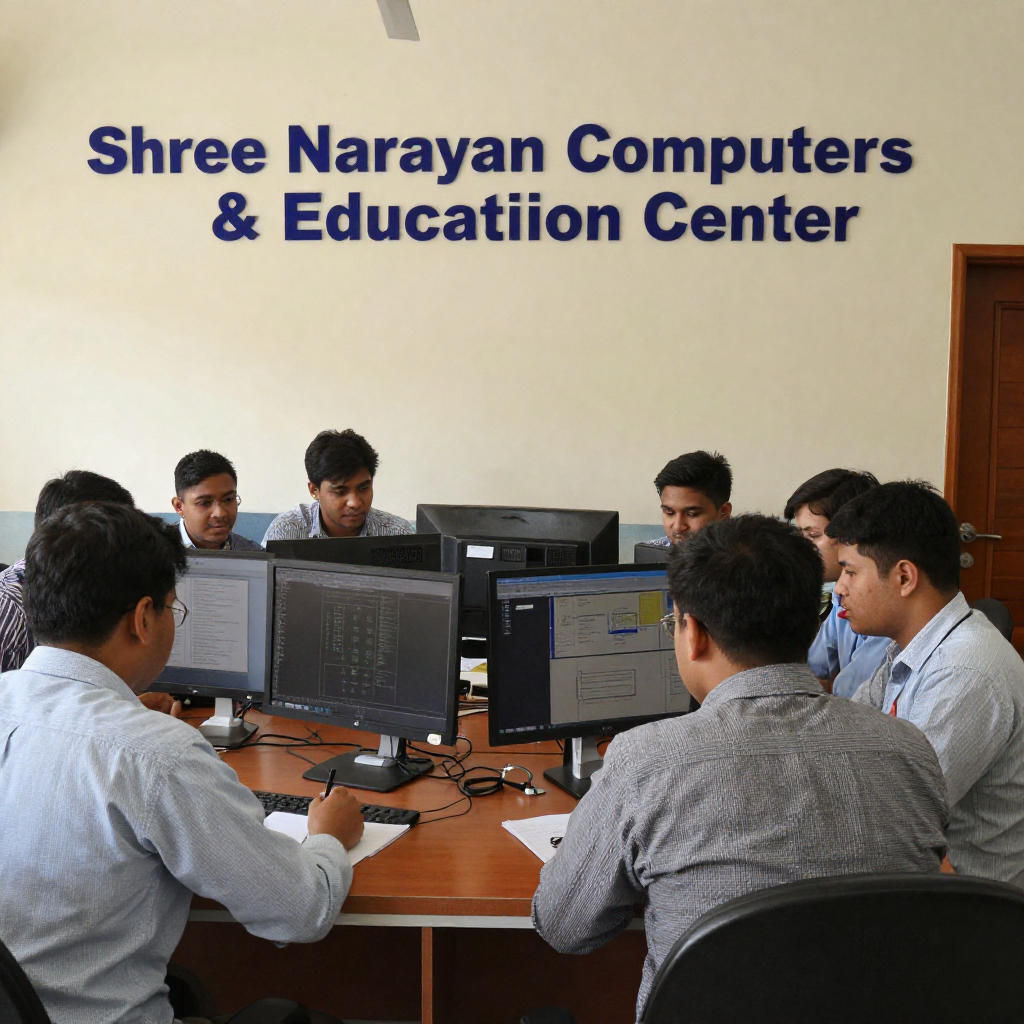
One of the most important aspects of computer education is access to modern computer systems. Each student needs the opportunity to practice individually rather than simply watching demonstrations. The institute provides a computer lab environment where students can perform tasks themselves, experiment with different software features, and repeat exercises until they fully understand the concepts.
The learning environment is designed to be student-friendly and interactive. Instead of traditional lecture-heavy teaching methods, instructors encourage participation and discussion. When students encounter problems during practice sessions, trainers guide them step by step, helping them understand not only how to solve the issue but also why it occurred.
Another key element of the infrastructure is the availability of updated software tools. Technology changes rapidly, and learning outdated programs can limit a student’s readiness for real-world jobs. The institute ensures that students train on modern operating systems and widely used office applications so that their skills remain relevant in today’s workplace.
A productive learning atmosphere also depends on comfort and organization. The institute maintains a clean, structured, and focused classroom environment where students can concentrate on learning without unnecessary distractions. Proper seating arrangements, clear visibility of demonstration screens, and organized workstations help create an effective training setup.
Equally important is the supportive culture within the institute. Many beginners feel hesitant to ask questions, especially when dealing with technical subjects. At Shree Narayan Computers & Education Center, students are encouraged to speak freely, clarify doubts, and practice without fear of making mistakes.
The training environment also promotes collaborative learning. Sometimes students learn just as much from each other as they do from instructors. Group discussions, shared exercises, and collaborative problem-solving sessions help reinforce knowledge and build confidence.
Learning computers is similar to learning a musical instrument. Reading about music theory is helpful, but real progress happens when someone actually sits down with the instrument and practices. The institute’s infrastructure ensures that students spend most of their time doing exactly that—practicing, experimenting, and mastering digital tools through hands-on experience.
Course Structure of the DCA Program
The Diploma in Computer Applications (DCA) offered at Shree Narayan Computers & Education Center follows a carefully designed curriculum that helps beginners gradually transform into confident computer users. Instead of overwhelming students with complicated technical concepts from the start, the course structure moves step by step—from the fundamentals of computers to practical applications used in modern workplaces.
One of the main reasons many students struggle with technology is that they try to learn everything at once. Imagine trying to learn mathematics by jumping straight into advanced calculus without first understanding numbers or basic arithmetic. It would feel confusing and frustrating. The DCA program avoids this problem by building knowledge layer by layer, ensuring that students fully understand each concept before moving forward.
The course structure focuses on both theoretical understanding and practical application. Students not only learn what different software tools are but also how and when to use them effectively. This balance ensures that learners develop skills that are directly useful in office environments, educational settings, and personal productivity.
The program usually includes multiple modules covering essential topics such as:
| Module | Key Learning Focus |
|---|---|
| Computer Fundamentals | Understanding hardware, operating systems, and basic computer operations |
| Office Applications | Word processing, spreadsheets, and presentation tools |
| Internet & Email | Online communication, browsing, and digital safety |
| Basic Programming Concepts | Introduction to logical thinking and coding basics |
| Data Handling | Managing information using spreadsheets and simple databases |
Each module is designed to build a specific set of skills. For example, while the fundamentals module helps students become comfortable with computers, the office applications module focuses on productivity tools widely used in businesses and organizations.
Another important aspect of the course structure is hands-on practice sessions. Students work on real assignments such as creating documents, designing presentations, managing spreadsheets, and performing online tasks. These activities simulate real workplace scenarios, helping learners understand how their skills will be applied outside the classroom.
The structured curriculum also allows students to measure their progress over time. As they move from one module to another, they begin to notice improvements in speed, accuracy, and confidence while using computer applications.
By the end of the program, students typically develop a strong foundation in computer usage, enabling them to perform everyday digital tasks efficiently and explore further opportunities in technology-related fields.
Fundamental Computer Skills
Before someone can effectively use advanced software or programming tools, they must first understand the basic components and functions of a computer system. This is why the DCA course begins with fundamental computer skills. These skills form the backbone of digital literacy and help students feel comfortable interacting with technology.
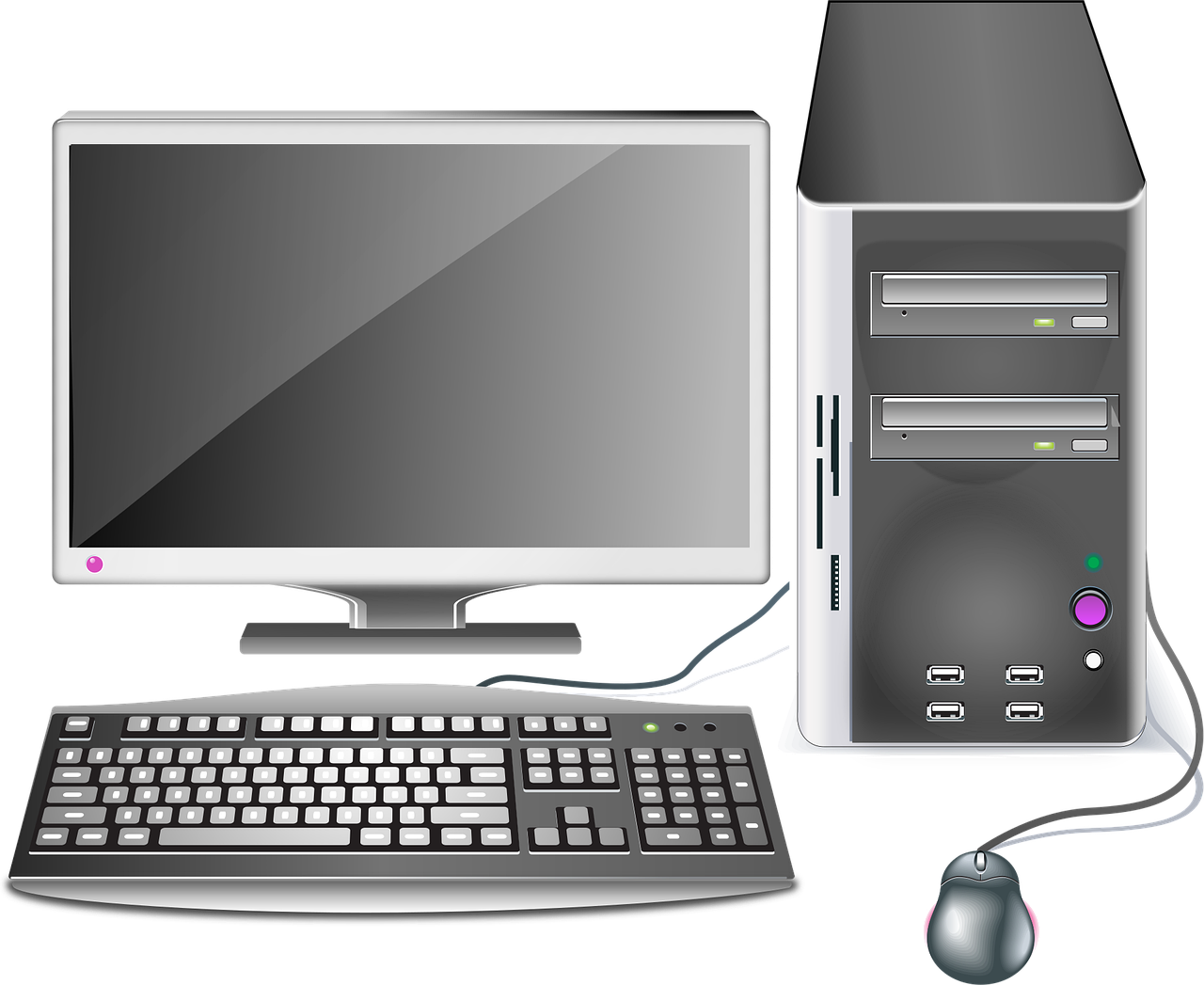
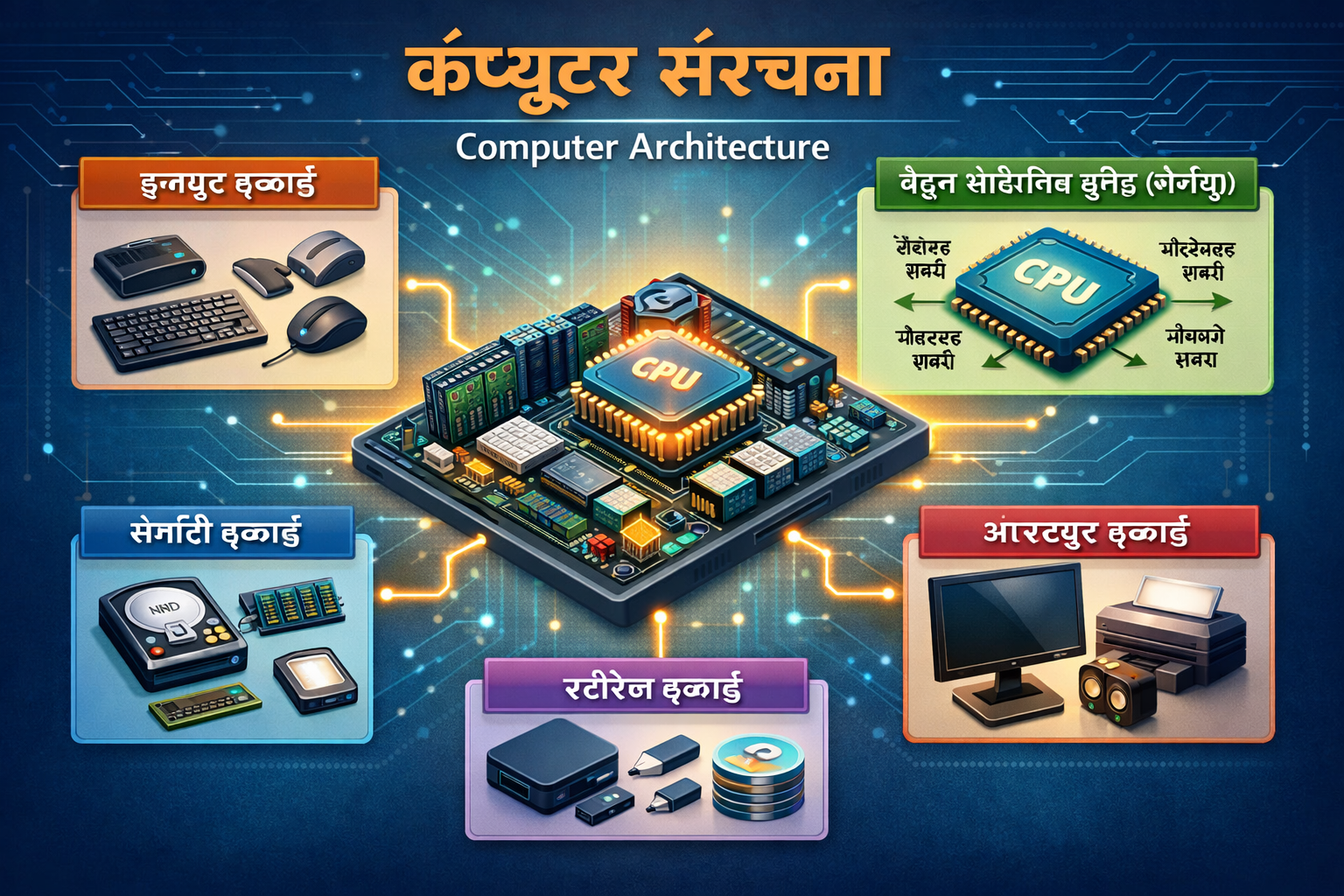
Many beginners start their computer learning journey with simple questions: What exactly happens when you press the power button? How does the computer store files? What is the difference between hardware and software? The fundamentals module answers these questions while introducing students to the basic architecture of computer systems.
Students learn about key hardware components such as:
- Central Processing Unit (CPU)
- Memory (RAM)
- Storage devices like hard drives and SSDs
- Input devices such as keyboards and mice
- Output devices including monitors and printers
Understanding these components helps students see computers not as mysterious machines but as logical systems where each part has a specific role.
The course also introduces the operating system, which acts as the bridge between the user and the computer hardware. Most students learn how to work with commonly used operating systems, exploring tasks such as managing files and folders, installing software, adjusting system settings, and organizing digital data.
File management is another critical skill covered in this module. Students practice creating folders, saving documents, renaming files, copying data, and maintaining organized digital storage. These tasks might appear simple, but they are essential for maintaining productivity in any professional environment.
Another important part of fundamental training involves keyboard and typing skills. Efficient typing improves productivity dramatically. Many workplaces expect employees to type quickly and accurately when handling reports, emails, or data entry tasks.
Learning computer fundamentals can be compared to learning how a city works before driving through it. Once someone understands the roads, signals, and navigation systems, moving around becomes much easier. Similarly, when students understand how computers function, they can use software tools more efficiently and solve problems independently.
This foundational knowledge prepares students for the next stage of the DCA program—learning powerful productivity tools that are widely used across industries.
Office Productivity Tools
In modern workplaces, office productivity software plays a central role in daily operations. Whether it’s writing reports, analyzing data, or creating presentations, these tools help individuals and organizations manage information efficiently. The DCA course at Shree Narayan Computers & Education Center dedicates a significant portion of its curriculum to mastering these essential applications.
Three of the most widely used office tools included in the program are word processing software, spreadsheet applications, and presentation tools. These applications are commonly part of office suites such as Microsoft Office or similar productivity platforms used around the world.
Word processing software teaches students how to create professional documents. This includes tasks such as formatting text, adjusting page layouts, inserting images, designing tables, and preparing official letters or reports. Students learn how to produce documents that look polished and professional, which is an essential skill in administrative and office roles.
Spreadsheets are another powerful tool introduced during the course. Programs like Microsoft Excel allow users to organize and analyze data efficiently. Students learn how to create tables, apply formulas, generate charts, and perform calculations. These skills are widely used in areas such as accounting, inventory management, business reporting, and financial analysis.
Presentation software, such as PowerPoint, helps students learn how to communicate ideas visually. Instead of presenting information through plain text, slides allow the use of graphics, charts, and multimedia elements. In many workplaces and educational settings, presentations are used to explain projects, share business strategies, or deliver training sessions.
The practical exercises in this module often include real-world tasks such as:
- Designing a business letter or resume
- Creating a budget spreadsheet with formulas
- Preparing a slide presentation for a topic
These activities help students understand how office software is used in professional environments.
Office tools can be compared to a digital toolbox. Just as a carpenter relies on different tools for cutting, measuring, and assembling materials, professionals rely on office applications to manage information and complete tasks efficiently.
By mastering these tools during the DCA course, students gain skills that are immediately applicable in many office-based jobs and administrative roles.
Internet and Digital Literacy
The internet has transformed the way people communicate, learn, and conduct business. From sending emails to accessing online services, digital connectivity has become an essential part of daily life. Recognizing this reality, the DCA program at Shree Narayan Computers & Education Center includes comprehensive training in internet usage and digital literacy.
Digital literacy goes beyond simply knowing how to open a website. It involves understanding how to search for information effectively, communicate professionally online, and stay safe in a digital environment. These skills are particularly important in an era where online services dominate education, employment, banking, and government interactions.
Students begin by learning the basics of web browsers and search engines. They explore how to locate reliable information, evaluate sources, and navigate websites efficiently. With the vast amount of information available online, the ability to filter useful content from irrelevant or misleading sources becomes a valuable skill.
Email communication is another essential part of this module. Students learn how to create email accounts, compose messages, attach documents, and maintain professional communication etiquette. In many workplaces, email remains the primary mode of formal communication, making this skill extremely important.
The course also introduces online collaboration tools, which allow individuals to share documents, communicate with teams, and work remotely. As remote work and digital collaboration continue to grow worldwide, familiarity with such tools becomes increasingly beneficial.
Digital safety and cybersecurity awareness are also emphasized. Students learn how to protect personal information, recognize phishing attempts, create strong passwords, and avoid common online threats. In a world where cybercrime is increasing, understanding basic security practices helps users protect both personal and professional data.
Learning internet skills is often compared to learning how to navigate a vast library. Without proper guidance, it’s easy to get lost among endless information. But once someone understands how to search, filter, and organize data, the internet becomes one of the most powerful learning tools available.
Through this module, students develop the confidence to explore the digital world safely and effectively, turning the internet into a powerful resource for education, communication, and career growth.
Basic Programming Concepts
While the Diploma in Computer Applications (DCA) is primarily focused on practical computer skills and office productivity tools, many modern DCA programs—including the one offered at Shree Narayan Computers & Education Center—also introduce students to basic programming concepts. This section of the course is designed to give learners a glimpse into how software works behind the scenes and how computers follow instructions to perform tasks.
Many people use software daily without ever thinking about how it actually functions. Applications, websites, and digital tools all rely on instructions written in programming languages. Programming is essentially the process of telling a computer what to do through logical commands. The goal of introducing programming in a DCA course isn’t to turn students into professional developers immediately, but rather to help them understand the logic and structure behind computer operations.
Students typically start by learning the idea of algorithms and logical thinking. An algorithm is simply a step-by-step set of instructions used to solve a problem. For example, consider making a cup of tea. The process involves a sequence of steps: boiling water, adding tea leaves, mixing milk and sugar, and serving. Programming works in a similar way—computers follow clearly defined steps to produce results.
The course may introduce students to simple programming structures such as:
- Variables and data types
- Conditional statements (if/else logic)
- Basic loops for repeated tasks
- Simple input and output commands
These concepts help students understand how software processes information. Even if a student does not plan to become a programmer, learning these basics improves problem-solving skills and logical reasoning.
Another valuable outcome of this module is exposure to the broader field of information technology. Some students discover an interest in coding and decide to pursue further training in areas like web development, Python programming, or software engineering. In this way, the programming component of the DCA course acts like a doorway into more advanced technological careers.
Programming can be compared to learning how to communicate with machines. Humans naturally speak languages like English or Hindi, but computers only understand structured commands written in specific formats. Once students grasp this concept, they begin to see computers not just as tools but as systems that can be controlled and customized.
By introducing basic programming principles, the DCA course ensures that students develop a deeper understanding of technology rather than just learning how to operate software.
Duration and Eligibility for DCA
One of the reasons the Diploma in Computer Applications (DCA) remains such a popular course is its accessibility. Unlike many advanced IT programs that require several years of study and specific academic backgrounds, DCA is designed to be simple, flexible, and open to a wide range of learners. This makes it an excellent starting point for students who want to gain practical computer knowledge without committing to a long-term degree program.
The duration of a typical DCA program usually ranges between 6 months and 12 months, depending on the institute and the depth of the curriculum. At Shree Narayan Computers & Education Center, the course is structured to provide sufficient time for both theoretical understanding and hands-on practice. The goal is not just to finish lessons quickly but to ensure that students actually master the skills they are learning.
Short-term courses like DCA are especially beneficial for individuals who want to enter the job market quickly. For example, a student who has completed high school may not yet be ready to pursue a full degree but still wants to develop employable skills. Similarly, someone who is already working might want to improve their digital knowledge to increase career opportunities or perform better in their current job.
The eligibility criteria for DCA are usually quite flexible. Most institutes require only basic educational qualifications, such as completion of secondary or higher secondary education. Since the course starts with computer fundamentals, prior technical knowledge is typically not necessary. Beginners can join without worrying about complex prerequisites.
Another advantage of the program’s duration is the balanced learning pace. Students attend regular classes, practice in computer labs, and complete assignments that reinforce their understanding. This structured approach helps them gradually develop confidence with different computer applications.
For many learners, the DCA course acts as a foundation for further education in information technology. After completing the diploma, students often choose to continue their learning through advanced courses such as:
| Course | Focus Area |
|---|---|
| ADCA (Advanced Diploma in Computer Applications) | Deeper study of software and IT tools |
| Programming Courses | Languages like Python, Java, or C++ |
| Web Development | Website design and development |
| Digital Marketing | Online marketing strategies and tools |
Because the course duration is relatively short and the eligibility criteria are accessible, DCA becomes an ideal stepping stone for students who want to begin their journey into the digital world.
Who Should Enroll in This Course?
The Diploma in Computer Applications (DCA) is designed for a wide range of learners, making it one of the most inclusive computer training programs available. Unlike specialized IT courses that target only technical students, DCA welcomes anyone who wants to build strong computer skills. Whether someone is a student, job seeker, working professional, or entrepreneur, the knowledge gained from this course can be incredibly valuable.
Students who have recently completed their school education often enroll in DCA to strengthen their digital foundation before entering college or professional studies. In many higher education programs today, assignments, research, and presentations require computer usage. Having prior knowledge of office software, internet research, and digital communication can make academic life much easier.
Job seekers are another group that benefits significantly from this course. Many entry-level jobs—especially in offices, banks, and service industries—require basic computer knowledge. Skills such as typing documents, managing spreadsheets, and sending professional emails are considered essential in modern workplaces. Completing a DCA course demonstrates that a candidate possesses these fundamental abilities.
Working professionals also find value in enrolling in DCA programs. Some individuals may already have jobs but feel that their limited computer knowledge is holding them back. By learning office applications and digital tools, they can improve their efficiency and increase their chances of promotion or career advancement.
Entrepreneurs and small business owners are another important group of learners. Running a business today often involves digital tasks such as maintaining records, preparing invoices, managing inventory, and communicating with clients online. Learning these skills through a structured course can help business owners operate more efficiently.
Even homemakers and individuals who simply want to become comfortable with technology can benefit from the program. Computers are increasingly used for everyday tasks such as online banking, bill payments, government services, and communication with family members.
In simple terms, the DCA course is suitable for anyone who wants to become digitally capable in today’s technology-driven world. The course removes the fear of computers and replaces it with confidence, allowing learners to interact with technology comfortably in both personal and professional settings.
Teaching Methodology at Shree Narayan Computers
The effectiveness of any educational program depends not only on what is taught but also on how it is taught. At Shree Narayan Computers & Education Center, the teaching methodology is carefully designed to ensure that students truly understand and apply the concepts they learn. The institute recognizes that computer education is most effective when theory and practice work together in a balanced and engaging way.
Traditional teaching methods often rely heavily on lectures, where students passively listen to explanations without actively participating in the learning process. While this approach may work for certain subjects, computer education requires a much more interactive and practical style of teaching. Technology is something that must be experienced directly—students need to click, type, experiment, and troubleshoot to fully grasp how digital tools function.
At Shree Narayan Computers & Education Center, instructors focus on step-by-step demonstrations followed by hands-on practice. Each lesson typically begins with a clear explanation of the topic, supported by live demonstrations on a computer system. Students then perform the same tasks individually, allowing them to gain real experience using the software.
Another important aspect of the institute’s methodology is concept clarity. Trainers avoid overly technical language when explaining new topics, especially when teaching beginners. Instead, they use everyday examples and analogies to make concepts easier to understand. For instance, explaining file folders on a computer by comparing them to physical folders used in offices helps students quickly grasp the idea of digital organization.
The institute also encourages active participation and curiosity. Students are invited to ask questions whenever they encounter difficulties. Rather than simply providing answers, instructors often guide students toward discovering solutions themselves. This approach strengthens critical thinking and problem-solving abilities.
Assignments and small projects are another essential part of the teaching strategy. Instead of memorizing commands or definitions, students work on tasks that simulate real-world situations. For example, they might prepare a formatted business letter, create a financial spreadsheet, or design a professional presentation. These exercises help students connect theoretical knowledge with practical application.
Learning computers can sometimes feel like solving a puzzle. Each piece—hardware, software, commands, and processes—fits together to form a complete system. The teaching methodology at Shree Narayan Computers & Education Center ensures that students gradually assemble these pieces until the bigger picture becomes clear.
By combining clear explanations, practical exercises, and supportive guidance, the institute creates a learning experience that helps students develop both technical competence and confidence in using computers.
Practical Training Approach
One of the strongest features of the Diploma in Computer Applications (DCA) program at Shree Narayan Computers & Education Center is its strong emphasis on practical training. Computer education cannot be fully understood through theory alone; students must interact directly with software and hardware to truly develop useful skills.
Practical training allows students to move beyond simply knowing what a program does to actually using it effectively in real situations. For example, learning about spreadsheet formulas in theory is very different from creating a financial report or calculating monthly expenses in an actual spreadsheet. Hands-on exercises bridge this gap between knowledge and real-world application.
During the course, students spend a large portion of their time working in computer labs where they practice tasks such as:
- Creating and formatting documents
- Designing presentations with graphics and charts
- Organizing and analyzing data using spreadsheets
- Browsing the internet and managing email communication
- Performing file management and system operations
Each of these tasks reflects activities commonly performed in offices and professional environments.
Another benefit of practical training is that it helps students develop confidence with technology. Many beginners initially feel hesitant when using computers, worrying that they might make mistakes or accidentally damage something. Regular practice removes this fear. As students repeat tasks and experiment with different features, they become comfortable navigating software interfaces and solving small problems independently.
The institute also incorporates project-based learning into its training approach. Instead of isolated exercises, students may work on projects that combine multiple skills. For instance, a project might require them to create a report using word processing software, analyze related data in a spreadsheet, and present the results through slides.
Practical training also improves speed and efficiency. In real workplaces, employees are often expected to complete tasks quickly and accurately. Repeated practice helps students become faster with typing, formatting documents, and performing calculations.
Think of practical training as similar to learning how to ride a bicycle. Reading instructions about balance and pedaling can provide basic understanding, but the real learning happens when someone gets on the bicycle and starts riding. In the same way, computer skills become stronger through consistent hands-on practice.
This practical approach ensures that by the time students complete their DCA program, they are not just familiar with computer concepts—they are capable of applying them confidently in professional environments.
Career Opportunities After Completing DCA
Completing a Diploma in Computer Applications (DCA) opens the door to a variety of career opportunities, particularly in roles that require basic to intermediate computer skills. In today’s digital economy, nearly every organization relies on computers for daily operations. As a result, individuals who possess strong computer literacy have a significant advantage in the job market.
Many companies look for employees who can efficiently manage documents, maintain records, communicate through email, and handle digital data. These tasks may appear simple, but they form the backbone of many business processes. A DCA graduate is trained specifically to perform such responsibilities, making them valuable in administrative and office-related positions.
Industries such as banking, education, healthcare, retail, and government services often require staff with computer knowledge. For example, schools and colleges need administrative personnel to manage student records and prepare reports. Small businesses require individuals who can handle billing systems, maintain spreadsheets, and communicate with customers online.
Another reason DCA graduates are in demand is the growing importance of data management. Businesses collect large amounts of information related to sales, customers, and operations. Employees who know how to organize and analyze this data using tools like spreadsheets play an important role in decision-making processes.
Freelancing and self-employment opportunities are also increasing for individuals with computer skills. Some DCA graduates offer services such as document preparation, data entry, resume creation, or basic digital assistance for local businesses.
The diploma also acts as a stepping stone for further education in information technology. Many students use the knowledge gained from DCA as a foundation for advanced studies in areas like programming, networking, graphic design, or digital marketing.
Career opportunities after DCA are not limited to one specific field. Instead, the diploma equips students with versatile digital skills that can be applied across many industries. As technology continues to expand into every aspect of modern life, the demand for individuals who understand computers is expected to grow steadily.
Popular Job Roles After DCA
Graduates of the Diploma in Computer Applications (DCA) program can explore a variety of entry-level job roles in different sectors. While the course focuses on foundational computer skills, these abilities are highly valued in many workplaces that rely on digital tools for everyday operations.
Some of the most common job roles available to DCA graduates include administrative and data management positions. These roles involve working with documents, spreadsheets, emails, and digital records. Since businesses generate and store large amounts of information, employees who can manage this data efficiently are essential.
Below is a table highlighting several common job roles that DCA graduates often pursue:
| Job Role | Main Responsibilities |
|---|---|
| Data Entry Operator | Entering and managing data in computer systems |
| Computer Operator | Handling system operations and basic troubleshooting |
| Office Assistant | Managing documents, reports, and administrative tasks |
| Accounts Assistant | Maintaining financial records using spreadsheets |
| Customer Service Executive | Communicating with customers using digital tools |
Data entry roles are particularly common for beginners in the IT and office administration fields. These positions require accuracy, typing skills, and familiarity with computer software.
Office assistants and administrative staff also rely heavily on computer applications. They often prepare documents, manage schedules, and organize digital files for organizations.
Customer service positions may involve responding to emails, maintaining customer records, and using online communication platforms. In such roles, strong computer knowledge combined with good communication skills can be highly valuable.
Although these roles may be considered entry-level, they provide important professional experience. Many individuals start their careers in these positions and later move into more advanced roles as they gain additional skills and experience.
Higher Study Options After DCA
For many students, completing a Diploma in Computer Applications (DCA) is only the beginning of their educational journey in the field of technology. The diploma provides a solid foundation that allows learners to explore more advanced computer-related subjects and specialized career paths.
One of the most common next steps after DCA is enrolling in an Advanced Diploma in Computer Applications (ADCA). This program typically covers more advanced topics such as database management systems, programming languages, and software development tools. ADCA builds on the knowledge gained during the DCA course and helps students move toward more technical roles in the IT industry.
Students who develop an interest in programming may choose to pursue courses in languages such as Python, Java, C++, or JavaScript. Programming skills open doors to careers in software development, application design, and web development.
Another popular path is web design and development. This field focuses on creating and maintaining websites using technologies like HTML, CSS, and modern design tools. As businesses increasingly establish online presence, skilled web developers are in high demand.
Digital marketing is another growing field where computer knowledge plays a crucial role. Courses in digital marketing teach students how to promote products and services online through search engines, social media platforms, and digital advertising.
Students who wish to pursue formal academic degrees may also choose programs such as:
- Bachelor of Computer Applications (BCA)
- Bachelor of Science in Information Technology (BSc IT)
- Bachelor of Technology in Computer Science
These degree programs provide deeper technical knowledge and open the door to advanced IT careers.
The beauty of starting with a DCA course is that it creates multiple pathways. Students are not locked into a single direction. Instead, they gain a broad understanding of computers that allows them to explore various technology fields and discover the areas that interest them most.
Conclusion
The Diploma in Computer Applications (DCA) offered by Shree Narayan Computers & Education Center serves as an excellent starting point for anyone looking to build practical computer skills in today’s digital world. As technology continues to influence nearly every aspect of modern life—from education and business to communication and entertainment—having a strong understanding of computers is no longer optional. It has become an essential life skill.
The course is carefully designed to guide students from the basics of computer operation to practical applications used in real workplaces. Through modules covering computer fundamentals, office productivity tools, internet usage, and basic programming concepts, learners gain a comprehensive understanding of how digital systems function.
One of the most valuable aspects of the program is its practical learning approach. Students are encouraged to practice extensively, complete real-world assignments, and develop confidence while working with different software tools. This hands-on experience ensures that graduates leave the program with skills they can immediately apply in professional environments.
Shree Narayan Computers & Education Center also provides a supportive and structured learning environment where beginners feel comfortable exploring technology. With experienced instructors, modern infrastructure, and a focus on career-oriented training, the institute helps students develop the digital competence needed for both employment and further education.
Whether someone is a student preparing for future studies, a job seeker aiming to improve employability, or a professional looking to upgrade their digital knowledge, the DCA course provides a strong and practical foundation.
FAQs
1. What is the duration of the DCA course at Shree Narayan Computers & Education Center?
The Diploma in Computer Applications (DCA) typically takes between 6 months and 12 months to complete, depending on the institute’s curriculum and training schedule. This duration allows students to learn both theoretical concepts and practical computer skills.
2. Is prior computer knowledge required to enroll in DCA?
No, prior computer knowledge is usually not required. The course begins with computer fundamentals, making it suitable for beginners who have little or no experience with computers.
3. What skills will I learn during the DCA course?
Students learn a wide range of skills, including computer fundamentals, word processing, spreadsheet management, presentation design, internet usage, email communication, and basic programming concepts.
4. Can I get a job after completing DCA?
Yes. DCA graduates can apply for entry-level roles such as data entry operator, office assistant, computer operator, or administrative support staff in various industries.
5. What courses can I pursue after completing DCA?
After completing DCA, students can continue their studies with programs such as ADCA, programming courses, web development training, digital marketing courses, or degree programs like BCA or BSc IT.




Staff picks
Class 11th Commerce UP Board Notes with NCERT Solutions | PDF & MS Word
Original price was: ₹99.00.₹0.00Current price is: ₹0.00.Class 11th Humanities UP Board Notes with NCERT Solutions | PDF & MS Word
Original price was: ₹99.00.₹0.00Current price is: ₹0.00.Class 11th Science UP Board Notes with NCERT Solutions | PDF & MS Word
Original price was: ₹99.00.₹0.00Current price is: ₹0.00.Class 12th Commerce UP Board Notes with NCERT Solutions | PDF & MS Word
Original price was: ₹99.00.₹0.00Current price is: ₹0.00.




![Core i3-4160 [ 4th Gen ] with 3.6 GHZ Combo Kit with H81 Motherboard + 8GB DDR3 1600MHz RAM + CPU Fan | Pre-Assembled & Pre-Tested | 1 Year Warranty | Home & Office PC Upgrade](https://m.media-amazon.com/images/I/41DUd2PCSML.jpg)