Understanding WordPress and Its Features
WordPress is a powerful content management system (CMS) that enables individuals and organizations to create and manage websites with ease. Initially launched as a blogging platform, it has evolved considerably over the years to become one of the most widely used CMS options in the world. This evolution is marked by its rich features, user-friendly interface, and robust performance that cater particularly well to bloggers.
One prominent advantage of utilizing WordPress is its ease of use. The intuitive dashboard allows users, even those with minimal technical knowledge, to create posts, add pages, and customize their site efficiently. This functionality makes it accessible for both novice and seasoned bloggers alike. Additionally, WordPress is highly flexible; users can choose from thousands of themes and plugins to enhance the appearance and functionality of their websites.
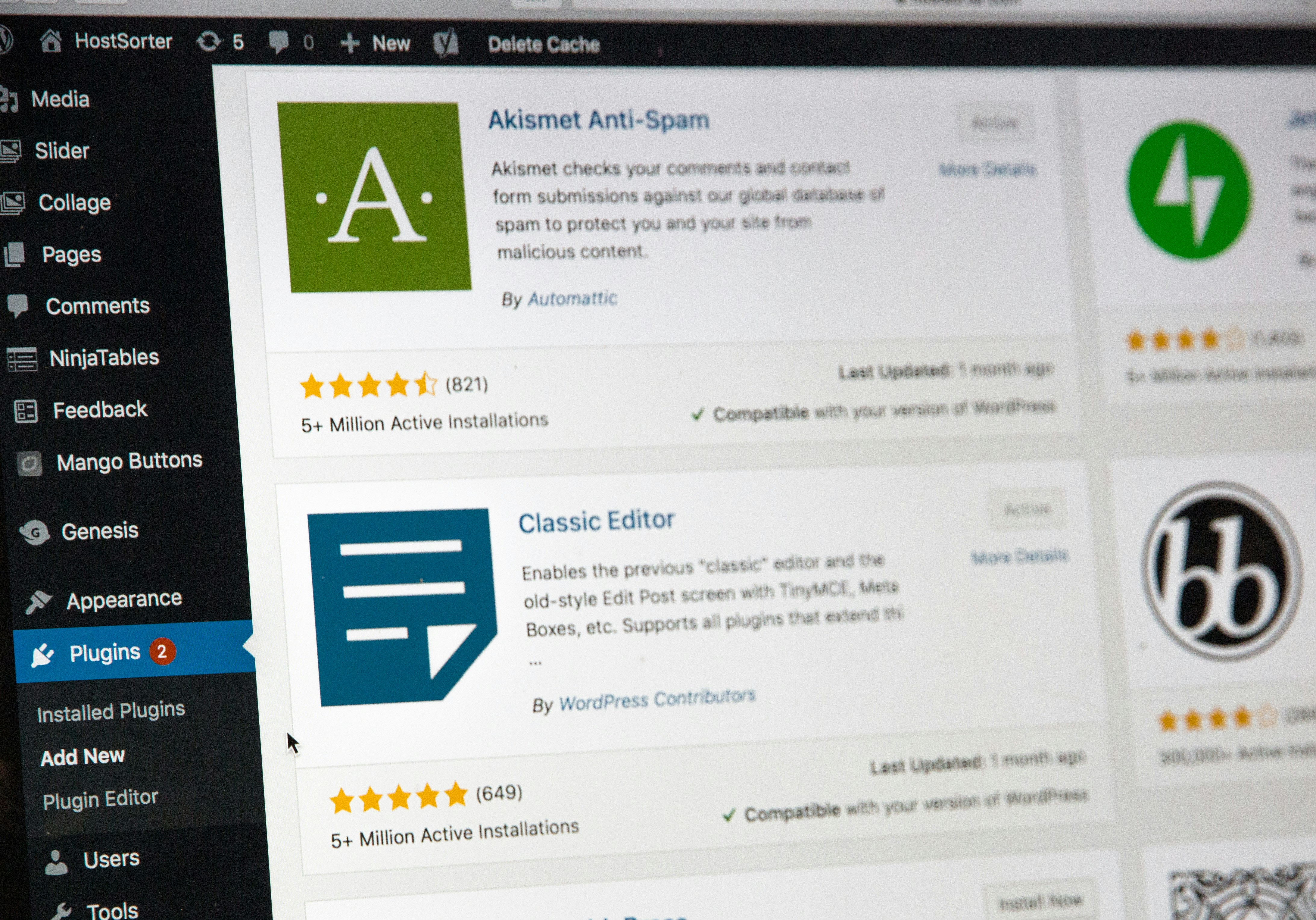
The extensive plugin ecosystem available with WordPress is another significant feature. These plugins enable users to add various functionalities, such as SEO tools, social media integration, and eCommerce capabilities, without requiring advanced coding skills. With a suitable selection of plugins, bloggers can significantly enhance their site’s performance and improve user engagement.
When discussing WordPress, it is essential to distinguish between WordPress.com and WordPress.org. WordPress.com offers a hosted solution that includes some limitations, making it more suitable for users who prefer a hands-off approach to website management. In contrast, WordPress.org provides a self-hosted option, allowing complete control over your website, including customization and monetization options, making it a preferred choice for serious bloggers.
Ultimately, understanding the core features of WordPress is vital for anyone looking to create a blogging website. Its extensive capabilities, combined with user-friendly operation, position it as a leading choice for bloggers at any level.
Setting Up Your WordPress Site
The first step in creating a successful blogging website using WordPress is selecting a suitable domain name and a reliable hosting provider. A domain name serves as your website’s address on the internet, so it should be unique, easy to remember, and relevant to the content or niche you will be exploring. Consider incorporating relevant keywords to improve visibility; however, aim for brevity and clarity to ensure easy recall by your audience.
Once you have decided on a domain name, the next vital step is to choose a hosting provider. Numerous options are available, ranging from shared hosting to dedicated servers, depending on your anticipated traffic and requirements. Popular choices for WordPress hosting include providers like Bluehost, SiteGround, and WP Engine, recognized for their user-friendly interfaces and quality customer support. After selecting a provider, you can register your chosen domain name through their platform, often included with the hosting package.
The installation of WordPress is the next step, which can usually be executed with a single click through your hosting dashboard. Most reputable hosting services offer a simplified installation process, eliminating the need for complicated configurations. After successfully installing WordPress, you will need to perform initial configurations to ensure your site is secure and operates smoothly. Start by adjusting basic settings such as your site title, tagline, and time zone within the WordPress dashboard.
Furthermore, it is crucial to implement security measures before launching your blog. Consider installing a reputable security plugin like Wordfence or Sucuri to protect against potential threats. Regularly updating themes, plugins, and the WordPress core itself is also imperative to maintain site integrity. By adhering to these initial guidelines, you will establish a solid foundation for your WordPress blogging journey.
Designing Your Blog with Themes and Customization
Choosing the right theme is a crucial step in designing your WordPress blog, as it plays a significant role in establishing the visual appeal and functionality of your site. A visually appealing theme not only attracts visitors but also encourages them to stay longer and engage with your content. When selecting a WordPress theme, consider its responsiveness, as a mobile-friendly design is essential in today’s digital age. Additionally, the theme should align with your blog’s niche and purpose, which helps in creating a cohesive user experience.
Once you have selected a theme, the customization process begins. WordPress offers a built-in Customizer that enables you to make various adjustments to your theme in real-time. Here, you can modify site identity elements like the title and tagline, choose color schemes, and even adjust widget areas. Using the Customizer can help you visualize your changes and refine the design until it matches your vision.
Widgets also play an integral role in customizing your blog’s layout. They allow you to add various features, such as recent posts, social media links, and subscription forms, into designated areas of your website. This flexibility enhances usability and can significantly improve user engagement. In addition, several plugins are available to enhance the design of your blog. A few recommended plugins include Elementor for drag-and-drop page building, WPForms for creating contact forms, and Smush for image optimization. By integrating these plugins with your theme and widgets, you can enhance the overall aesthetics and functionality of your blog.
To summarize, selecting the right theme and utilizing customization options are vital to creating an engaging and user-friendly blogging website in WordPress. With thoughtful selection and the use of available tools, you can establish a visually appealing and effective online presence.
Creating and Managing Content on Your Blog
Creating engaging content is essential for any blogging website built on WordPress. The first step involves writing high-quality blog posts that resonate with your target audience. When drafting your posts, aim for a conversational yet professional tone that invites readers to engage. Utilize an attention-grabbing headline that encapsulates the essence of your content, and follow it with a compelling introduction that clearly states what your readers can expect to learn.
Formatting your blog posts plays a significant role in enhancing readability. Break up large blocks of text into shorter paragraphs, use bullet points for easy digestion of information, and incorporate subheadings that help guide readers through your content. Additionally, images enhance visual appeal and can also clarify your message. Ensure that you choose relevant, high-quality images, optimizing them for the web to ensure faster loading times.
SEO optimization is another crucial aspect to consider while creating and managing content. This involves using keywords strategically throughout your post, including in headings, meta descriptions, and alt texts for images. Remember to avoid keyword stuffing; instead, aim for a natural flow of language that integrates keywords seamlessly.
In addition to blog posts, setting up pages such as an About, Contact, and Services page is vital. These pages provide visitors with essential information about your blog and your objectives. Managing comments allows for interaction with readers and builds a sense of community, so it is essential to moderate these effectively. Organizing your blog using categories and tags helps in guiding readers to relevant content based on their interests.
Consistency in posting is key to retaining audience engagement. Establish a posting schedule that allows you to share content regularly while maintaining quality. Finally, promote your posts through social media channels, newsletters, or partnerships to enhance visibility and attract more visitors to your blog.