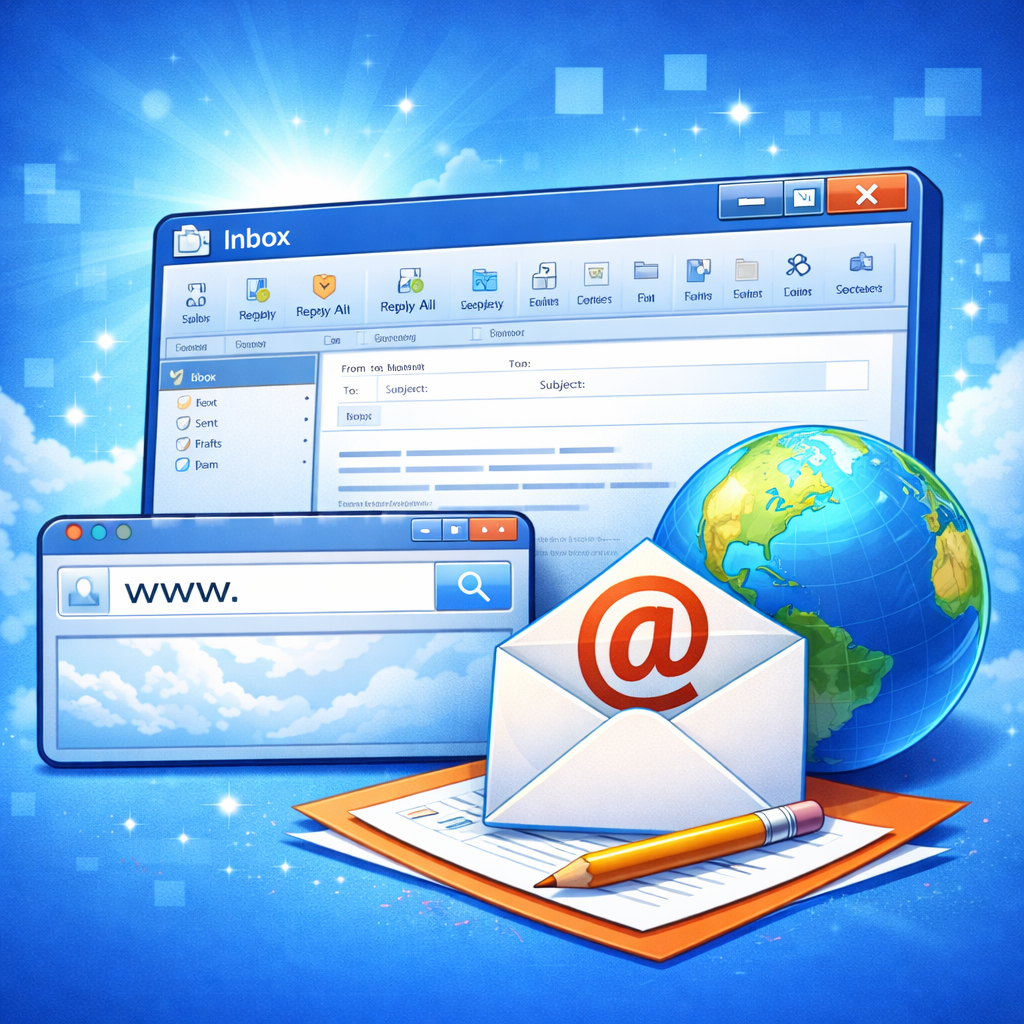
The Internet and Email: A Complete Guide to the Digital Communication Revolution
Internet and Email
Introduction to the Internet and Email
Imagine waking up one morning and the internet simply doesn’t exist. No messages. No notifications. No quick “Got it!” replies from your boss. No online shopping receipts. Sounds chaotic, right? That’s because the internet—and especially email—has quietly become the backbone of modern life. We rely on it the way previous generations relied on postal services and landline phones.
The internet is like a giant invisible highway system connecting billions of devices across the world. Email, on the other hand, is one of the oldest and most reliable vehicles traveling on that highway. Despite the rise of social media, instant messaging apps, and collaboration tools, email remains one of the most powerful and widely used communication tools globally.
Why? Because it’s universal. You need an email address to open bank accounts, sign up for social media, apply for jobs, register for services, and even reset passwords. It’s your digital identity card. Whether you’re a student submitting assignments, a business owner sending invoices, or someone simply staying in touch with friends, email plays a crucial role.
In this comprehensive guide, we’re going to unpack everything—how the internet began, how email works behind the scenes, why it still dominates professional communication, and how you can use it safely and effectively. Think of this as your complete roadmap to understanding the digital communication revolution.
Let’s start at the very beginning.
What Is the Internet?
The internet is often described as a “network of networks,” but what does that actually mean? Picture millions of smaller computer networks—schools, companies, governments, and personal devices—all connected together. When these networks communicate using standardized protocols, they form the internet.
At its core, the internet is infrastructure. It includes physical cables under oceans, satellites orbiting the Earth, data centers humming with servers, wireless towers transmitting signals, and routers directing traffic like digital air traffic controllers. Every time you search on Google, send an email, or stream a video, data travels through this complex system in milliseconds.
Here’s a simple way to think about it: if the internet were a city, data would be the cars, cables would be the roads, servers would be warehouses, and routers would be traffic lights directing the flow.
The internet operates using something called IP (Internet Protocol). Every device connected to the internet has an IP address—like a home address for your computer or phone. This allows data to find its destination accurately.
But the internet itself isn’t a single company or organization. No one “owns” it entirely. Instead, it’s maintained by a combination of governments, private companies, non-profit organizations, and technical communities that establish rules and standards.
Today, the internet powers:
- Communication (email, messaging apps)
- Information sharing (websites, blogs)
- Commerce (online shopping, banking)
- Entertainment (streaming, gaming)
- Education (online courses, research)
Without the internet, modern society would slow down dramatically. And among all its services, email remains one of its most foundational tools.
What Is Email?
Email, short for electronic mail, is a method of sending digital messages over the internet. It works much like traditional postal mail—but instead of envelopes and stamps, you use servers and protocols.
When you send an email, you’re essentially sending a digital letter from one address to another. Each email address has two main parts:
- The username (before the @ symbol)
- The domain name (after the @ symbol)
For example: yourname@gmail.com
The @ symbol, surprisingly simple, is one of the most powerful characters in digital communication. It separates the individual from the provider—almost like writing someone’s name followed by their city.
Email allows you to:
- Send text messages
- Attach files (documents, images, videos)
- Include links
- Copy multiple recipients (CC and BCC)
- Store conversation history
Unlike instant messaging, email doesn’t demand immediate attention. It’s asynchronous communication—meaning the recipient can respond at their convenience. That’s one reason it’s so widely used in professional environments.
Another powerful feature? Documentation. Emails create a written record of conversations, agreements, and decisions. In business, that’s gold. Need proof of approval? Check your inbox.
Even with the rise of apps like WhatsApp, Slack, and Teams, email continues to thrive. In fact, billions of emails are sent every single day worldwide. It’s not flashy. It’s not trendy. But it’s dependable.
And sometimes, dependable beats trendy.
Why Email Still Matters in 2026
With all the new communication tools popping up every year, you might wonder: isn’t email outdated? The short answer? Not even close.
In 2026, email remains one of the most essential communication tools in the world. While social media platforms rise and fall, email addresses stay with people for years—even decades. You might delete a messaging app, but you rarely delete your primary email account.
Why does email still dominate?
First, it’s universal. Every online platform requires an email address for registration. From banking to job applications, email is the gateway to digital access.
Second, it’s professional. Businesses rely on email for contracts, invoices, client communication, marketing, and internal coordination. Would you trust a company that only communicates through social media DMs? Probably not.
Third, it’s organized. Emails can be sorted into folders, labeled, archived, searched, and filtered. Try doing that efficiently with hundreds of chat messages.
Fourth, it integrates seamlessly with other tools:
- Calendar scheduling
- File sharing platforms
- CRM systems
- Project management software
Email is like the central hub in a digital ecosystem. Everything connects to it.
And let’s not forget security advancements. With encryption, spam filters, and two-factor authentication, email today is far more secure than it was a decade ago.
Think of email as the quiet professional in a room full of loud influencers. It doesn’t scream for attention—but it gets the job done, consistently and reliably.
The digital world keeps evolving, but email adapts with it. And that adaptability is exactly why it’s still standing strong.
The Evolution of the Internet
The internet didn’t appear overnight like some magical invention. It evolved slowly, quietly, and almost experimentally—like a small spark that eventually turned into a wildfire. What started as a government research project is now the nervous system of the modern world. Every message you send, every video you stream, every product you order online traces back to decades of innovation, collaboration, and bold experimentation.
In the beginning, the goal wasn’t social media, online shopping, or even email marketing. It was survival and communication. Researchers needed a way to share information between computers in different locations. The challenge? Computers back then were massive, expensive machines that barely spoke the same “language.” Connecting them wasn’t simple.
Over time, engineers developed communication protocols—rules that allowed machines to exchange data reliably. That’s when the idea of interconnected networks started taking shape. Instead of building one giant network, they connected smaller ones. That design made the system flexible and resilient. If one part failed, the rest could continue operating.
Fast forward to today, and we carry the internet in our pockets. Smartphones, tablets, smartwatches, and even refrigerators connect to this global network. The evolution of the internet isn’t just a story of technology—it’s a story of how human communication transformed. We went from waiting weeks for letters to arrive… to feeling impatient when an email takes more than five seconds to send.
Let’s take a closer look at how it all began.
The Early Days: ARPANET and the Birth of Connectivity
Before the internet had memes and viral videos, it had a very serious purpose. In the late 1960s, the U.S. Department of Defense funded a project called ARPANET (Advanced Research Projects Agency Network). The goal was simple yet revolutionary: create a communication system that could survive disruptions, even during emergencies.
ARPANET connected a small number of computers at universities and research institutions. On October 29, 1969, the first message was sent between two computers. Ironically, the system crashed after just two letters—“LO.” They were trying to type “LOGIN.” It was a humble beginning, but history had been made.
What made ARPANET groundbreaking wasn’t just connectivity. It introduced packet switching. Instead of sending data as one continuous stream, information was broken into small packets. These packets traveled independently across different routes and reassembled at their destination. This method made communication faster and more reliable.
During the 1970s and 1980s, more institutions joined the network. Standardized protocols like TCP/IP were introduced, allowing different networks to connect seamlessly. That was the real turning point. On January 1, 1983, ARPANET officially adopted TCP/IP, marking what many consider the true birth of the modern internet.
At that time, there were no websites, no browsers, and no search engines. But the foundation was laid. Researchers could now share files and messages across distances that once required physical travel. It was the digital equivalent of building the first highways before cars even existed.
And soon, email would become the first “killer app” of this new network.
The Rise of the World Wide Web
If the internet is the infrastructure, the World Wide Web is the layer that made it usable for everyday people. In 1989, a British scientist named Tim Berners-Lee proposed a system to share documents using hypertext. That idea eventually became the World Wide Web.
Before the web, using the internet required technical knowledge. It wasn’t friendly. It wasn’t visual. It wasn’t intuitive. But the introduction of web browsers in the early 1990s changed everything. Suddenly, users could click links, navigate pages, and access information with ease.
The first popular browser, Mosaic, paved the way for Netscape Navigator and later Internet Explorer. Websites began appearing rapidly. Businesses saw opportunity. News organizations went digital. E-commerce platforms were born.
The web transformed the internet from a research tool into a global marketplace and communication platform. And email evolved alongside it. Web-based email services like Hotmail and Yahoo Mail emerged in the mid-1990s, allowing users to access messages from any computer with a browser.
No longer were you tied to a specific machine. Your inbox followed you. That flexibility fueled explosive growth.
The dot-com boom of the late 1990s pushed internet adoption even further. Although many companies failed, the infrastructure remained. Broadband replaced dial-up. Speeds increased. Costs decreased. And the internet became a household utility—like electricity or water.
The web made the internet human. And email became its primary language.
Broadband, Wi-Fi, and Mobile Internet
Remember the screeching sound of dial-up internet? If you do, you also remember how painfully slow it was. Loading a single webpage felt like watching paint dry. Then came broadband—and everything changed.
Broadband offered faster, always-on connections. No more tying up phone lines. No more waiting minutes for emails to download. Suddenly, the internet felt instant.
Then Wi-Fi entered the scene. Instead of connecting with cables, devices could access the internet wirelessly. Homes, offices, cafes, airports—connectivity became fluid and portable. This shift wasn’t just technical; it changed behavior. People started checking emails from couches instead of desks.
But the real game-changer? Mobile internet.
Smartphones transformed the internet from a place you visit to something that lives with you. With 4G and now 5G networks, emails arrive in seconds, no matter where you are. Business decisions happen in airport lounges. Students submit assignments from buses. Entrepreneurs close deals from coffee shops.
Email adapted beautifully to this shift. Mobile-friendly designs, push notifications, and synchronized cloud storage made it seamless across devices. You could start drafting an email on your laptop and finish it on your phone.
Connectivity became constant. Communication became immediate. And the world became smaller.
The evolution from dial-up to high-speed mobile networks didn’t just improve speed—it reshaped how humans interact, work, and think. Email moved from being a desktop tool to a pocket companion.
And it’s not slowing down anytime soon.
The History and Development of Email
Email might feel ordinary today, but its origin story is fascinating. In fact, email predates the modern web. It was one of the earliest practical uses of networked computers—and it quickly became the most popular.
In 1971, a computer engineer named Ray Tomlinson sent the first networked email. He also chose the @ symbol to separate the user’s name from the computer name. That small decision shaped the digital world forever.
At first, email was basic. No attachments. No formatting. Just simple text messages exchanged between researchers. But even in its simplest form, it was revolutionary. Instead of physically delivering messages, information traveled electronically in seconds.
As networks expanded, email usage grew rapidly. Universities adopted it. Government agencies relied on it. Businesses saw its potential. By the 1990s, public email services allowed anyone to create an account.
The introduction of attachments changed everything. Documents, spreadsheets, images—suddenly, email wasn’t just a messaging tool. It became a file-sharing platform.
Over time, features like folders, filters, spam detection, and search functions were introduced. Email evolved from a simple messaging system into a powerful communication hub.
What’s remarkable is how little the core concept has changed. You still write a message, enter an address, and click send. The interface improved. The speed increased. The storage expanded. But the fundamental idea remains beautifully simple.
Email succeeded because it solved a universal problem: the need for fast, reliable, written communication across distance.
And even decades later, it continues to do exactly that.
How Email Works: A Simple Breakdown
Have you ever paused for a second after clicking “Send” and wondered, Where does this message actually go? It feels instant—almost magical—but behind that tiny button lies a surprisingly organized system working at lightning speed.
At its core, email works through a series of servers that send, receive, store, and retrieve messages. Think of it like a highly efficient digital post office. When you send an email, it doesn’t travel directly from your computer to your recipient’s device. Instead, it passes through specialized mail servers that handle the routing.
Here’s a simplified version of what happens:
- You compose a message in your email app.
- Your email client connects to an outgoing mail server.
- That server finds the recipient’s mail server.
- The message is delivered and stored.
- The recipient’s device retrieves it from their server.
All of this typically happens within seconds.
Email relies on specific protocols—sets of rules that computers follow to communicate. The most important ones include:
- SMTP (Simple Mail Transfer Protocol) – Used to send emails.
- POP3 (Post Office Protocol) – Downloads emails to your device.
- IMAP (Internet Message Access Protocol) – Syncs emails across devices.
IMAP is especially popular today because it keeps your messages stored in the cloud. That’s why when you delete an email on your phone, it disappears from your laptop too.
Behind the scenes, data packets travel across networks using IP addresses, just like other internet traffic. The process may sound technical, but it’s beautifully streamlined. You press one button, and a chain reaction of digital coordination unfolds across continents.
It’s easy to take email for granted. But once you understand the mechanics, it feels less like magic and more like a perfectly choreographed dance of servers, protocols, and data centers working together in harmony.
Email Servers and Protocols (SMTP, POP3, IMAP)
Let’s zoom in a bit deeper. If email were a delivery service, servers would be the warehouses, and protocols would be the delivery rules.
SMTP is responsible for sending messages. When you click “Send,” your email client hands the message to an SMTP server. That server checks the recipient’s address and routes the message to the correct destination server. SMTP only handles outgoing mail—it doesn’t manage retrieval.
Now, once the message reaches the recipient’s mail server, how do they access it? That’s where POP3 and IMAP come in.
POP3 (Post Office Protocol Version 3)
POP3 downloads emails from the server directly onto a single device. Once downloaded, they’re often deleted from the server. This was useful when people primarily accessed email from one desktop computer. It saved server storage space but limited flexibility.
IMAP (Internet Message Access Protocol)
IMAP changed the game. Instead of downloading and deleting messages from the server, IMAP keeps emails stored in the cloud. Your devices simply sync with the server. This means:
- Access from multiple devices
- Real-time updates
- Centralized storage
- Easier collaboration
In today’s multi-device world—phones, tablets, laptops—IMAP is the preferred choice.
Together, these protocols create a reliable communication pipeline. They ensure your message doesn’t get lost in cyberspace. And even though billions of emails are sent daily, the system handles them with remarkable efficiency.
It’s not flashy. It doesn’t trend on social media. But without these protocols, modern communication would collapse overnight.
What Happens When You Hit “Send”?
That single click—“Send”—sets off a rapid chain of events that happens in milliseconds. Let’s break it down in human terms.
First, your email client (like Gmail or Outlook) packages your message. This includes:
- The recipient’s address
- Your address
- Subject line
- Body content
- Attachments (if any)
This package is then handed over to your outgoing SMTP server. The server checks whether the recipient’s domain exists. If you’re sending an email to someone@example.com, your server queries the Domain Name System (DNS) to locate the mail server responsible for “example.com.”
Once located, your message is transmitted to that server. If the recipient’s server is temporarily unavailable, your server will retry for a specific period before returning a failure notice.
When the recipient opens their inbox, their email client connects to their mail server using IMAP or POP3 to retrieve the message.
All of this happens in seconds.
What’s fascinating is that emails often travel through multiple routers and servers across countries or even continents. It’s like your message boards several connecting flights before landing safely in the recipient’s inbox.
And yet, to you, it feels instantaneous.
Understanding this process adds a new level of appreciation. That tiny button you click triggers a global network of machines collaborating in perfect sequence. It’s not magic—it’s engineering brilliance working quietly behind the scenes.
Cloud-Based Email Systems
Email used to live on individual computers. If your device crashed, your messages could disappear with it. Today, cloud-based email systems have transformed reliability and accessibility.
Cloud email means your messages are stored on remote servers managed by service providers like Google, Microsoft, or other hosting companies. Instead of being tied to one machine, your inbox lives online.
This shift brought several powerful advantages:
- Access anywhere – Log in from any device with internet access.
- Automatic backups – Reduced risk of data loss.
- Scalable storage – Massive inbox capacity.
- Collaboration tools integration – Calendars, shared drives, video meetings.
For businesses, cloud-based systems are especially valuable. Teams can share calendars, manage group inboxes, and integrate email with CRM platforms and project management tools.
Security also improved. Major providers invest heavily in:
- Advanced spam filtering
- Encryption
- Two-factor authentication
- Threat detection systems
Of course, no system is perfect. Cloud email depends on internet connectivity. But with modern infrastructure, downtime is rare.
Think of cloud email like renting a secure digital vault instead of storing documents in a drawer at home. It’s protected, monitored, and accessible whenever you need it.
This evolution from local storage to cloud infrastructure made email more powerful, flexible, and resilient than ever before.
Types of Email Accounts
Not all email accounts are created equal. Depending on your needs—personal use, business branding, temporary sign-ups—different types serve different purposes.
Let’s break them down.
Free Web-Based Email Services
These are the most common. Platforms like Gmail, Outlook, and Yahoo offer free accounts accessible through browsers and mobile apps. They’re easy to set up and come with generous storage.
Best for:
- Personal communication
- Students
- Casual users
Advantages:
- Free
- Easy to use
- Integrated with other tools
Limitations:
- Generic domain names
- Limited customization
Business and Custom Domain Emails
A business email uses your own domain name (e.g., yourname@yourcompany.com). This instantly boosts credibility. Imagine receiving an email from contact@bestdesignstudio.com versus bestdesignstudio123@gmail.com. Which feels more professional?
Best for:
- Entrepreneurs
- Companies
- Freelancers building a brand
Advantages:
- Professional appearance
- Brand consistency
- Greater control
Most businesses use hosting services or enterprise platforms to manage these accounts.
Temporary and Disposable Emails
These are short-term email addresses used for quick registrations or avoiding spam. They expire after a certain period.
Best for:
- One-time sign-ups
- Testing platforms
However, they’re not suitable for professional communication.
Choosing the right email type depends on your goals. If you’re building trust and authority, a custom domain email is worth the investment. If you just need everyday communication, free services work perfectly.
Email flexibility is one reason it remains so dominant—it adapts to personal and professional needs seamlessly.
Benefits of Email Communication
Email has been around for decades, yet it refuses to become obsolete. Why? Because it solves problems in a way few other tools can. It’s fast without being intrusive, formal without being rigid, and universal without being complicated. In a world overflowing with notifications and instant messages, email offers something surprisingly powerful: controlled communication.
One of the biggest benefits of email is asynchronous communication. You don’t have to respond immediately. Unlike phone calls or live chats, email allows both parties to think before replying. That breathing room often leads to clearer, more thoughtful conversations. Ever sent a rushed text you regretted? Email gives you space to avoid that.
Another major advantage is documentation. Emails create a written record. Agreements, approvals, instructions—everything can be tracked. In business, that’s invaluable. If confusion arises, you can simply refer back to the conversation thread.
Email is also incredibly scalable. You can send a message to one person or thousands at once. From internal memos to marketing campaigns, it adapts effortlessly. And thanks to attachments, you can share documents, images, invoices, contracts, and presentations instantly.
Let’s not forget accessibility. As long as someone has internet access, they can receive email—no expensive equipment required. It works across devices, operating systems, and countries.
In short, email is like the Swiss Army knife of digital communication. It may not be flashy, but it’s reliable, versatile, and always ready when you need it.
Speed and Convenience
Time is currency in today’s world. Email saves both time and effort in ways we often overlook. Imagine sending a contract across the globe in seconds instead of days. That’s the power of digital communication.
With email, there’s no need for physical presence. You don’t have to coordinate schedules like you would with a phone call. You write your message, attach necessary files, and hit send. The recipient reads it when available. Simple.
Convenience also comes from organization features:
- Search functions to find old emails instantly
- Folders and labels for sorting
- Filters that automatically categorize messages
- Auto-replies for when you’re unavailable
These tools turn what could be chaos into structured communication.
Mobile access adds another layer of convenience. You can respond to important emails while commuting, traveling, or waiting in line. The office is no longer a physical space—it’s wherever your device is.
And let’s talk about automation. Scheduled emails, templates, and autoresponders make repetitive communication effortless. Businesses especially benefit from this efficiency.
In a fast-moving digital landscape, email acts like an express lane. It keeps information flowing smoothly without demanding constant attention.
Cost-Effectiveness
Compared to traditional communication methods, email is remarkably affordable. There are no printing costs, postage fees, or courier charges. Whether you’re sending one message or one million, the cost difference is minimal.
For businesses, this is a game-changer. Marketing campaigns that once required expensive printing and distribution can now be executed through email at a fraction of the cost. Newsletters, promotions, product launches—all delivered instantly.
Even small startups with limited budgets can compete with larger corporations through email marketing. The playing field becomes more level. All you need is strategy and a strong message.
Let’s break it down:
| Communication Method | Cost | Speed | Scalability |
|---|---|---|---|
| Postal Mail | High | Slow | Limited |
| Phone Calls | Moderate | Instant | One-to-one |
| Low | Instant | One-to-many |
The return on investment (ROI) for email marketing remains one of the highest among digital channels. Businesses consistently report strong engagement and conversion rates.
For individuals, the savings are equally significant. You can apply for jobs, submit documents, and communicate internationally without spending a dime.
In essence, email delivers maximum reach with minimal expense. That efficiency keeps it firmly rooted in both personal and professional communication.
Global Reach and Accessibility
Email doesn’t recognize borders. It doesn’t care about time zones, languages, or physical distance. If someone has an internet connection, they can receive your message.
This global reach has transformed how businesses operate. Companies can collaborate with remote teams across continents. Freelancers can work with clients worldwide. Students can apply to universities overseas without mailing paperwork.
Email also supports accessibility tools. Screen readers help visually impaired users navigate messages. Translation features break language barriers. Cloud storage ensures access even if devices are replaced.
The beauty of email lies in its simplicity. You don’t need advanced technical skills to use it. The interface is intuitive. Compose. Send. Receive. Reply.
Even in developing regions where infrastructure may be limited, email often remains accessible through mobile networks. It’s lightweight compared to video conferencing or large data applications.
In many ways, email is the backbone of globalization. It enables communication without requiring physical travel. Ideas, contracts, and collaborations move at digital speed.
Think about it: a small business owner in one country can negotiate deals with suppliers in another—all through email threads.
That level of connectivity was unimaginable just a few decades ago.
Email Etiquette: Writing Professional Emails
Email may be convenient, but it still demands professionalism—especially in business settings. The way you write an email shapes how others perceive you. Tone, clarity, and structure matter more than you might think.
A professional email is clear, concise, and respectful. It avoids unnecessary fluff while delivering the message effectively. Unlike casual texting, email often represents your personal or company brand.
Let’s start with structure:
- Clear subject line
- Professional greeting
- Purpose stated early
- Supporting details
- Clear call to action
- Polite closing
Tone is equally important. Avoid overly aggressive language or vague statements. Be direct but courteous. And always proofread before sending. Small grammar mistakes can undermine credibility.
Timing also plays a role. Responding promptly shows reliability. Ignoring emails for days can signal disinterest or disorganization.
Professional email etiquette isn’t about being stiff or robotic. It’s about clarity and respect. Think of it as digital body language. Since recipients can’t see your facial expressions or hear your tone, your words carry extra weight.
Handled correctly, email becomes a powerful tool for building trust and strengthening relationships.
Email Security and Privacy
With convenience comes responsibility. Email security is critical in today’s digital landscape. Cyber threats continue to evolve, targeting both individuals and organizations.
Common threats include:
- Spam – Unwanted promotional emails
- Phishing – Fraudulent messages designed to steal sensitive information
- Malware attachments – Harmful files disguised as legitimate documents
Phishing is especially dangerous. Attackers often mimic trusted organizations, urging users to click links or provide passwords. One careless click can compromise an entire system.
To protect yourself:
- Enable two-factor authentication (2FA)
- Use strong, unique passwords
- Avoid clicking suspicious links
- Verify sender addresses carefully
- Keep software updated
Encryption adds another layer of protection. It ensures that only the intended recipient can read the message. Many email providers now offer built-in encryption options.
For businesses, cybersecurity training is essential. Employees must recognize warning signs and follow secure practices.
Email remains secure when used responsibly. Think of it like locking your front door. The tool itself isn’t dangerous—but negligence can create vulnerabilities.
Staying informed and cautious ensures your digital communication remains safe and private.
The Future of Email and Internet Communication
So, what’s next for email? Despite predictions of its decline, email continues to evolve alongside technology.
Artificial intelligence is already transforming inbox management. Smart filters categorize messages automatically. AI-driven suggestions help draft replies. Predictive text speeds up writing.
Automation is becoming more advanced. Businesses use behavior-based triggers to send personalized emails at optimal times. This makes communication more relevant and less intrusive.
Spam filters are smarter than ever. Machine learning systems detect suspicious patterns before they reach your inbox.
But will email ever disappear?
Unlikely.
While new communication tools emerge constantly, email’s universality gives it staying power. It’s deeply integrated into digital identity systems, financial platforms, and business operations.
Instead of vanishing, email adapts. It becomes faster, smarter, and more secure.
The internet itself continues expanding through technologies like 5G, satellite connectivity, and IoT (Internet of Things). As more devices connect, communication channels will multiply. Yet email remains the stable foundation tying everything together.
It’s not the loudest tool in the digital toolbox—but it’s one of the most dependable.
| All Courses | View List | Enroll Now |
| Mock Tests/Quizzes | View All |
| Student Registration | Register Now |
| Become an Instructor | Apply Now |
| Dashboard | Click Here |
| Student Zone | Click Here |
| Our Team | Meet the Members |
| Contact Us | Get in Touch |
| About Us | Read More |
| Knowledge Base | Click Here |
| Classes/Batches: Class 6th to 12th, BA, B.Sc, B.Com (All Subjects) — Online & Offline Available | Click Here |
| Exam Preparation: SSC, Railway, Police, Banking, TET, UPTET, CTET, and More | Click Here |
| Shree Narayan Computers & Education Center | Home Page |