Students के लिए Best Study Apps
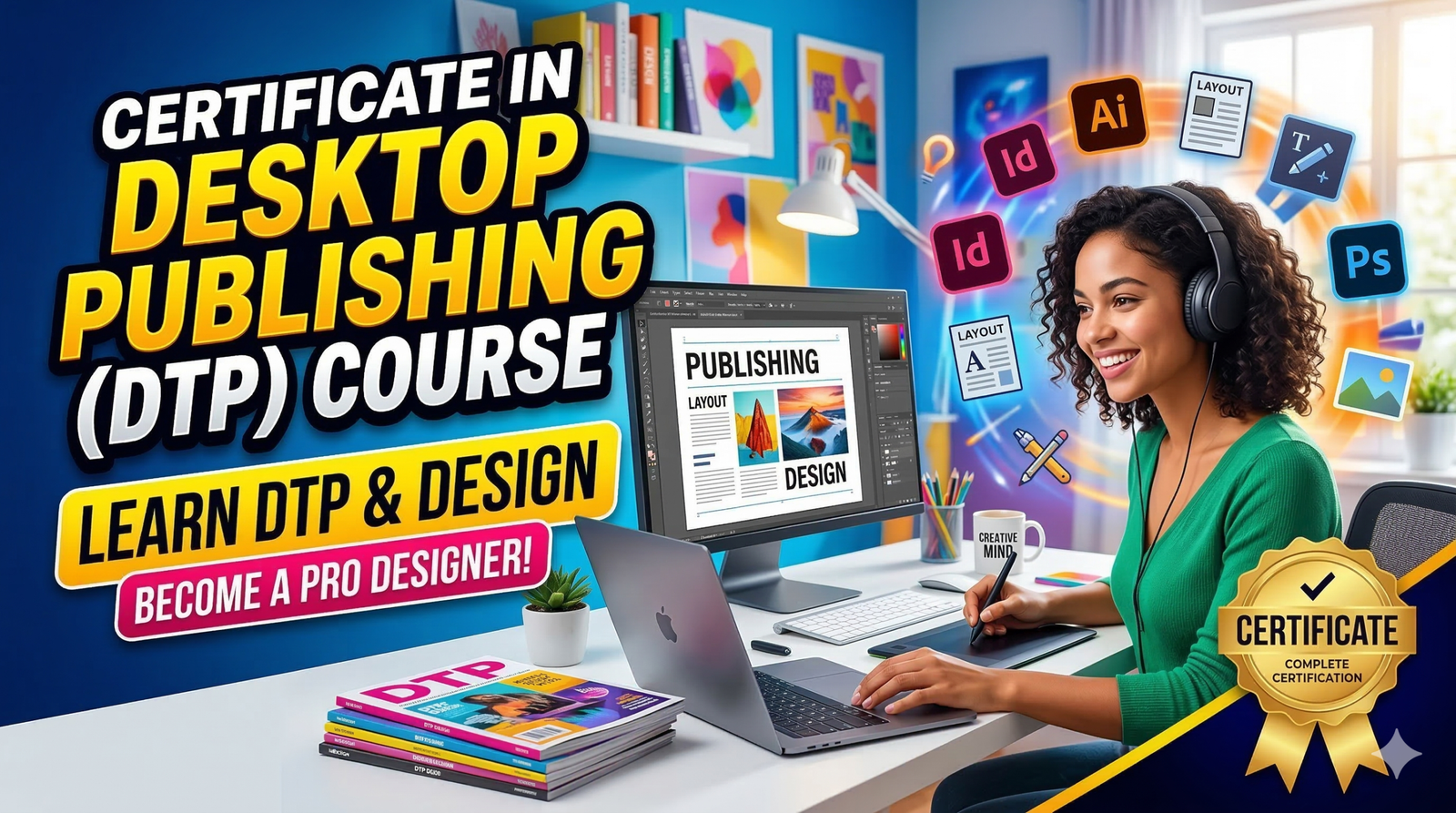
Desktop Publishing (DTP) refers to the process of designing and producing visually appealing documents using specialized computer software. These documents can include magazines, newspapers, brochures, posters, flyers, business cards, books, and many other types of printed or digital publications. Instead of relying on traditional printing presses or manual layout techniques, modern publishing uses computers and design tools to create professional-quality layouts quickly and efficiently. In today’s digital age, DTP has become a fundamental skill across industries such as advertising, publishing, marketing, and education.
| All Courses | View List | Enroll Now |
| Mock Tests/Quizzes | View All |
| Student Registration | Register Now |
| Become an Instructor | Apply Now |
| Dashboard | Click Here |
| Student Zone | Click Here | Click Here |
| Our Team | Meet the Members |
| Contact Us | Get in Touch |
| About Us | Read More |
| Knowledge Base | Click Here |
| Classes/Batches: Class 6th to 12th, BA, B.Sc, B.Com (All Subjects) — Online & Offline Available | Click Here |
| Exam Preparation: SSC, Railway, Police, Banking, TET, UPTET, CTET, and More | Click Here |
| Shree Narayan Computers & Education Center | Home Page |
Imagine creating a magazine or promotional poster with just a computer and the right software. That’s exactly what desktop publishing allows designers to do. With programs like Adobe Photoshop, CorelDRAW, and Adobe InDesign, designers can combine text, images, graphics, and colors to produce visually compelling materials that communicate a message effectively. This process involves several steps, including layout design, image editing, typography, color correction, and final print preparation.
The importance of DTP has grown significantly over the past two decades. Businesses of all sizes now require professional marketing materials to compete in the marketplace. From small local shops to large multinational companies, everyone relies on well-designed brochures, catalogs, social media graphics, and promotional banners. As a result, individuals with desktop publishing skills are increasingly sought after by employers.
Learning DTP also empowers individuals to start their own creative ventures. Many designers run freelance businesses offering services such as logo design, poster creation, and book layout design. With relatively low startup costs, this field opens doors for both employment and entrepreneurship.
The Certificate in Desktop Publishing (DTP) offered by Shree Narayan Computers & Education Center is designed to help students develop these essential design and publishing skills. Through hands-on training and practical projects, learners gain the expertise needed to produce professional-grade designs and publications.
Desktop publishing has an interesting history that reflects the broader evolution of computer technology. Before computers entered the publishing world, designing printed materials was a complicated and time-consuming process. Designers had to physically cut and paste text and images onto boards to create page layouts. Printing presses then reproduced these layouts, which made revisions extremely difficult and costly.
Everything changed in the 1980s, when personal computers and graphical user interfaces became widely available. The introduction of Apple Macintosh computers, LaserWriter printers, and PageMaker software revolutionized the publishing industry. For the first time, designers could create complete page layouts directly on their computer screens and print them with impressive accuracy. This shift marked the birth of modern desktop publishing.
During the 1990s and early 2000s, software companies such as Adobe and Corel expanded the capabilities of DTP tools. Programs like Adobe Photoshop, Illustrator, and CorelDRAW introduced powerful image editing and vector graphics features, allowing designers to produce more sophisticated and visually stunning designs. The quality of digital printing also improved dramatically, making it possible to produce high-resolution publications at lower costs.
Today, desktop publishing has evolved into a highly advanced digital ecosystem. Designers use powerful tools like Adobe InDesign, Canva, Affinity Publisher, and other design platforms to create content not only for print but also for websites, social media, and mobile devices. According to industry research by Statista, the global graphic design market is valued at more than $45 billion, demonstrating the immense demand for creative professionals with publishing and design skills.
Training programs such as the DTP Certificate Course at Shree Narayan Computers & Education Center prepare students to work with these modern tools and technologies. By understanding the evolution of DTP, learners gain a deeper appreciation of how digital design has transformed communication, marketing, and publishing across the world.
The demand for desktop publishing skills has skyrocketed in recent years due to the rapid growth of digital marketing, print media, and online content creation. Every organization—from small startups to global corporations—needs visually engaging materials to capture attention and communicate effectively with audiences. Whether it’s a company brochure, product catalog, social media banner, or event poster, professional design plays a critical role in shaping how people perceive a brand.
Modern businesses understand that visual communication is just as important as written content. Studies in marketing psychology show that visual information is processed 60,000 times faster than text by the human brain. That means well-designed graphics can significantly influence customer decisions. This is one reason why companies invest heavily in graphic designers and DTP professionals who can create visually appealing marketing materials.
Another factor driving demand is the expansion of self-publishing and digital media. Authors, bloggers, and online educators frequently need help designing ebooks, course materials, and promotional graphics. Instead of hiring large publishing houses, many individuals rely on freelance designers with desktop publishing expertise.
The printing industry also continues to rely on skilled DTP professionals. Printing presses, advertising agencies, and newspaper publishers require specialists who understand layout design, typography, and print preparation. Even educational institutions and government offices frequently hire DTP operators to create official documents, reports, and training materials.
Learning DTP can also open doors to remote work and freelancing opportunities. Platforms like Fiverr, Upwork, and Freelancer have thousands of design projects available every day. Individuals with strong desktop publishing skills can earn income from clients across the world without leaving their homes.
The Certificate in Desktop Publishing at Shree Narayan Computers & Education Center equips students with exactly these in-demand skills. Through practical training and real-world projects, learners gain the confidence and expertise needed to succeed in today’s competitive design and publishing industry.
The Certificate in Desktop Publishing (DTP) offered by Shree Narayan Computers & Education Center is designed to provide students with a strong foundation in graphic design, page layout, and digital publishing. This course focuses on practical learning, ensuring that students gain hands-on experience with industry-standard software used in printing and design studios around the world.
One of the main advantages of this course is its career-oriented structure. Instead of focusing purely on theory, the program emphasizes real-world applications of design tools. Students learn how to create professional documents such as brochures, visiting cards, posters, newsletters, and advertising materials. By the time they complete the course, learners typically have a portfolio of projects that demonstrate their skills to potential employers or clients.
The course usually begins with basic computer fundamentals, ensuring that students understand essential concepts like file management, operating systems, and digital graphics. From there, training progresses into specialized design tools such as Adobe Photoshop, CorelDRAW, and page layout software. These tools are widely used in the graphic design and printing industries, making them essential for anyone pursuing a career in desktop publishing.
Another important aspect of the program is practical assignments and creative projects. Students might be asked to design magazine covers, product catalogs, promotional posters, or business branding materials. These exercises simulate real industry tasks, helping learners develop problem-solving skills and creativity.
Many training institutes focus only on teaching software commands, but the DTP course at Shree Narayan Computers & Education Center goes a step further by teaching design principles such as color theory, typography, and layout balance. Understanding these principles helps students produce visually appealing designs that stand out in professional settings.
For beginners, this course offers a structured path into the creative world of design and publishing. For professionals, it provides a chance to upgrade their skills and stay competitive in a rapidly evolving digital marketplace.
The Certificate in Desktop Publishing (DTP) at Shree Narayan Computers & Education Center is carefully designed to help students transform from beginners into confident design professionals. The primary objective of the course is not just to teach software tools but to develop a complete understanding of how visual communication works in the modern publishing and design industry. When students join the program, they begin a structured journey that combines creativity, technical skills, and practical experience.
One of the main goals of the course is to help students master professional DTP software used worldwide in graphic design studios, printing presses, advertising agencies, and media companies. By learning tools like Adobe Photoshop, CorelDRAW, and page layout software, students gain the ability to design professional-quality documents, advertisements, and marketing materials. These tools are widely recognized in the industry, which means students can confidently apply for jobs after completing the program.
Another key objective is to teach the fundamentals of visual design. Good design is not only about using software—it’s about understanding how colors, fonts, images, and layouts work together to communicate a message. During the course, students learn essential design principles such as color harmony, typography, alignment, balance, and contrast. These concepts help designers create layouts that are both visually appealing and easy to read.
The program also focuses heavily on hands-on learning and project-based training. Instead of simply watching demonstrations, students actively create real design projects such as brochures, banners, posters, business cards, newsletters, and product catalogs. These projects simulate real client work and help learners develop confidence in their abilities. Over time, students build a portfolio that showcases their creativity and technical skills.
By the end of the course, students typically achieve several important learning outcomes:
This combination of technical expertise and creative problem-solving makes graduates of the DTP course highly valuable in the job market. Whether someone wants to work in a company, printing press, or start freelancing, the knowledge gained from this course creates a strong foundation for a successful design career.
The Desktop Publishing (DTP) Certificate Course is one of the most versatile computer training programs available today. Unlike many specialized technical courses that require advanced education, DTP training is accessible to a wide range of learners. Anyone with basic computer knowledge and an interest in creativity can benefit from learning desktop publishing skills.
Students who have recently completed their 10th or 12th grade often choose DTP courses as a stepping stone into the design and media industry. For young learners exploring career options, this program offers practical skills that can quickly lead to employment opportunities. Many printing shops, advertising agencies, and media companies hire DTP operators to design promotional materials and assist with layout work.
The course is also ideal for college students who want to enhance their creative abilities alongside their academic studies. Students studying journalism, marketing, advertising, or mass communication often find DTP skills extremely useful. Knowing how to design professional layouts gives them a competitive advantage in internships and job applications.
Another group that benefits greatly from DTP training is small business owners and entrepreneurs. Running a business often requires creating flyers, posters, brochures, and social media graphics. Instead of hiring a designer for every task, business owners who understand desktop publishing can produce their own marketing materials and save money.
The course is also highly beneficial for freelancers and creative professionals. Individuals interested in starting a home-based design business can use DTP skills to offer services such as logo design, visiting card design, poster creation, and book formatting. With online freelance platforms growing rapidly, designers now have access to clients from around the world.
Even professionals working in offices or government departments may enroll in DTP courses to improve their productivity. Many workplaces require employees to create reports, presentations, newsletters, and official publications. Understanding desktop publishing tools allows them to produce more professional documents.
The beauty of the DTP course at Shree Narayan Computers & Education Center is that it welcomes learners from diverse backgrounds. Whether someone is a student, job seeker, entrepreneur, or working professional, the course provides valuable skills that can be applied in many industries.
A major highlight of the Desktop Publishing Certificate Course is the training in industry-standard design software. These tools are the backbone of modern graphic design and publishing. Learning them not only improves creativity but also increases employability, as most companies expect designers to be familiar with these applications.
In the course at Shree Narayan Computers & Education Center, students are introduced to some of the most widely used software in the design industry. Each program serves a different purpose, and together they form a complete toolkit for professional desktop publishing.
The three primary software applications taught in most DTP programs include:
| Software | Primary Use | Industry Application |
|---|---|---|
| Adobe Photoshop | Image editing and photo manipulation | Advertising, social media graphics |
| CorelDRAW | Vector graphic design | Logo design, banners, posters |
| Adobe PageMaker / InDesign | Page layout and publishing | Magazines, books, newspapers |
Understanding how these tools work together is essential for professional publishing. For example, a designer might edit images in Photoshop, create vector graphics in CorelDRAW, and then combine everything into a magazine layout using InDesign.
What makes this training valuable is the hands-on approach. Students don’t just learn theoretical concepts; they actually practice creating designs using these tools. By experimenting with fonts, colors, images, and layouts, they gain practical experience that mirrors real-world design work.
Another advantage of learning professional design software is its transferable nature. Once students understand the principles behind these tools, they can easily adapt to other design platforms like Adobe Illustrator, Canva, or Affinity Designer.
Mastering these software applications transforms learners from basic computer users into creative professionals capable of producing high-quality design projects.
Adobe Photoshop is widely regarded as one of the most powerful image editing tools in the world. In fact, the word “Photoshop” has become almost synonymous with photo editing itself. Within the DTP course at Shree Narayan Computers & Education Center, Photoshop training plays a crucial role because high-quality images are essential for effective visual communication.
Photoshop allows designers to edit, enhance, and manipulate images in countless ways. For example, a designer can adjust brightness and contrast, remove unwanted objects, change backgrounds, and apply artistic effects. These features make it possible to transform ordinary photographs into visually stunning graphics suitable for advertisements, magazines, and digital content.
Students in the course learn many fundamental Photoshop techniques. They start with the basics, such as understanding the workspace, using selection tools, working with layers, and applying filters. As they progress, they explore advanced concepts like photo retouching, color correction, masking, and compositing. These skills are widely used in industries such as advertising, fashion photography, digital marketing, and media production.
One of the most valuable aspects of Photoshop training is learning how to prepare images for print and digital publishing. Designers must ensure that images have the correct resolution, color mode, and file format. For example, printed materials typically use CMYK color mode, while digital graphics often use RGB. Understanding these differences helps designers produce high-quality results without unexpected printing issues.
Another exciting part of Photoshop training is the opportunity to experiment with creative design techniques. Students may design movie posters, promotional banners, social media graphics, or digital artwork. These projects encourage creativity while reinforcing technical skills.
In the world of desktop publishing, images often serve as the centerpiece of a design. A well-edited photograph can capture attention instantly and communicate a message more effectively than words alone. By mastering Photoshop, students gain the ability to turn simple images into powerful visual storytelling tools.
While Photoshop focuses on photo editing, CorelDRAW specializes in vector graphic design. Vector graphics are created using mathematical paths rather than pixels, which means they can be scaled to any size without losing quality. This makes CorelDRAW ideal for designing items such as logos, banners, billboards, brochures, and business cards.
In the DTP course at Shree Narayan Computers & Education Center, CorelDRAW is taught as one of the primary design tools because of its widespread use in the printing and advertising industries. Many print shops rely heavily on CorelDRAW for creating promotional materials and signage.
Students begin by learning the basics of vector graphics, including shapes, curves, and nodes. They then move on to more advanced tools such as Bezier curves, gradients, text effects, and object alignment. These features allow designers to create detailed illustrations and visually balanced layouts.
One of the key skills students develop is logo design. Logos are essential for branding, and businesses often seek designers who can create unique and memorable brand identities. With CorelDRAW, designers can craft clean, scalable logos that look sharp on everything from business cards to giant billboards.
Another important feature of CorelDRAW is its precision and flexibility. Designers can easily manipulate shapes, adjust typography, and experiment with different color combinations. This flexibility allows them to refine their designs until they achieve the perfect visual balance.
The program also teaches students how to prepare designs for professional printing. This includes setting correct page sizes, using appropriate color profiles, and exporting files in formats compatible with printing equipment.
By the time students complete their CorelDRAW training, they are capable of producing high-quality graphics suitable for commercial use. This skill alone can open doors to numerous career opportunities in the design and printing industries.
While Photoshop handles images and CorelDRAW focuses on vector graphics, Adobe PageMaker and Adobe InDesign specialize in page layout and publishing. These tools are the backbone of the desktop publishing industry because they allow designers to arrange text, images, and graphics into structured pages suitable for books, newspapers, magazines, brochures, and reports. In the DTP course at Shree Narayan Computers & Education Center, students learn how to combine design elements into professional layouts that are both visually appealing and easy to read.
Page layout design might sound simple at first glance, but it actually involves a deep understanding of typography, spacing, alignment, and hierarchy. Imagine opening a magazine where text is cluttered, images are poorly placed, and headings are inconsistent. It would feel chaotic and difficult to read. Layout software solves this problem by giving designers precise control over every element on the page.
Students begin by learning the basic workspace, including text frames, image placement, columns, and page grids. These tools help designers organize content logically and maintain consistency throughout a publication. As learners progress, they explore advanced features such as master pages, paragraph styles, and automatic page numbering, which significantly speed up the design process for long documents.
InDesign, which has largely replaced PageMaker in modern publishing, is especially powerful for creating multi-page documents. Designers working on magazines or books may manage dozens or even hundreds of pages. Instead of manually adjusting each page, InDesign allows them to apply consistent styles across the entire document, ensuring uniform fonts, margins, and layouts.
Students also learn how to prepare files for professional printing and digital distribution. This includes exporting documents in formats such as PDF for print or interactive digital formats for online viewing. Understanding bleed settings, margins, and color profiles is essential to ensure the final printed product looks exactly as intended.
By mastering layout design software, students gain the ability to transform raw content into polished publications. This skill is invaluable for careers in publishing houses, advertising agencies, newspapers, and digital media companies, where high-quality page layouts are essential for effective communication.
A well-structured curriculum is one of the defining features of the Certificate in Desktop Publishing (DTP) at Shree Narayan Computers & Education Center. The course is carefully designed to guide students step by step from basic computer knowledge to advanced design techniques. Instead of overwhelming learners with complex concepts immediately, the program gradually builds skills through practical lessons and hands-on projects.
The curriculum usually begins with basic computer fundamentals. Many students entering a DTP course may have limited technical experience, so it’s important to start with the essentials. This includes understanding operating systems, managing files and folders, using keyboards efficiently, and learning about different file formats used in digital graphics. Once students feel comfortable with these basics, they move on to specialized design software.
The next phase focuses on graphic design principles and image editing. Here, students explore tools like Adobe Photoshop and learn how to manipulate images, apply filters, and enhance visual elements. They also study concepts such as resolution, color modes, and image formats—knowledge that is crucial for producing professional-quality graphics.
As the course progresses, learners dive into vector graphics and layout design using software like CorelDRAW and Adobe InDesign. This stage emphasizes the creation of marketing materials, including flyers, brochures, banners, and advertisements. Students practice arranging text and images in balanced layouts while experimenting with different fonts, color combinations, and visual styles.
Another important part of the curriculum is real-world project work. Instead of focusing only on exercises, students complete projects that mimic actual industry tasks. For example, they may design a company logo, create a product brochure, or produce a small magazine layout. These projects help learners develop creativity while also building a professional portfolio.
The course also introduces students to printing techniques and output preparation. Designers must understand how to prepare files correctly for printing presses, including setting proper bleed margins, selecting CMYK color profiles, and exporting high-resolution files. Without this knowledge, even a well-designed document can produce poor printing results.
By following this structured curriculum, students gradually transform from beginners into skilled desktop publishing professionals capable of handling real design projects.
Before diving into advanced design software, students must develop a solid foundation in basic computer and design principles. This foundational stage is extremely important because it prepares learners to understand more complex tools and workflows later in the course. At Shree Narayan Computers & Education Center, instructors ensure that students fully grasp these fundamentals before moving on to advanced topics.
The first part of this training focuses on computer literacy. Students learn how to operate a computer efficiently, manage files and folders, and understand common file formats such as JPEG, PNG, PDF, and TIFF. They also become familiar with keyboard shortcuts, which significantly improve productivity when working with design software.
Another key concept introduced during this stage is digital graphics fundamentals. Students learn the difference between raster graphics and vector graphics, which is essential for understanding how various design tools function. Raster images, such as photographs, are composed of pixels and may lose quality when enlarged. Vector graphics, on the other hand, are based on mathematical paths and can scale infinitely without losing clarity.
The course also introduces basic design principles that form the backbone of professional visual communication. These include:
Students often practice these principles through small design exercises, such as creating simple posters or advertisements. These activities help them understand how design elements work together to communicate a message.
Another important lesson involves visual storytelling. Good design isn’t just about making something look attractive—it’s about delivering information clearly and effectively. Designers must think about their audience and structure their layouts in a way that guides readers naturally from one element to another.
By mastering these fundamental skills, students build the confidence needed to explore more advanced tools and techniques in desktop publishing.
Once students have mastered the basics, the DTP course moves into more sophisticated topics such as advanced page layout and typography. These skills are essential for creating professional publications, especially those that involve multiple pages like magazines, catalogs, newsletters, and books.
Typography plays a surprisingly powerful role in design. The choice of font, spacing between letters, line height, and alignment can dramatically affect how readers perceive information. Professional designers often spend a significant amount of time selecting the right typography because it directly impacts readability and brand identity.
In this stage of the course, students learn how to combine different fonts effectively without making a layout appear cluttered or confusing. They also explore techniques such as kerning, tracking, and leading, which control spacing between characters and lines of text. These small adjustments may seem minor, but they can significantly improve the visual quality of a document.
Another major focus is page composition and grid systems. Designers often use invisible grids to structure their layouts and maintain consistent alignment throughout a document. These grids help organize text, images, and graphics in a way that feels balanced and professional.
Students also practice designing complex layouts that include columns, headers, footers, images, captions, and pull quotes. This is particularly useful when creating editorial content such as magazines or newsletters. By experimenting with different layouts, learners discover how to present information in a visually engaging way.
The course also introduces techniques for maintaining design consistency across multiple pages. Tools such as master pages and style sheets allow designers to apply consistent formatting throughout an entire publication. This ensures that headings, paragraphs, and other elements remain uniform.
By mastering advanced layout and typography techniques, students gain the ability to produce polished, professional publications that meet industry standards.
One of the most valuable aspects of the Desktop Publishing Certificate Course is the emphasis on practical projects and real-world assignments. While theoretical knowledge is important, true mastery of design comes from hands-on practice. At Shree Narayan Computers & Education Center, students spend a significant portion of their training working on creative projects that simulate actual industry work.
These projects often include designing materials such as brochures, visiting cards, banners, posters, product catalogs, and magazine pages. Each assignment challenges students to apply the software skills and design principles they have learned during the course. Instead of simply following instructions, learners are encouraged to experiment with their own ideas and creative approaches.
For example, a student might be asked to design a promotional poster for a fictional event. This task requires them to think about color selection, typography, image placement, and layout balance. By solving these design challenges, students develop critical thinking and creative problem-solving abilities.
Real-world assignments also teach students how to work with client requirements. In professional design projects, clients often provide specific instructions or branding guidelines. Students learn how to interpret these requirements and translate them into effective visual designs.
Another important benefit of project-based learning is the opportunity to build a professional portfolio. A portfolio is a collection of a designer’s best work, and it plays a crucial role when applying for jobs or freelance projects. Employers often prefer candidates who can demonstrate their skills through real design samples.
Through consistent practice and feedback from instructors, students gradually refine their design techniques and gain confidence in their abilities. By the time they complete the course, they have not only learned software tools but also developed the creativity and practical experience needed to succeed in the design industry.
Completing a Certificate in Desktop Publishing (DTP) from Shree Narayan Computers & Education Center equips students with a diverse set of creative and technical skills that are highly valuable in today’s digital and print-driven world. Desktop publishing is not just about learning software—it’s about developing the ability to transform ideas and information into visually engaging designs that communicate effectively. Throughout the course, students gradually build a combination of artistic creativity, technical proficiency, and professional workflow knowledge.
One of the most significant skills students gain is visual communication. In many industries, the ability to present information visually can be more impactful than long blocks of text. A well-designed brochure, advertisement, or poster can convey a message instantly and leave a lasting impression. Through DTP training, students learn how to use colors, images, typography, and layout techniques to communicate ideas clearly and attractively.
Another essential skill developed during the program is software proficiency. Students gain hands-on experience using industry-standard tools such as Adobe Photoshop, CorelDRAW, and Adobe InDesign. Mastering these applications allows learners to edit images, design graphics, and create professional page layouts for both print and digital platforms. Once students become comfortable with these tools, they can adapt quickly to other design software as well.
The course also builds strong problem-solving abilities. Design projects often involve challenges such as fitting large amounts of content into limited space or choosing the right visual style for a specific audience. Students learn to analyze these challenges and develop creative solutions that balance aesthetics with functionality.
Time management and workflow organization are additional skills gained during the course. Designers frequently work under deadlines, especially in industries like advertising and publishing. Through project assignments and real-world tasks, students learn how to manage their time efficiently and deliver completed work on schedule.
By the end of the program, students typically develop a range of professional skills, including:
These skills open the door to numerous career paths and creative opportunities. Whether working for a company, joining a design studio, or starting a freelance business, graduates of the DTP course gain the confidence and expertise needed to produce professional-quality designs.
One of the most valuable outcomes of the Desktop Publishing (DTP) course is the development of strong graphic design and layout skills. These abilities form the core of visual communication and are essential for creating attractive marketing materials, publications, and digital graphics. In a world where audiences are constantly exposed to visual content, designers who can craft eye-catching layouts have a significant advantage.
Graphic design involves much more than simply placing images and text on a page. It requires understanding how different design elements interact to create a cohesive and visually appealing composition. During the DTP course at Shree Narayan Computers & Education Center, students learn how to use design principles such as balance, contrast, alignment, repetition, and proximity. These principles help designers organize content in a way that feels natural and easy to understand.
Layout design is another crucial aspect of desktop publishing. A good layout guides the viewer’s eye smoothly across the page, highlighting the most important information first. For example, a promotional flyer might feature a bold headline, followed by an engaging image and supporting details below. By carefully arranging these elements, designers ensure that the message is delivered effectively.
Students also learn how to create various types of designs commonly used in business and media, including:
Working on these projects helps students develop both technical skills and artistic creativity. They experiment with different fonts, colors, and visual styles while learning how to maintain a professional appearance in their designs.
Another important part of graphic design training is learning how to maintain brand consistency. Businesses often follow specific color schemes, fonts, and logo guidelines to ensure a consistent brand identity. Students learn how to incorporate these elements into their designs so that all marketing materials look unified and professional.
By mastering graphic design and layout techniques, students gain the ability to create compelling visual content that captures attention and communicates messages effectively.
While digital graphics are widely used today, print media remains an important part of marketing and communication. Books, magazines, newspapers, brochures, and posters are still produced in large quantities around the world. Because of this, designers must understand how to prepare their work for professional printing. The DTP course at Shree Narayan Computers & Education Center includes extensive training in print production and publishing processes.
One of the first concepts students learn is print resolution and image quality. Images intended for printing must have higher resolution than those used for digital screens. Typically, print graphics require 300 DPI (dots per inch) to ensure crisp and clear results. Using low-resolution images can lead to blurry or pixelated prints, which can damage the overall quality of a design.
Students also learn about color modes, which play a critical role in printing. Digital screens use the RGB (Red, Green, Blue) color model, while printing presses use CMYK (Cyan, Magenta, Yellow, Black). Designers must convert their files to CMYK before printing to ensure accurate color reproduction. Without this step, colors may appear very different on paper compared to what was seen on the computer screen.
Another essential skill taught in the course is prepress preparation. This includes setting bleed margins, crop marks, and safe areas to prevent important content from being trimmed during printing. Designers also learn how to export files in formats such as print-ready PDF, which is commonly used by professional printing companies.
Students gain an understanding of various printing methods as well, including offset printing, digital printing, and large-format printing. Each method has its own advantages and is used for different types of projects.
Understanding the printing process helps designers avoid costly mistakes and ensures that their designs look exactly as intended when produced. These skills are especially valuable for individuals who plan to work in printing presses, publishing houses, advertising agencies, or design studios.
Completing a Desktop Publishing Certificate Course opens the door to numerous career opportunities in the creative and digital industries. As businesses increasingly rely on visual communication to promote their products and services, the demand for skilled designers and DTP professionals continues to grow. Graduates of the course can find employment in various sectors, including advertising, publishing, printing, marketing, and media.
One common career path is working as a DTP Operator in a printing press or publishing company. In this role, professionals are responsible for designing layouts, formatting documents, and preparing files for printing. They often collaborate with editors, marketing teams, and clients to ensure that publications meet both visual and technical standards.
Another popular career option is becoming a graphic designer. Graphic designers create logos, promotional materials, social media graphics, and advertising visuals for businesses and organizations. With the right skills and creativity, designers can work in advertising agencies, media companies, or corporate marketing departments.
The publishing industry also offers opportunities for layout designers and page designers. These professionals specialize in arranging text and images for magazines, newspapers, and books. Their work ensures that publications are visually engaging and easy to read.
The rise of digital platforms has created additional opportunities in online content design. Websites, blogs, and social media platforms require visually appealing graphics to attract audiences. Designers with DTP skills can contribute to digital marketing campaigns by creating banners, infographics, and promotional images.
According to industry reports, the global graphic design market continues to expand as companies invest more heavily in branding and visual marketing. This trend means that skilled designers will remain in demand for years to come.
For students completing the DTP course at Shree Narayan Computers & Education Center, these opportunities provide a clear pathway toward a stable and creative career.
The printing, publishing, and media industries offer a wide range of employment opportunities for individuals with desktop publishing skills. Even in the digital age, printed materials remain essential for marketing campaigns, educational resources, newspapers, magazines, and corporate communications. Because of this ongoing demand, organizations constantly seek skilled professionals who can design and prepare documents for publication.
One of the most common job roles for DTP graduates is DTP Operator. In this position, professionals use software like CorelDRAW, Photoshop, and InDesign to create and format documents for printing. They may design brochures, posters, newsletters, product catalogs, and promotional materials. Accuracy is crucial in this role because even small errors in layout or formatting can affect the final printed product.
Another career option is layout designer or publication designer. These professionals focus specifically on arranging text and images in books, magazines, and newspapers. They ensure that each page follows a consistent style and remains visually appealing. Good layout design improves readability and enhances the overall experience for readers.
The advertising and media industries also provide opportunities for DTP professionals. Advertising agencies frequently require designers to produce marketing materials such as banners, billboards, pamphlets, and promotional graphics. Media companies, including newspapers and magazines, depend on designers to format their publications and prepare them for both print and digital distribution.
Many government departments and educational institutions also employ DTP professionals. These organizations often produce reports, training manuals, and informational booklets that require professional formatting.
Working in these industries allows designers to gain valuable experience and collaborate with creative teams. Over time, experienced professionals can advance to higher positions such as senior designer, art director, or creative manager.
One of the most exciting aspects of learning desktop publishing is the opportunity to work independently as a freelancer or start a small design business. Unlike many professions that require expensive equipment or large investments, DTP professionals can begin their careers with just a computer, design software, and creativity.
Freelancing allows designers to offer services such as logo design, brochure design, poster creation, social media graphics, book formatting, and branding materials. Many small businesses prefer hiring freelance designers instead of maintaining a full-time design team. This creates a steady demand for creative professionals who can deliver quality work quickly.
Online platforms have made freelancing easier than ever. Websites like Fiverr, Upwork, Freelancer, and 99designs connect designers with clients from around the world. A skilled designer with a strong portfolio can attract international clients and earn a competitive income from home.
Freelancing also provides the freedom to choose projects and set flexible schedules. Some designers work part-time while studying or holding another job, while others build full-time careers as independent professionals.
Another self-employment opportunity involves starting a local design and printing service. Many small towns and communities require services such as visiting card printing, banner design, wedding invitation design, and promotional materials. A designer with DTP skills can collaborate with printing presses or even invest in small-scale printing equipment.
Building a freelance career requires dedication, creativity, and good communication with clients. Designers must understand customer requirements, deliver projects on time, and continuously improve their skills.
For graduates of the DTP course at Shree Narayan Computers & Education Center, freelancing offers a powerful pathway to financial independence and creative freedom.
Selecting the right training institute plays a crucial role in developing strong design skills. Shree Narayan Computers & Education Center has established itself as a reliable place for students who want practical computer education and career-oriented training. The Desktop Publishing (DTP) Certificate Course offered by the institute is designed to combine technical knowledge with hands-on experience, ensuring that students are well prepared for real-world design work.
One of the biggest advantages of learning at this center is the focus on practical training. Students spend a large portion of their course time working directly with design software rather than only listening to lectures. This approach allows learners to practice repeatedly and gain confidence in using professional tools.
Another important factor is the presence of experienced instructors who guide students through every stage of the learning process. Good teachers not only explain software features but also share practical tips from their industry experience. This mentorship helps students understand how design projects are handled in real workplaces.
The institute also provides a structured learning environment with step-by-step lessons. Beginners can start with basic computer knowledge and gradually progress to advanced graphic design and layout techniques. This structured approach makes the course accessible even to students who have little prior experience with computers.
Affordability is another reason many students choose this training center. Compared to large design schools, the course fees are often more budget-friendly, making professional training accessible to a wider group of learners.
Additionally, students receive a certificate after completing the course, which can strengthen their resumes and improve their chances of securing jobs in the design and printing industries.
By combining experienced trainers, practical assignments, and career-oriented training, Shree Narayan Computers & Education Center provides an excellent platform for anyone interested in building a career in desktop publishing.
A key strength of Shree Narayan Computers & Education Center is its commitment to providing high-quality instruction through experienced trainers. Learning design software can sometimes feel overwhelming for beginners, especially when they encounter dozens of tools, menus, and features. Skilled instructors play a crucial role in making these tools easier to understand.
Experienced trainers bring real-world insights into the classroom. Instead of simply demonstrating software commands, they explain why certain design choices work better than others. For example, they might discuss how color combinations affect readability or how typography influences brand perception. These insights help students think like professional designers rather than just software operators.
Practical learning is at the heart of the training process. Students regularly work on hands-on exercises, mini-projects, and real design assignments. By applying concepts immediately after learning them, students reinforce their understanding and gain confidence in their abilities.
Another benefit of practical training is that it encourages experimentation and creativity. Students are free to test different color schemes, fonts, and layouts to discover what works best for each project. This creative freedom helps them develop their own design style while still following professional standards.
Feedback from instructors is also an important part of the learning process. Trainers review students’ projects, point out areas for improvement, and suggest techniques to enhance the overall quality of the design. This continuous feedback helps learners refine their skills over time.
Through experienced guidance and consistent practice, students gradually build the expertise required to handle professional design tasks.
Another major advantage of enrolling in the DTP course at Shree Narayan Computers & Education Center is the combination of affordable fees and valuable certification. Many students hesitate to pursue design education because they assume it requires expensive training programs. However, this institute aims to make quality computer education accessible to a wider audience.
The course fees are typically structured in a way that allows students from different backgrounds to participate without financial strain. Compared to high-end design institutes, the training cost is significantly lower while still providing practical learning and industry-relevant skills.
Upon completing the course, students receive a recognized certificate in Desktop Publishing (DTP). This certificate serves as proof of their training and can be included in job applications or resumes. Employers often prefer candidates who have completed formal training programs because it indicates a certain level of professional competence.
Certification also boosts confidence for students who want to start freelancing. When approaching potential clients, having a recognized certificate adds credibility and demonstrates that the designer has undergone structured training.
For individuals who wish to continue their education, the certificate can also act as a stepping stone toward more advanced courses in graphic design, multimedia design, or digital marketing.
By offering affordable training combined with practical experience and certification, Shree Narayan Computers & Education Center makes it easier for students to begin their journey into the creative world of desktop publishing.
The Certificate in Desktop Publishing (DTP) offered by Shree Narayan Computers & Education Center provides an excellent opportunity for individuals who want to develop creative and technical skills in graphic design and publishing. In today’s visually driven world, businesses and organizations rely heavily on attractive designs to communicate their messages effectively. Learning desktop publishing equips students with the ability to create professional marketing materials, publications, and digital graphics.
Through structured training, hands-on projects, and guidance from experienced instructors, students gain practical knowledge of industry-standard software such as Adobe Photoshop, CorelDRAW, and Adobe InDesign. Along the way, they develop essential design principles including typography, color theory, layout composition, and print production techniques.
These skills open the door to numerous career paths in advertising, printing, publishing, media, and digital marketing. Graduates may work as DTP operators, graphic designers, layout artists, or freelance designers. With creativity and dedication, many individuals even start their own design businesses.
For students, job seekers, and entrepreneurs looking to build a creative career, the DTP course provides a strong foundation. By combining technical expertise with artistic creativity, this training program empowers learners to transform ideas into visually compelling designs that capture attention and communicate effectively.
The duration of a Desktop Publishing course typically ranges from 3 to 6 months, depending on the training institute and course structure. Some programs offer flexible schedules for students and working professionals.
Basic computer knowledge is helpful but not always mandatory. Many training institutes begin with computer fundamentals, making the course accessible even for beginners.
Most DTP courses cover industry-standard tools such as Adobe Photoshop, CorelDRAW, and Adobe InDesign or PageMaker. These programs are widely used for image editing, graphic design, and page layout creation.
After completing the course, you can work as a DTP operator, graphic designer, layout designer, print designer, or freelance designer. Opportunities exist in printing presses, advertising agencies, publishing houses, and media companies.
Yes. Many DTP graduates start freelance design services, creating logos, posters, brochures, and social media graphics for clients. Online freelance platforms make it easier to find design projects from around the world.
Apply for Instructor – Shree Narayan Computers & Education Center Apply for Instructor – Shree…
Class 11th भूगोल (Geography) - Humanities UP Board Notes with NCERT Solutions | PDF भूगोल…
Class 11th इंग्लिश (English) - Humanities UP Board Notes with NCERT Solutions | PDF Passage…
Class 11th हिन्दी (Hindi) - Humanities UP Board Notes with NCERT Solutions | PDF हिंदी…
परिवार ID क्या है, इसका क्या काम है और इसे कैसे बनवाएं – पूरी जानकारी…
Certificate in PageMaker – Shree Narayan Computers & Education Center Certificate in PageMaker – Shree…
This website uses cookies.
View Comments
Highly recommended computer institute in Etah. If you want to build your computer skills and improve your career opportunities, Shree Narayan Computers & Education Center is the right place.