Hindi Typing
Hindi typing has become an essential digital skill in today’s internet-driven world. With more than 600 million Hindi speakers worldwide, the demand for creating content in Hindi has skyrocketed across blogs, social media, government portals, online education platforms, and digital marketing. Whether someone wants to write emails, publish articles, communicate on social media, or work in data entry, the ability to type efficiently in Hindi opens up many opportunities.
In the past, typing in Hindi was limited to typewriters and specialized keyboard layouts that were difficult to learn. Today, technology has simplified everything. With tools like phonetic typing, voice typing, and automatic transliteration, even beginners can start typing Hindi within minutes. Instead of memorizing complicated keyboard layouts, users can simply type Hindi words using the English alphabet and let software convert them automatically into Devanagari script.
The rise of smartphones has also played a huge role in popularizing Hindi typing. Messaging apps, blogging platforms, and video content creators increasingly rely on Hindi text to reach a wider audience. Platforms like YouTube, Facebook, Instagram, and WhatsApp have millions of Hindi-speaking users who prefer communicating in their native language rather than English.
Another major factor driving the popularity of Hindi typing is the digital transformation in India. Government initiatives such as Digital India encourage citizens to use regional languages online. As a result, job roles like Hindi content writing, translation, transcription, data entry, and social media management require strong Hindi typing skills.
Learning Hindi typing is not as complicated as many people think. With the right tools, consistent practice, and understanding of keyboard layouts, anyone can become proficient. Some people prefer structured layouts like Inscript, while others find phonetic typing easier because it mimics the way Hindi words sound.
This guide explores everything about Hindi typing—from the basics to advanced techniques. It explains different typing methods, software tools, keyboard layouts, and practical tips to improve speed and accuracy. Whether someone is a beginner trying to type their first Hindi sentence or a professional looking to improve productivity, understanding the world of Hindi typing can transform how they communicate digitally.

Understanding Hindi Typing
Hindi typing simply means writing Hindi language text on digital devices such as computers, laptops, tablets, and smartphones. Unlike English typing, which uses the Roman alphabet, Hindi typing relies on the Devanagari script, a writing system used by Hindi, Sanskrit, and several other Indian languages.
For beginners, the biggest challenge usually comes from the difference between the two scripts. English keyboards are designed around 26 Latin characters, while Hindi uses a much broader set of letters, including vowels (स्वर), consonants (व्यंजन), matras (मात्राएँ), and compound characters (संयुक्त अक्षर). This complexity often makes people think Hindi typing is difficult.
However, modern typing tools have simplified the process significantly. Instead of memorizing dozens of key combinations, users can rely on phonetic typing systems where typing “namaste” automatically converts into “नमस्ते”. This approach mirrors natural pronunciation, making the learning curve much smoother.
Hindi typing is widely used across several sectors:
- Content creation and blogging
- Government documentation
- Education and online learning
- Digital marketing
- Social media communication
- Translation and localization work
According to language statistics, Hindi ranks among the top three most used languages on the internet in India, and its digital usage continues to grow every year. As more regional users come online, businesses and organizations are prioritizing Hindi content to reach broader audiences.
Another interesting aspect of Hindi typing is the variety of keyboard layouts available. Some layouts prioritize speed and professional usage, while others focus on ease for beginners. Choosing the right method can dramatically improve typing comfort and efficiency.
Beyond professional needs, Hindi typing also helps people express themselves more naturally online. Many speakers feel that their thoughts, emotions, and cultural expressions come out better in Hindi compared to English. Typing in one’s native language creates a stronger connection with readers and audiences.
As digital communication evolves, Hindi typing is no longer just a technical skill—it’s becoming a key part of cultural expression in the online world. Learning it allows individuals to participate fully in the rapidly expanding Hindi internet ecosystem.
What Is Hindi Typing and Why It Matters
At its core, Hindi typing is the process of entering Hindi text using a keyboard or digital input system. While this sounds simple, the concept carries significant importance in today’s multilingual digital environment. Language is more than just a communication tool—it reflects identity, culture, and accessibility. Hindi typing enables millions of people to interact online in a language they understand deeply.
One major reason Hindi typing matters is digital inclusivity. Not everyone is comfortable reading or writing in English. By allowing people to use Hindi online, technology becomes more accessible to a wider population. Websites, government services, educational platforms, and banking applications increasingly support Hindi text input to serve users more effectively.
Another reason Hindi typing is important is the explosive growth of regional content on the internet. Studies by internet research organizations show that regional language internet users in India are growing faster than English users. This means the demand for Hindi blogs, news articles, tutorials, and social media content is rising rapidly.
Businesses have also recognized this trend. Brands that communicate in Hindi often see higher engagement from audiences who prefer content in their native language. Marketing campaigns, product descriptions, and customer support messages written in Hindi can reach millions of potential consumers.
Hindi typing also plays a critical role in professional opportunities. Many government jobs, clerical positions, and data entry roles require candidates to pass Hindi typing speed tests, often measured in words per minute. Content writers, translators, and digital marketers also rely heavily on Hindi typing skills.
The importance of Hindi typing extends to education as well. Students preparing assignments, research papers, and presentations in Hindi benefit from efficient typing skills. Teachers and educators use Hindi typing to create learning materials and communicate with students more effectively.
Technology continues to improve the Hindi typing experience. With AI-powered transliteration tools, predictive text, and voice typing, the barrier to entry has become incredibly low. Anyone with a smartphone can start typing Hindi instantly without installing complex software.
Learning Hindi typing is therefore not just about pressing keys—it’s about unlocking communication, opportunity, and cultural connection in the digital age.
Growing Importance of Hindi Typing in the Digital World
The digital landscape has undergone a massive transformation over the last decade, and Hindi typing has become a crucial part of that change. As internet access expands across rural and urban areas, millions of new users prefer browsing, reading, and writing content in Hindi rather than English.
One of the biggest drivers behind this shift is the rapid adoption of smartphones. Affordable mobile devices and cheaper internet plans have brought millions of first-time users online. Many of these users are more comfortable communicating in Hindi, which naturally increases the demand for Hindi typing tools.
Platforms like YouTube, Facebook, Instagram, and WhatsApp have witnessed a surge in Hindi content creation. Creators who produce videos, captions, and posts in Hindi often reach larger audiences because the language resonates with everyday users. Hindi typing allows these creators to connect authentically with viewers.
Search engines also reflect this trend. According to several digital marketing studies, Hindi search queries have grown significantly year after year. People search for tutorials, product reviews, health advice, and news in Hindi. For bloggers and website owners, typing in Hindi becomes essential for reaching these audiences and improving search visibility.
Government initiatives have further accelerated the importance of Hindi typing. Digital governance systems now provide services such as online forms, official notifications, and public information portals in Hindi. Employees working in these systems need to type efficiently in Devanagari script.
Another emerging area is regional language e-commerce. Online stores are increasingly offering product descriptions and customer support in Hindi to build trust with shoppers who prefer native language communication. Hindi typing plays a central role in managing these interactions.
Artificial intelligence has also made Hindi typing easier than ever. Tools now offer auto-suggestions, grammar correction, predictive text, and speech-to-text typing, allowing users to write faster and more accurately. Even beginners can produce professional-looking Hindi text without extensive training.
The growing digital economy means that Hindi typing is no longer a niche skill. It is becoming a mainstream requirement for communication, business, education, and entertainment online. As more content shifts toward regional languages, the ability to type in Hindi will only become more valuable in the years ahead.

Different Methods of Hindi Typing
Hindi typing may look complicated at first glance, but the truth is that there are several methods designed for different types of users. Some systems are built for beginners who want quick results, while others are designed for professionals who require high typing speed and accuracy. Understanding these methods helps users choose the most comfortable and efficient way to type in Hindi.
Traditionally, Hindi typing required memorizing complex keyboard layouts that mapped the Devanagari script to specific keys. These layouts were commonly used in government offices, printing presses, and professional typing centers. While they were efficient for trained typists, beginners often found them difficult to learn.
Modern technology has introduced much simpler alternatives. Today, people can type Hindi using transliteration-based tools, standard keyboard layouts, and even voice typing systems. Each method has its advantages depending on the user’s goals.
For example, someone writing social media posts or casual messages might prefer phonetic typing, which converts English letters into Hindi automatically. On the other hand, professionals preparing official documents may prefer structured layouts like Inscript because they offer consistent typing patterns.
Another factor influencing the choice of typing method is device type. Desktop users may rely on installed software or keyboard layouts, while smartphone users often use built-in keyboards that support Hindi input. Mobile keyboards even include predictive typing and automatic word suggestions that make typing faster.
Here are the three most widely used Hindi typing methods:
- Inscript Keyboard Layout
- Phonetic Hindi Typing
- Remington (Typewriter) Layout
Each of these approaches serves a different purpose. Some prioritize simplicity, others prioritize speed, and some replicate traditional typewriter systems still used in many government exams.
Understanding how these methods work helps users avoid frustration when learning Hindi typing. Instead of forcing themselves to memorize something difficult, they can choose the method that matches their comfort level and professional needs.
Once a user becomes familiar with one typing method, switching between devices and applications becomes much easier. Whether writing emails, creating blog posts, or filling out government forms, efficient Hindi typing saves time and improves productivity.
Inscript Keyboard Layout
The Inscript keyboard layout is considered the official standard for typing Indian languages, including Hindi. It was developed by the Government of India and is widely used in government offices, educational institutions, and professional environments where accurate Hindi typing is required.
The name “Inscript” stands for Indian Script Keyboard Layout. Its design is based on a scientific arrangement of Devanagari characters, ensuring that vowels, consonants, and modifiers are placed logically across the keyboard. This structured design allows trained typists to achieve high typing speeds.
One of the biggest advantages of the Inscript layout is consistency. Once someone learns the layout, they can use the same keyboard structure for other Indian languages such as Marathi, Sanskrit, Nepali, and Gujarati. The characters may change, but the keyboard logic remains the same.
In the Inscript system:
- Vowels are typically located on the left side of the keyboard.
- Consonants occupy the central keys.
- Matras (vowel signs) are placed strategically for quick access.
- Special characters and conjunct letters can be typed using key combinations.
For beginners, the Inscript keyboard may seem difficult because it requires memorizing key positions. Unlike phonetic typing, it does not rely on English spelling. However, once mastered, it allows extremely fast and accurate typing.
Many government typing exams require candidates to use the Inscript layout. Jobs such as clerks, data entry operators, and typists often test applicants using this keyboard system. Because of this, many training institutes teach Inscript typing as part of professional courses.
Another benefit of Inscript is that it does not rely on internet connectivity or special software. It is built directly into most operating systems, including Windows, Linux, and Android. Users simply need to enable the Hindi Inscript keyboard in language settings.
Professional Hindi typists often prefer Inscript because it reduces typing errors and improves efficiency. Once muscle memory develops, the fingers move automatically across the keyboard, similar to touch typing in English.
While it requires patience during the learning phase, mastering the Inscript keyboard provides long-term advantages for anyone who needs to type large amounts of Hindi text regularly.
Phonetic Hindi Typing
For beginners, phonetic Hindi typing is usually the easiest and most accessible method. Instead of learning a complex keyboard layout, users simply type Hindi words using the English alphabet. The software automatically converts those words into Devanagari script.
For example:
- “namaste” becomes नमस्ते
- “bharat” becomes भारत
- “dost” becomes दोस्त
This system works through transliteration technology, which recognizes the sound of the word rather than the exact spelling. As a result, even people with basic computer skills can start typing Hindi almost immediately.
Phonetic typing is widely supported by tools such as:
- Google Input Tools
- Google Indic Keyboard
- Microsoft Indic Language Input Tool
- Quillpad
- Various smartphone keyboards
These tools also provide auto-suggestions, allowing users to choose the correct Hindi word from a list of options. This feature significantly reduces spelling mistakes and speeds up the typing process.
Another advantage of phonetic typing is that it works well for casual communication. People writing social media posts, blog comments, emails, or chat messages often prefer this method because it requires minimal training.
Smartphones have made phonetic typing even more popular. Many mobile keyboards allow users to type Hindi in Hinglish, a mix of Hindi and English typing styles. The keyboard then automatically converts the text into proper Hindi script.
Despite its convenience, phonetic typing has some limitations. Because the system relies on pronunciation, it may occasionally suggest incorrect words. Users sometimes need to select the correct word manually from suggestion lists.
Professional typists who require high speed and precision may prefer structured layouts like Inscript. However, for everyday users, phonetic typing offers the perfect balance between simplicity and functionality.
For millions of internet users, phonetic typing has removed the biggest barrier to writing in Hindi online. It allows anyone to communicate naturally in their language without learning complicated keyboard systems.
Remington (Typewriter) Layout
The Remington keyboard layout is one of the oldest and most traditional systems for Hindi typing. It originated during the era of mechanical typewriters and was widely used in government offices, publishing houses, and legal departments across India.
Unlike modern layouts, the Remington system was designed specifically for Hindi typewriters. Many experienced typists who learned typing decades ago are still comfortable using this layout because it reflects the mechanical structure of traditional typewriting machines.
The Remington layout places Hindi characters in positions that were optimized for mechanical typebars. As a result, the arrangement may seem unusual for modern computer users. Some characters appear in positions that do not follow phonetic or logical patterns.
Despite this complexity, the Remington layout is still relevant today. Several government typing exams and administrative departments continue to use it because thousands of trained typists already know this system.
One advantage of the Remington layout is that it allows very fast typing once mastered. Experienced typists can reach impressive speeds because their muscle memory has been built over years of practice.
However, learning Remington from scratch can be challenging for beginners. Unlike phonetic typing, it requires memorizing the entire keyboard layout. Training institutes often teach this system through structured typing courses and practice drills.
Modern software now supports Remington typing on computers, allowing traditional typists to continue using the layout even on digital devices. Specialized keyboard drivers and typing programs make this possible.
Although newer typing methods are gaining popularity, the Remington layout remains an important part of Hindi typing history. It represents the transition from mechanical typewriters to digital keyboards, preserving a system that many professionals still rely on today.
Popular Tools and Software for Hindi Typing
The growth of Hindi content on the internet would not have been possible without the development of powerful typing tools and software. In the early days of computing, typing in Hindi required specialized fonts, complicated keyboard drivers, and sometimes even separate hardware. Today, the situation is completely different. Modern Hindi typing tools are designed to be user-friendly, fast, and accessible to everyone—from beginners to professional content creators.
These tools simplify Hindi typing by offering features such as transliteration, predictive text, spell correction, and auto-suggestions. Instead of manually remembering every character combination, users can type naturally while the software intelligently converts their input into the correct Devanagari script.
Another important advantage of modern typing tools is cross-platform compatibility. Most Hindi typing applications now work across different devices, including Windows computers, Android smartphones, iPhones, tablets, and even web browsers. This means users can switch devices without changing their typing method.
For example, someone writing an article on a laptop can continue typing Hindi messages on their smartphone using the same transliteration system. This flexibility makes Hindi typing much more convenient for people who frequently move between devices.
Several tools have become extremely popular because of their reliability and ease of use. These tools are trusted by millions of users who need to type Hindi for blogging, messaging, academic work, and professional documentation.
Some widely used Hindi typing tools include:
| Tool | Platform | Main Feature |
|---|---|---|
| Google Input Tools | Web, Windows, Chrome | Phonetic typing with smart suggestions |
| Microsoft Indic Language Input Tool | Windows | English-to-Hindi transliteration |
| Google Indic Keyboard | Android | Mobile typing with predictive text |
| SwiftKey Keyboard | Android & iOS | AI-powered multilingual typing |
These tools dramatically reduce the learning curve associated with Hindi typing. Even someone who has never typed in Hindi before can start writing sentences within minutes.
Another key benefit is accuracy improvement through AI. Many typing tools learn from user behavior and adapt suggestions over time. This means the more someone types, the smarter the software becomes at predicting the correct Hindi words.
For bloggers, journalists, social media managers, and digital marketers, these tools save enormous amounts of time. Instead of struggling with complicated layouts, they can focus on creating meaningful content while the typing software handles the technical details.
As Hindi internet usage continues to grow, these tools will play an even bigger role in enabling millions of people to communicate, create, and share information online in their native language.
Google Input Tools
Among all Hindi typing tools available today, Google Input Tools stands out as one of the most widely used and beginner-friendly options. Developed by Google, this tool uses advanced transliteration technology to convert English typing into Hindi script instantly.
The main reason behind its popularity is simplicity. Users do not need to memorize any keyboard layout. Instead, they simply type words based on their pronunciation using English letters, and the tool automatically converts them into Hindi.
For example:
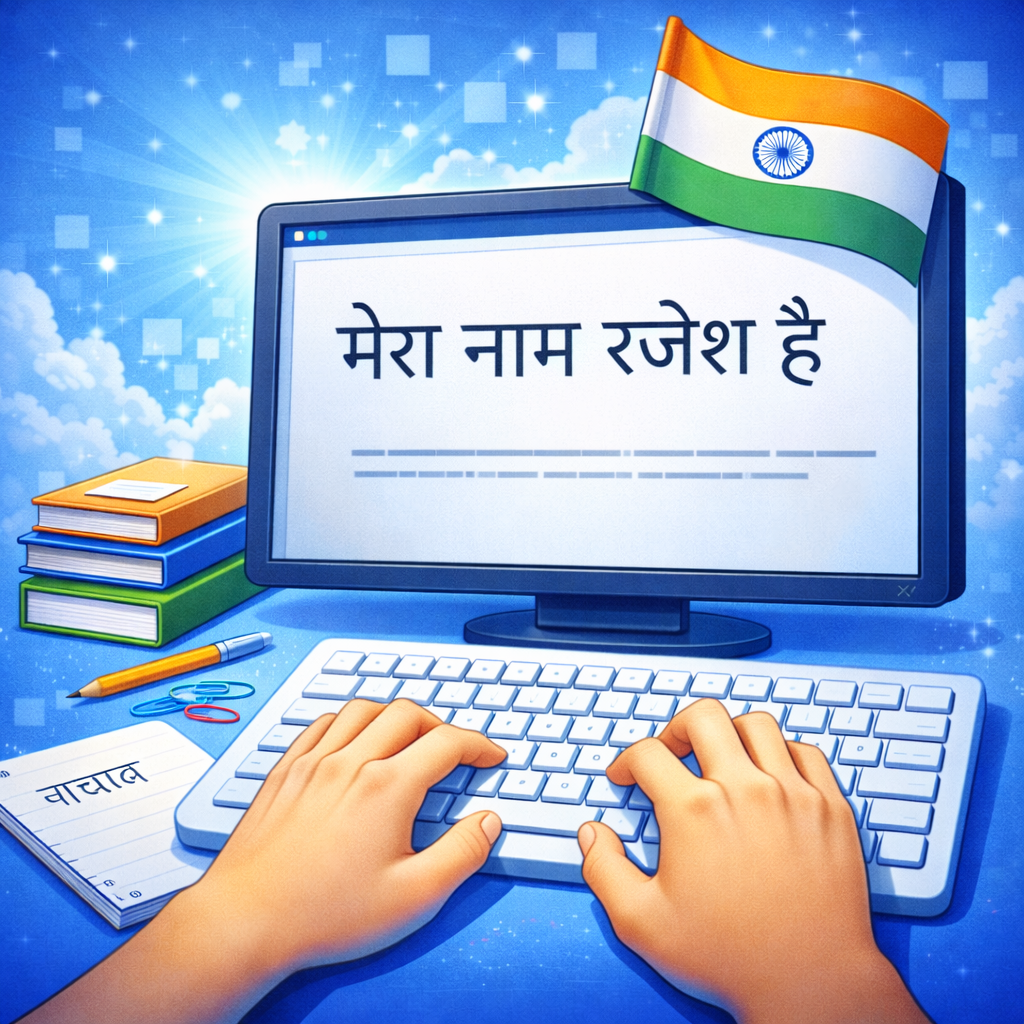
- Typing “mera naam rahul hai” converts to “मेरा नाम राहुल है”
- Typing “bharat ek mahaan desh hai” converts to “भारत एक महान देश है”
This phonetic approach makes the tool extremely intuitive. Even users with little technical knowledge can start typing Hindi within seconds.
Google Input Tools also offers intelligent word suggestions. When a user types a word, the tool displays multiple possible Hindi words in a suggestion box. This helps users choose the correct spelling and improves overall typing accuracy.
Another powerful feature is adaptive learning. The tool remembers frequently used words and begins suggesting them automatically in future typing sessions. Over time, this makes typing much faster.
Google Input Tools is available in several forms:
- Web-based version for typing directly in a browser
- Chrome extension for use across websites
- Desktop input tool for Windows systems
Because of its flexibility, many bloggers and content writers rely on Google Input Tools when creating Hindi articles, social media posts, and emails.
One more advantage is the support for multiple Indian languages. Besides Hindi, the tool also supports languages such as Bengali, Tamil, Gujarati, Marathi, and Kannada. Users can switch between languages easily without installing separate software.
For beginners who want the fastest way to start typing Hindi without learning complicated layouts, Google Input Tools remains one of the best solutions available today.
Microsoft Indic Language Input Tool
Another widely used solution for Hindi typing is the Microsoft Indic Language Input Tool. Designed specifically for Windows users, this software allows people to type Hindi using a phonetic keyboard system similar to Google’s transliteration technology.
The primary goal of this tool is to make typing Indian languages easier for users who are already comfortable with English keyboards. Instead of learning a new keyboard layout, users can simply type Hindi words as they sound in English.
For instance:
- “duniya” becomes दुनिया
- “samay” becomes समय
- “shiksha” becomes शिक्षा
This simple approach removes the biggest obstacle beginners face when learning Hindi typing. Within a few minutes of installation, users can begin writing Hindi documents smoothly.
One of the standout features of the Microsoft Indic Input Tool is its dictionary-based suggestion system. As users type, the software suggests multiple Hindi words that match the entered pronunciation. This helps reduce spelling mistakes and speeds up typing.
The tool also integrates seamlessly with popular Microsoft applications such as:
- Microsoft Word
- Microsoft Excel
- Microsoft PowerPoint
- Outlook
This integration is especially useful in professional environments where Hindi documents are created regularly. Government offices, educational institutions, and businesses often rely on this tool to prepare reports, letters, and official records.
Another benefit is offline functionality. Unlike some web-based tools, the Microsoft Indic Input Tool works without an internet connection once installed. This makes it useful in locations where internet access is limited.
The software is lightweight and easy to install, making it accessible even on older computers. Because it runs directly within the Windows language settings, users can switch between English and Hindi typing instantly using keyboard shortcuts.
For professionals who frequently work with Microsoft Office and need reliable Hindi typing capabilities, this tool remains a dependable choice.

Hindi Typing Apps for Mobile Devices
With the rapid rise of smartphones, Hindi typing has moved far beyond desktop computers. Today, millions of people write Hindi messages, posts, and comments directly from their mobile devices. Mobile typing apps have made this process incredibly simple and convenient.
Modern smartphone keyboards support Hindi typing through multiple input methods, including phonetic typing, handwriting input, and voice typing. These features allow users to communicate naturally without worrying about complex keyboard layouts.
Some of the most popular Hindi typing apps include:
| App | Platform | Key Feature |
|---|---|---|
| Google Indic Keyboard | Android | Hindi transliteration and voice typing |
| SwiftKey Keyboard | Android & iOS | AI predictions and multilingual typing |
| Gboard | Android & iOS | Google-powered suggestions and voice input |
| Lipikaar | Android | Offline Hindi typing |
Among these, Gboard is one of the most widely used keyboards in the world. Developed by Google, it supports Hindi typing through transliteration and voice input. Users can simply speak into the microphone, and the keyboard converts speech into Hindi text instantly.
Voice typing is especially useful for people who are not comfortable typing on small screens. By speaking naturally, they can generate long messages, notes, or documents quickly.
Another powerful feature in mobile keyboards is predictive typing. As users type, the keyboard suggests complete words and phrases based on previous usage patterns. This significantly increases typing speed and reduces effort.
Mobile typing apps also support emoji integration, GIFs, and multilingual typing, allowing users to switch between Hindi and English seamlessly during conversations.
For social media users, these keyboards make it easy to write captions, comments, and messages in Hindi without installing additional software. The convenience of typing in one’s native language encourages more people to create content online.
Smartphone keyboards continue to evolve with AI-powered features that improve accuracy and speed. As mobile internet usage continues to grow, Hindi typing apps will remain one of the most important tools for digital communication.
Hindi Keyboard Layouts Explained
When someone first starts learning Hindi typing, one of the most confusing aspects is understanding how Hindi characters are arranged on a keyboard. Unlike English, which has only 26 letters, Hindi uses the Devanagari script, which contains a larger set of characters including vowels, consonants, vowel modifiers, and compound letters. Because of this complexity, several keyboard layouts have been developed to help users type efficiently.
A keyboard layout simply refers to how characters are assigned to keys. Different layouts arrange Hindi characters in different ways depending on the typing method and user preference. Some layouts prioritize logical organization, while others focus on phonetic similarity or historical usage.
The three most common Hindi keyboard layouts include:
- Inscript Layout
- Phonetic Layout
- Remington Layout
Each of these layouts serves a specific purpose. The Inscript layout is widely recognized as the standard government-approved keyboard, while phonetic layouts are more beginner-friendly. Remington, on the other hand, reflects the traditional arrangement used in typewriters.
Understanding keyboard layouts is important because it directly affects typing speed and accuracy. A layout that feels natural to one user may feel confusing to another. For example, a professional typist working in government documentation may prefer Inscript due to its standardized structure, while a blogger writing articles might choose phonetic typing for convenience.
Another interesting factor is how modern software adapts to these layouts. Operating systems like Windows, Linux, macOS, Android, and iOS allow users to switch between multiple keyboard layouts easily. This means someone can experiment with different typing methods and choose the one that suits them best.
Keyboard layouts also influence how quickly someone can develop muscle memory. Once the brain memorizes the position of characters, typing becomes automatic and significantly faster. This is why professional typists practice the same layout repeatedly until their fingers move instinctively across the keyboard.
In today’s digital environment, learning about Hindi keyboard layouts is an important step toward mastering Hindi typing. By understanding how these layouts work, users can avoid frustration and select a typing system that aligns with their goals—whether they want to type casually, professionally, or academically.
Standard Devanagari Keyboard Structure
The Devanagari keyboard structure is designed to represent the complete writing system used for Hindi. Unlike English typing, where each key corresponds to a single letter, Hindi typing involves multiple components such as vowels, consonants, matras, and combined characters.
The Devanagari script consists of three primary elements:
- Vowels (स्वर) – standalone sounds such as अ, आ, इ, ई
- Consonants (व्यंजन) – letters such as क, ख, ग, घ
- Matras (मात्राएँ) – vowel signs attached to consonants, like ा, ि, ी
When typing Hindi, these elements combine to form complete words. For example:
- क + ा = का
- क + ि = कि
- क + ी = की
This combination system makes Devanagari visually rich but also slightly more complex than English typing.
In standard Hindi keyboard layouts, characters are placed in positions that make them easier to access. Consonants are typically located on central keys, while matras are assigned to keys that can be used alongside consonants. This design allows typists to produce full syllables quickly.
Another important feature of the Devanagari keyboard structure is the use of halant (्). This symbol removes the inherent vowel from a consonant, allowing the creation of compound characters such as:
- क + ् + ष = क्ष
- त + ् + र = त्र
- ज + ् + ञ = ज्ञ
These combined letters are common in Hindi words and must be typed correctly for accurate spelling.
Modern typing tools simplify this process by automatically forming these compound characters when the appropriate keys are pressed. This automation reduces errors and improves typing speed.
Because Devanagari script is systematic and phonetic, once users understand its structure, typing becomes much easier. The keyboard essentially mirrors the logic of the language itself, allowing characters to combine naturally.
Learning the structure behind the Devanagari keyboard is like learning the blueprint of Hindi writing. Once this foundation is clear, mastering Hindi typing becomes far less intimidating.
Differences Between Inscript and Phonetic Layouts
Two of the most commonly used Hindi typing systems today are the Inscript layout and the phonetic layout. While both allow users to type Hindi efficiently, they follow completely different principles. Understanding the differences between these two layouts helps users choose the one that best suits their needs.
The Inscript keyboard layout is a standardized system created for professional and administrative use. It arranges Hindi characters according to a structured linguistic pattern. Each key corresponds to a specific Devanagari character, meaning users must memorize the exact keyboard positions.
In contrast, the phonetic layout is based on pronunciation. Instead of memorizing key positions, users type Hindi words using English letters that sound similar. The software then converts the typed text into Hindi automatically.
Here is a simple comparison:
| Feature | Inscript Layout | Phonetic Layout |
|---|---|---|
| Learning Difficulty | Moderate to High | Very Easy |
| Typing Method | Memorized key positions | Pronunciation-based typing |
| Speed Potential | Very High for trained typists | Moderate to High |
| Best For | Professional typists | Beginners and casual users |
| Internet Requirement | Not required | Sometimes required |
One major advantage of the Inscript layout is consistency. Once someone learns it, they can type quickly without relying on suggestion lists or automatic conversion tools. This makes it ideal for government exams, official documentation, and large-scale typing tasks.
Phonetic typing, however, focuses on convenience and accessibility. Beginners can type Hindi immediately without learning a new keyboard system. This is why phonetic typing is widely used in social media communication, blogging, and messaging.
Another difference lies in typing accuracy. Inscript relies on direct character input, which reduces the chance of incorrect word suggestions. Phonetic typing may occasionally produce incorrect conversions if the pronunciation is ambiguous.
Many experienced users eventually learn both methods. They may use phonetic typing for quick online communication while relying on Inscript for professional work.
Choosing between these layouts ultimately depends on the user’s goals. Someone preparing for typing exams may invest time learning Inscript, while a casual internet user might prefer the simplicity of phonetic typing.
How to Start Hindi Typing on Different Devices
One of the biggest advantages of modern technology is that Hindi typing is now supported on almost every digital device. Whether someone is using a desktop computer, laptop, tablet, or smartphone, they can easily enable Hindi input within minutes.
Operating systems today are designed to support multiple languages, including Hindi. This means users no longer need complicated installations or technical knowledge to start typing in Devanagari script.
The process usually involves enabling Hindi as an input language in the device’s language settings. Once activated, users can switch between English and Hindi typing using keyboard shortcuts or language buttons.
Another factor that makes Hindi typing accessible today is the availability of built-in typing tools. Many devices already include phonetic typing systems, predictive text features, and voice input capabilities. These features reduce the effort required to write long Hindi texts.
For example, smartphone keyboards often provide automatic suggestions and autocorrect for Hindi words. As users type, the keyboard predicts the next word and displays it in a suggestion bar. This speeds up communication significantly.
On computers, users may install specialized software like Google Input Tools or Microsoft Indic Input Tool to enable phonetic typing. These programs integrate with applications such as Microsoft Word, email clients, and web browsers.
Another helpful feature available on modern devices is voice typing. Instead of typing manually, users can simply speak in Hindi while the device converts speech into text. This technology has improved dramatically in recent years thanks to advancements in artificial intelligence and speech recognition.
Because Hindi typing is now supported across so many devices, people can write in Hindi wherever they are—whether working on a document at the office, chatting with friends on a phone, or posting content on social media.
Learning how to enable Hindi typing on different devices ensures that users can communicate comfortably in their native language across all digital platforms.
Hindi Typing on Windows Computers
For many people, Windows computers remain one of the most common platforms for writing documents, emails, articles, and official reports. Fortunately, Windows provides built-in support for Hindi typing, allowing users to type in Devanagari script without installing complicated third-party software. With just a few simple steps, anyone can activate Hindi typing and begin writing immediately.
The first step is enabling Hindi as an input language in the Windows settings. Users can do this by navigating to Settings → Time & Language → Language & Region. After selecting Add a language, they simply search for Hindi and install it. Once installed, Windows automatically includes Hindi keyboard layouts such as Inscript and phonetic options depending on the version.
After activation, switching between English and Hindi typing becomes extremely easy. Windows typically uses the shortcut Alt + Shift or Windows Key + Spacebar to toggle between languages. This means users can write bilingual text without constantly changing settings.
Another major advantage of Windows is compatibility with advanced Hindi typing tools. Applications such as Google Input Tools, Microsoft Indic Language Input Tool, and other transliteration software integrate smoothly with Windows programs. These tools allow users to type Hindi using the English alphabet, making the process intuitive even for beginners.
Windows users also benefit from compatibility with professional software. Hindi typing works seamlessly inside programs like:
- Microsoft Word
- Notepad
- Google Docs
- Excel
- Email clients
This compatibility is particularly useful for people preparing official documents, reports, or academic papers in Hindi.
Typing speed can also improve significantly on a full keyboard compared to mobile devices. Larger keyboards allow better finger positioning, which helps develop touch typing skills. Professional typists who practice regularly can reach speeds of 40–60 words per minute or more in Hindi.
Another helpful feature is font support. Modern Windows systems support Unicode Hindi fonts such as Mangal, Nirmala UI, and Aparajita, ensuring that typed text displays correctly across websites, documents, and applications.
For students, content writers, journalists, and office workers, Windows provides one of the most efficient environments for Hindi typing. Once the language settings are configured, the computer becomes a powerful tool for producing large amounts of Hindi content quickly and accurately.
Hindi Typing on Smartphones (Android & iOS)
Smartphones have transformed how people communicate, and Hindi typing has become an everyday activity for millions of users. Messaging apps, social media platforms, and mobile productivity tools all support Hindi text, making it easy to write in Devanagari directly from a mobile device.
Both Android and iOS devices include built-in options for Hindi keyboards. Users can activate these keyboards by opening their device settings and navigating to the Language & Input or Keyboard settings section. Once Hindi is added as an input language, the keyboard automatically becomes available for typing in any app.
One of the most popular mobile typing solutions is Gboard, Google’s official keyboard application. Gboard supports multiple Hindi typing methods, including:
- Phonetic typing (Hinglish to Hindi conversion)
- Direct Devanagari keyboard
- Voice typing
- Handwriting input
Among these, phonetic typing is the most widely used. Users simply type Hindi words using English letters, and the keyboard instantly converts them into Hindi script. For example, typing “aaj mausam accha hai” becomes “आज मौसम अच्छा है”.
Another extremely useful feature is voice typing. Instead of typing manually, users can tap the microphone icon and speak in Hindi. The keyboard converts speech into text almost instantly. This feature is especially helpful for longer messages or for users who find mobile typing slow.
Mobile keyboards also include predictive text and auto-suggestions. As someone begins typing a word, the keyboard suggests possible completions. This feature significantly increases typing speed and reduces spelling mistakes.
Many keyboards also support multilingual typing, allowing users to mix Hindi and English in the same sentence. This hybrid style, often called Hinglish, is very common in online conversations and social media posts.
Smartphone typing apps continue to evolve with artificial intelligence and machine learning. They learn from user behavior, adapt to personal vocabulary, and improve prediction accuracy over time.
For everyday communication, smartphones have made Hindi typing more accessible than ever. Whether sending a WhatsApp message, writing a Facebook post, or replying to comments on YouTube, users can express themselves naturally in Hindi without needing a computer.
Tips to Improve Hindi Typing Speed
Learning how to type in Hindi is only the first step. The real goal for many people is improving typing speed and accuracy so they can write efficiently without constantly looking at the keyboard. Just like learning to play a musical instrument, typing becomes easier and faster with consistent practice and the right techniques.
One of the most important habits to develop is touch typing. This technique involves typing without looking at the keyboard. Instead, the fingers memorize the position of keys and move automatically. Although it may feel slow initially, touch typing dramatically increases speed in the long run.
Another useful technique is practicing with structured typing exercises. Many online platforms offer Hindi typing practice tools that display passages for users to type. These exercises help improve finger coordination, muscle memory, and familiarity with Hindi characters.
Consistency is also essential. Practicing for 15 to 30 minutes daily can lead to noticeable improvement within a few weeks. Regular practice trains the brain to recognize word patterns and common letter combinations.
Here are a few habits that can significantly boost typing performance:
- Maintain proper finger placement on the keyboard.
- Focus on accuracy before speed.
- Practice typing common Hindi words and sentences.
- Avoid looking at the keyboard constantly.
- Use typing software or practice websites.
Professional typists often measure their speed using words per minute (WPM). Beginners may start around 10–15 WPM, while experienced typists can exceed 40–50 WPM in Hindi.
Another important factor is familiarity with Hindi vocabulary and spelling. The more comfortable someone is with the language itself, the easier it becomes to type quickly. Reading Hindi articles, books, and news can help improve word recognition.
Improving typing speed is a gradual process. With patience and consistent effort, anyone can become a confident Hindi typist capable of producing large amounts of text efficiently.
Practice Techniques to Build Speed and Accuracy
Developing fast and accurate Hindi typing skills requires more than occasional practice. Structured techniques and disciplined routines can significantly accelerate progress. Just like athletes train their muscles through repeated exercises, typists strengthen their finger coordination and muscle memory through consistent typing drills.
One effective technique is guided typing practice. This involves typing paragraphs or sentences displayed on a screen while focusing on both speed and accuracy. Typing platforms often highlight mistakes instantly, allowing learners to correct errors immediately.
Another useful method is repetition training. Typing the same group of commonly used Hindi words repeatedly helps the brain remember key patterns. Words like भारत, समय, शिक्षा, समाज, परिवार, and others appear frequently in Hindi writing. Mastering these words reduces hesitation during typing.
Finger placement also plays an important role. On a standard keyboard, fingers should rest on the home row keys, allowing them to move efficiently across nearby keys. Proper hand positioning reduces unnecessary movement and improves typing speed.
Time-based exercises can also help build confidence. For example, setting a five-minute typing challenge encourages focus and gradual speed improvement. Many typing websites track performance statistics such as:
- Words per minute (WPM)
- Accuracy percentage
- Error rate
These metrics allow learners to monitor progress and set realistic improvement goals.
Reading while typing is another effective technique. By typing passages from Hindi books or articles, learners improve both their language familiarity and typing rhythm. Over time, this builds natural typing flow.
One common mistake beginners make is trying to type too fast too soon. Speed should always come after accuracy. Building a strong accuracy foundation ensures fewer corrections and smoother typing later.
Consistent practice—even for short periods—creates lasting improvement. Within a few weeks of disciplined training, many learners notice dramatic gains in both typing confidence and efficiency.
Common Mistakes Beginners Should Avoid
While learning Hindi typing, beginners often encounter several common challenges that slow down their progress. Recognizing these mistakes early can make the learning process smoother and more enjoyable.
One of the most frequent mistakes is constantly looking at the keyboard. Although this habit feels natural at first, it prevents the brain from developing muscle memory. Touch typing requires trusting finger movement rather than relying on visual confirmation.
Another mistake is focusing only on speed instead of accuracy. Typing quickly while making frequent mistakes leads to frustration and wasted time correcting errors. Prioritizing accuracy helps build a stable typing foundation.
Beginners also sometimes rely too heavily on auto-suggestions in phonetic typing tools. While suggestions are helpful, depending on them too much can slow down typing when suggestions are incorrect or unavailable.
Improper posture can also affect typing performance. Sitting too close or too far from the keyboard can cause discomfort and reduce typing efficiency. Maintaining a comfortable posture with relaxed wrists improves endurance during long typing sessions.
Some learners also switch between multiple typing methods too frequently. For example, alternating between phonetic typing and Inscript layouts can confuse muscle memory. Choosing one method initially and practicing it consistently leads to better results.
Another common issue is ignoring typing practice altogether. Many users enable Hindi typing tools but rarely practice structured exercises. Without consistent practice, speed improvement remains limited.
Avoiding these mistakes helps learners progress faster and develop stronger typing habits. With patience and regular training, Hindi typing gradually becomes second nature.
Future of Hindi Typing and Digital Communication
The future of Hindi typing is closely connected to the broader growth of regional languages on the internet. As digital access expands across India and other Hindi-speaking regions, more people are choosing to communicate online in their native language rather than relying solely on English.
One major factor shaping this future is artificial intelligence. AI-powered keyboards now offer advanced predictive text, automatic grammar correction, and context-aware suggestions. These technologies allow users to type faster while minimizing spelling errors.
Another emerging trend is voice-based communication. Speech recognition technology has improved dramatically in recent years. Many devices can now convert spoken Hindi into accurate text almost instantly. This capability may reduce the need for manual typing in some situations, especially for long messages or note-taking.
The growth of regional language content platforms is also fueling demand for Hindi typing. Blogs, news websites, YouTube channels, and social media pages written in Hindi attract millions of readers every day. Businesses increasingly recognize the value of communicating with audiences in their preferred language.
E-commerce companies, educational platforms, and government services are also expanding their Hindi interfaces. This shift ensures that digital services remain accessible to a broader population.
Another exciting development is the integration of AI translation systems. These tools allow content to move easily between languages while preserving meaning. Hindi typing combined with automatic translation could help creators reach global audiences without language barriers.
As technology continues to evolve, typing itself may become even more intuitive. Future systems may combine voice input, gesture typing, handwriting recognition, and AI prediction to create seamless multilingual communication experiences.
What remains certain is that Hindi will continue to play a major role in the digital world. The ability to type and create content in Hindi will remain a valuable skill for students, professionals, creators, and businesses alike.
Conclusion
Hindi typing has evolved from a specialized technical skill into an essential tool for modern digital communication. From traditional typewriters and complex keyboard layouts to today’s AI-powered typing tools and smartphone keyboards, the journey of Hindi typing reflects the broader transformation of technology and language on the internet.
Learning to type in Hindi opens the door to countless opportunities. It allows individuals to communicate naturally in their native language, create content for growing Hindi-speaking audiences, and participate fully in the expanding digital ecosystem. Whether someone is writing social media posts, preparing official documents, blogging, or working in data entry, Hindi typing provides a powerful means of expression.
Modern tools such as Google Input Tools, Microsoft Indic Input Tool, and mobile keyboards like Gboard have made Hindi typing accessible even to beginners. Phonetic typing systems remove the need to memorize complex layouts, while professional systems like Inscript provide structured solutions for high-speed typing.
Consistency and practice remain the key factors in mastering Hindi typing. With regular exercises, proper techniques, and patience, anyone can significantly improve their typing speed and accuracy.
As the internet continues to grow in regional languages, Hindi typing will only become more important. It will remain a bridge connecting millions of people to information, opportunities, and communities in the digital world.
FAQs
1. What is the easiest way to start Hindi typing?
The easiest method is phonetic typing using tools like Google Input Tools or Gboard. Users simply type Hindi words using English letters, and the software automatically converts them into Devanagari script.
2. Which keyboard layout is best for professional Hindi typing?
The Inscript keyboard layout is considered the best for professional and government-related typing tasks because it offers a standardized and efficient structure.
3. Can I type Hindi on my smartphone?
Yes. Both Android and iOS devices support Hindi keyboards. Apps like Gboard, SwiftKey, and Google Indic Keyboard allow users to type Hindi easily using phonetic typing or voice input.
4. How long does it take to learn Hindi typing?
The time required varies depending on practice and typing method. Beginners using phonetic typing can start immediately, while mastering layouts like Inscript may take several weeks of consistent practice.
5. What is a good Hindi typing speed?
A good Hindi typing speed for beginners is around 20–30 words per minute, while experienced typists can reach 40–60 words per minute or higher with regular practice.
| All Courses | View List | Enroll Now |
| Mock Tests/Quizzes | View All |
| Student Registration | Register Now |
| Become an Instructor | Apply Now |
| Dashboard | Click Here |
| Student Zone | Click Here |
| Our Team | Meet the Members |
| Contact Us | Get in Touch |
| About Us | Read More |
| Knowledge Base | Click Here |
| Classes/Batches: Class 6th to 12th, BA, B.Sc, B.Com (All Subjects) — Online & Offline Available | Click Here |
| Exam Preparation: SSC, Railway, Police, Banking, TET, UPTET, CTET, and More | Click Here |
| Shree Narayan Computers & Education Center | Home Page |




Staff picks
Class 11th Commerce UP Board Notes with NCERT Solutions | PDF & MS Word
Original price was: ₹99.00.₹0.00Current price is: ₹0.00.Class 11th Humanities UP Board Notes with NCERT Solutions | PDF & MS Word
Original price was: ₹99.00.₹0.00Current price is: ₹0.00.Class 11th Science UP Board Notes with NCERT Solutions | PDF & MS Word
Original price was: ₹99.00.₹0.00Current price is: ₹0.00.Class 12th Commerce UP Board Notes with NCERT Solutions | PDF & MS Word
Original price was: ₹99.00.₹0.00Current price is: ₹0.00.